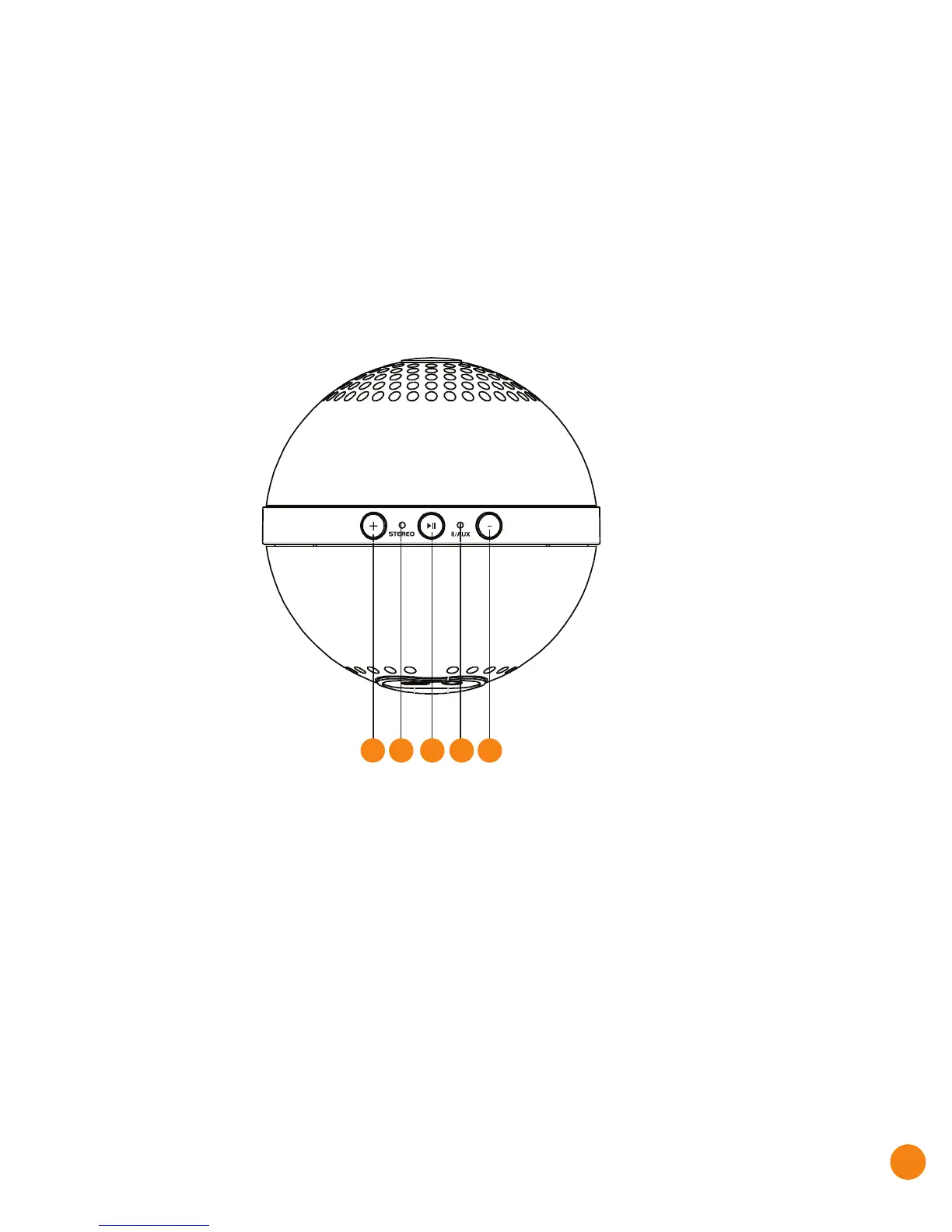
1: Volume up: Short Press to increase volume
2: Volume down: Short Press to decrease volume
3: Play: Short Press – Play/Pause; Long press: Bluetooth® pairing
4: Audio mode LED indicator:
Default: blinks in blue while looking for connection
Bluetooth® pairing: red/blue flash alternately
Bluetooth® connected: solid blue
AUX-in mode: solid red
5. Stereo connection LED
Second Orbit is connecting: Green/Blue flash alternately
Second Orbit connected: Solid green light
Getting Started
Orbit
Micro-USB charging cable
3.5 mm Audio Cable
User Guide
Warranty Card
Packing Contents:
1
2
23 45


 To Next Page