aPPlication exaMPles
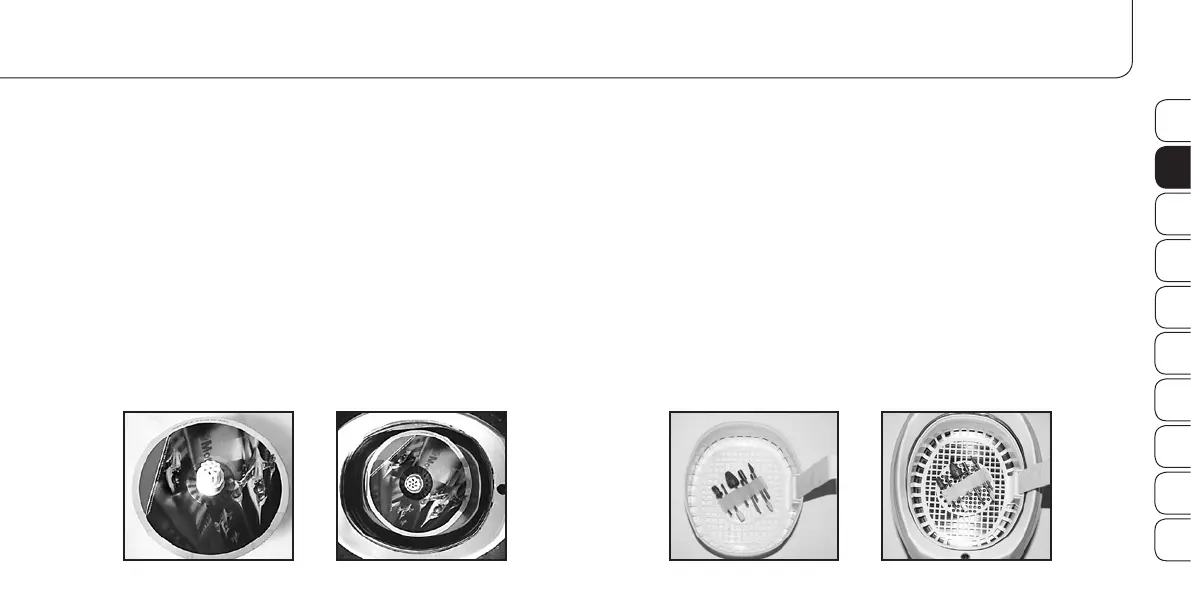
Cleaning of CDs / DVDs:
1. Put the CD / DVD on the CD / DVD holder (K) and place it into
the cleaning tank (C) filled with water.
2. Start the cleaning process as described above.
3. When the cleaning process is finished, take out the CD / DVD
from the CD / DVD holder (K) and dry it with a clean and dry
cloth. You can clean up to 2 CDs / DVDs at the same time.
Cleaning of grinding heads (bits):
1. Put the bits into the bit holder (L) and place it with the cleaning
basket (I) into the cleaning tank (C) filled with water or cleaning
liquid (e.g. Promed Pure ID (Product No. 330810)).
2. Start the cleaning process as described above.
3. When the cleaning process is finished, take out the bit holder (L)
and the cleaning basket (I) and let the bits dry well.
DE
EN
FR
IT
ES
NL
RU
PL
SE
FI


 To Next Page