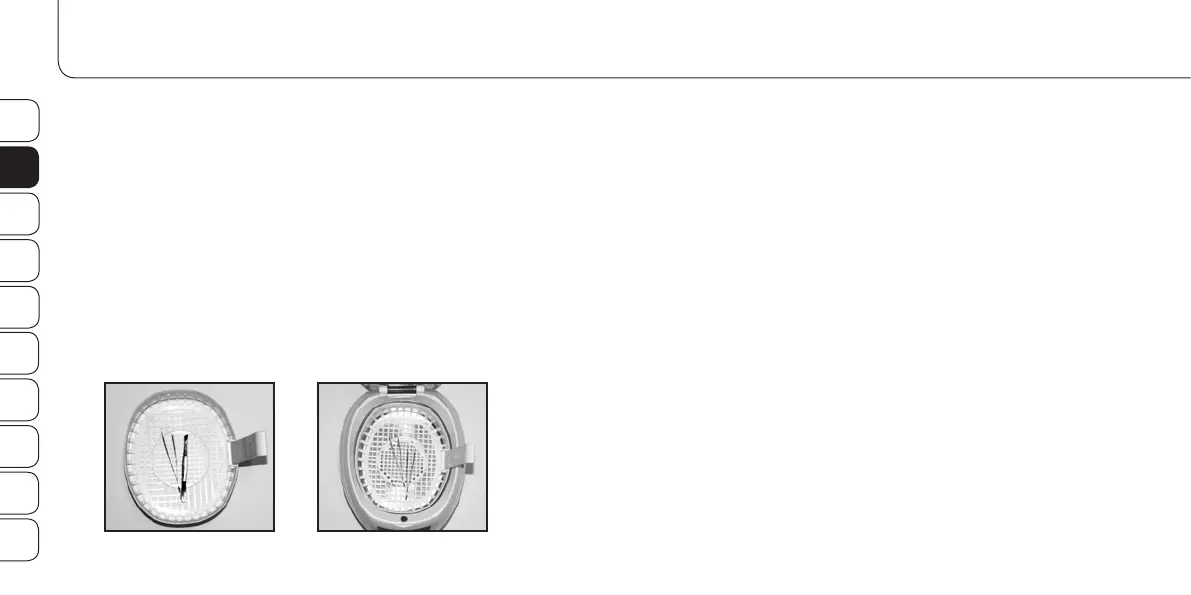
Cleaning of instruments:
1. Put the instruments into the cleaning basket (I), and place it into
the cleaning tank (C) filled with water or cleaning liquid (e.g.
Promed Pure ID (Product No. 330810)).
2. Start the cleaning process as described above. When the
cleaning process is finished, take out the cleaning basket (I) and
let the instruments dry well.
A. Keep the cleaning tank (C) free of dust and cleaning residues
as good as you can.
B. Make sure that you never switch on the device without liquid
in the cleaning tank (C).
C. Remove dirt from the device using a cloth moistened with
alcohol. If the device is damaged, send it immediately for
repair.
aPPlication exaMPles Maintenance tiPs
DE
EN
FR
IT
ES
NL
RU
PL
SE
FI


 To Next Page