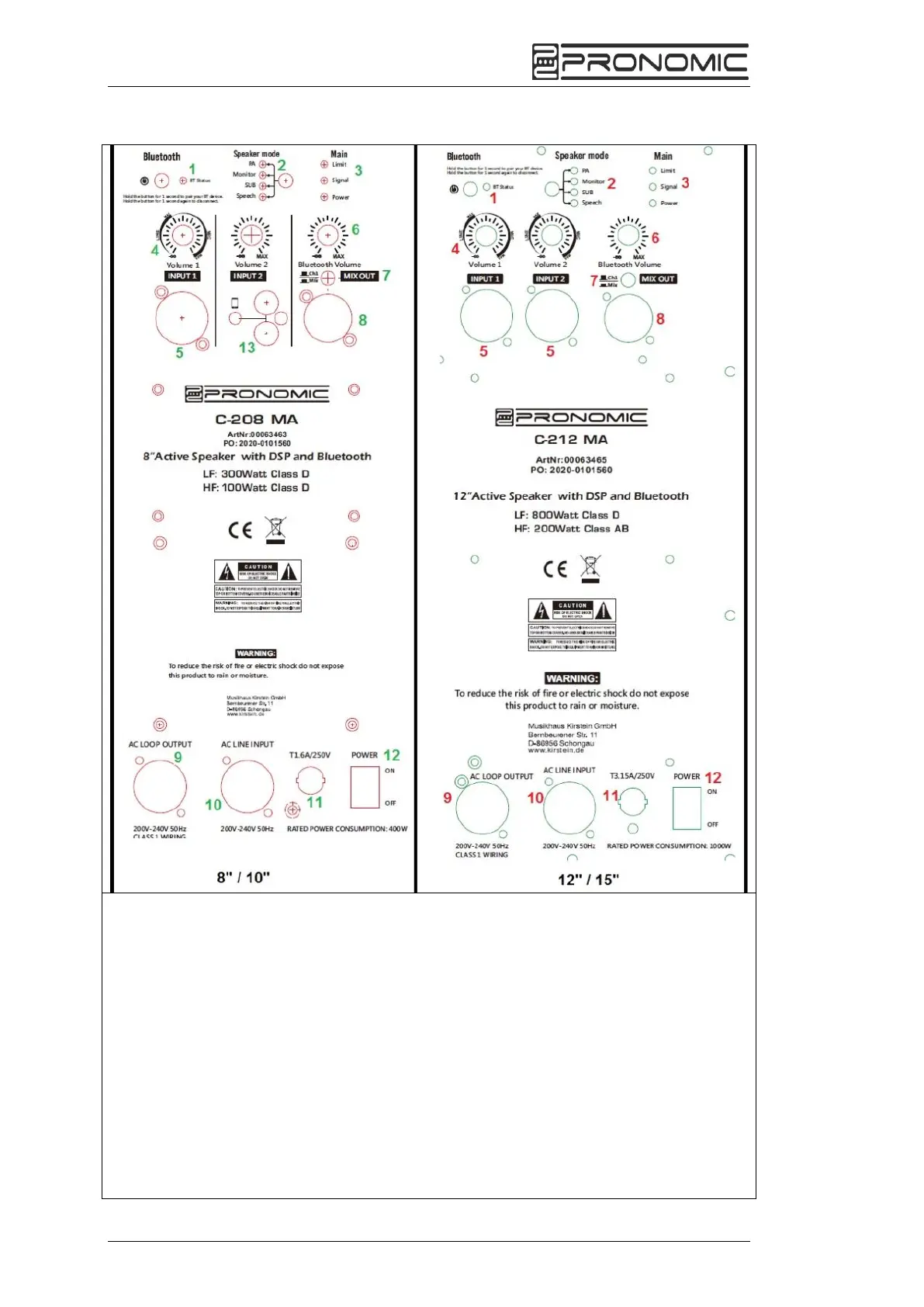
1. BLUETOOTH: Connecting your Bluetooth device with this
speaker
A. If loudspeaker is powered on, press the pair button for two seconds. The LED
starts blinking and the devices is searching for other BT-devices nearby.
B. Enable the Bluetooth function in your BT-devices (e.g. smartphone) and select
“M I XER-01” when this is indicated in your display. When paired
successfully, the BT- LED on the Speaker panel is constantly on.
C. Turn your Bluetooth device's volume to its lowest level.
D. Then start playing a song on your smartphone. It´s recommended to set the
Bluetooth device's volume now at its maximum.
E. Once your device is paired to the C-Series speaker, the speaker will
automatically remember the device for the next session. To re-connect it,
go to your Bluetooth settings and select "Connect “, to re-establish the


 To Next Page