EasyManua.ls Logo

Propel Trampolines FZIPP NANO 2.0 - User Manual

Propel Trampolines FZIPP NANO 2.0
6 pages
Print Icon
To Next Page IconTo Next Page
Loading...
WARNING: Never leave product charging unattended for extended periods of
time. Always disconnect ZIPP NANO™ 2.0 from charger immediately after the
ZIPP NANO™ 2.0 is fully charged. Please refer to enclosed safety instructions.
INSTRUCTION BOOKLET
Colours and styles may slightly vary.
Made in China
Conforms to safety requirements of ASTM, CPSIA and FCC.
8619 Wall street, Suite 400, Austin, TX 78754
©2017 Rooftop Brands™ All rights reserved
Tel:
1-866-458-5151
• www.propelrc.com
CHOKING HAZARD
-
Small parts.
Not suitable for children under 3 years.
WARNING!
PACKAGE CONTAINS:
2.4G Wireless Controller Instruction BookletSpare PartsUSB Charging Cord
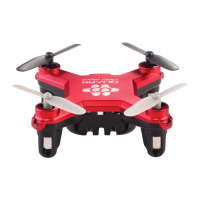
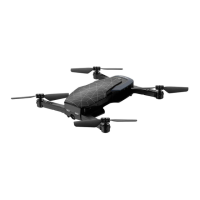
ZIPP NANO™2.0
ZIPP NANO™ 2.0
2.4Ghz Indoor/Outdoor High Performance Drone
11
INDUSTRY CANADA NOTICE: CANADA ONLY.
This device complies with Industry Canada licence-exempt RSS standard(s). Operation is subject to the following two conditions:
(1) this device may not cause interference, and (2) this device must accept any interference, including interference that may cause
undesired operation of the device.
Le présent appareil est conforme aux CNR d'Industrie Canada applicables aux appareils radio exempts de licence. L'exploitation est
autorisée aux deux conditions suivantes : (1) l'appareil ne doit pas produire de brouillage, et (2) l'utilisateur de l'appareil doit
accepter dout brouillage radioélectrique subi, même si le brouillage est susceptible d'en compromettre le fonctionnement.
4CH3CH
1
2
T
3
BC
CAUTION: Changes or modifications not expressly approved by the party responsible for compliance
could void the user’s authority to operate the equipment.
NOTE: This equipment has been tested and found to comply with the limits for a Class B digital device,
pursuant to Part 15 of the FCC Rules. These limits are designed to provide reasonable protection against
harmful interference in a residential installation. This equipment generates, uses and can radiate radio
frequency energy and, if not installed and used in accordance with the instructions, may cause harmful
interference to radio communications. However, there is no guarantee that interference will not occur in
a particular installation. If this equipment does cause harmful interference to radio or television
reception, which can be determined by turning the equipment off and on, the user is encouraged to try
to correct the interference by one or more of the following measures:
• Reorient or relocate the receiving antenna.
• Increase the separation between the equipment and receiver.
• Connect the equipment into an outlet on a circuit different from that to which the receiver is
connected.
• Consult the dealer or experienced radio/TV technician for help.
This device complies with Part 15 of the FCC Rules. Operation is subject to the following two conditions :
(1) This device may not cause harmful interference, and
(2) this device must accept any interference received, including interference that may cause undesired
operation.
FCC Part 15 C Notice
Important! Register You Drone
The U.S. Department of Transportation’s Federal Aviation Administration (FAA) announced a streamlined and
user-friendly web-based aircraft registration process for owners of small unmanned aircraft (UAS) weighing
more than 0.55 pounds (250 grams) and less than 55 pounds (approx. 25 kilograms) including payloads such
as on-board cameras.
Owners can get more info and may register through a web-based system at www.faa.gov/uas/registration
H
3
4
C
Question and Answer IconNeed help?

Do you have a question about the Propel Trampolines FZIPP NANO 2.0 and is the answer not in the manual?

Summary

FCC Part 15 C Compliance Notice

Industry Canada Compliance Notice

Regulations for Canada, subject to two conditions for operation.

Register Your Drone with FAA

General Safety Warnings

ZIPP NANOTM 2.0 Features

Remote Control Battery Installation Guide

ZIPP NANOTM 2.0 Charging Guide

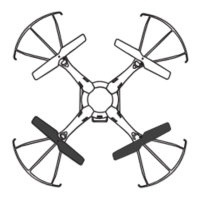
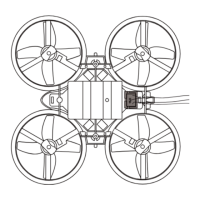
Drone and Remote Control Diagrams

Removable Controller Grips

Explains how to slide controller grips on and off for enhanced handling.

Pre-Flight Preparations

Foul Weather Warning

Advises against flying the drone in rain, snow, heavy winds, thunder, or lightning due to potential damage and harm.

Drone and Controller Syncing Procedure

General Flying Tips

Recommendations for operating the drone in open spaces, with adult supervision, keeping spectators clear, and flying in calm conditions.

Identifying Drone Front and Back

Automatic Take Off and Land

Instructions on using the "START/LAND" button for automatic take-off and landing, and manual take-off procedure.

Speed Settings

How to select between T (Training), 1 (Slow), 2 (Medium), and 3 (High) speed modes using the speed button.

Training Mode (T Mode)

How to activate and use T mode for slow-speed learning and how to exit it.

Auto Shut-Off Feature

Describes the safety feature that automatically shuts off motors upon contact in T-Mode and Mode 1.

3;4 Channel Selection

How to switch between 3-channel (beginner) and 4-channel (advanced) flight modes using dedicated buttons.

Understanding Trim Adjustments

4-Channel Flight Control Operations

3-Channel Flight Control Operations

Calibrating the ZIPP NANOTM2.0

How to Perform 360° Stunt Rolls

General ZIPP NANOTM2.0 Warnings

Safety precautions for indoor/outdoor use, high-speed blades, keeping distance, warning spectators, and inspecting blades before flight.

Specific Hazard and Safety Warnings

Highlights hazards like choking, cutting, keeping body parts away from propellers, turning off power, using correct charger, and recommending adult supervision.

Controller and Drone Battery Warnings

Safety guidelines for rechargeable Li-Poly batteries and controller "AAA" batteries, including disposal, mixing, recharging, and short-circuiting.

Drone and Remote Care and Maintenance

Advice on cleaning the remote and drone, avoiding heat/sunlight, not submerging in water, and removing batteries when not in use.

Replacing Drone Propeller Blades

Step-by-step guide to replacing damaged propeller blades, matching spare parts to the correct position (A/B) on the drone.

Propel Trampolines FZIPP NANO 2.0 Specifications

General IconGeneral
BrandPropel Trampolines
ModelFZIPP NANO 2.0
CategoryDrones
LanguageEnglish

Related product manuals