Need help?
Do you have a question about the Propel Trampolines GYROPTER and is the answer not in the manual?
Instructions for pairing the helicopter with the remote control for a single user.
Guidance on how multiple users can sync their helicopters simultaneously.
Use left trim to correct helicopter spinning to the right.
Use right trim to correct helicopter spinning to the left.
Covers hazards like choking, sharp blades, and keeping clear of moving parts.
Step-by-step guide to replace the upper rotor blade using a screwdriver.
Instructions for replacing the bottom rotor blade with a screwdriver.
Procedure for replacing damaged connecting rods on the rotor system.
Instructions on how to initiate a product return for repair or replacement.
Guidance on how to properly pack and ship the product for warranty service.
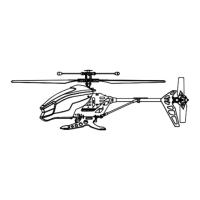
The Propel Gyropter is a 2.4GHz motion-controlled helicopter designed for an intuitive and fun flying experience. It incorporates advanced technology to provide stability and ease of use, making it suitable for both beginners and more experienced pilots.
The Gyropter is a remote-controlled helicopter that utilizes a 2.4GHz channel selection system, allowing up to eight people to fly side-by-side without interference. Its primary function is flight, controlled by a motion-sensing remote. The helicopter is equipped with an air pressure sensor that locks flight altitude, enabling stable hovering. A built-in gyroscopic chip further enhances stability and control, allowing the Gyropter to bank like a real helicopter. The motion control system enables precise movements: flying left, right, forward, backward, and hovering.
Remote Control: The Gyropter's remote control requires four "AAA" alkaline batteries (not included). Battery installation involves twisting off the cover, removing a screw to access the battery tray, inserting the batteries as shown in the diagram, and then reassembling. The remote features a power indicator light, fast and slow speed buttons, a calibrate/auto start & land button, left and right trim buttons, a speaker, and a trigger for throttle control.
Charging the Helicopter: The helicopter is powered by an internal Li-Poly rechargeable battery. To charge, ensure the helicopter's power switch is in the "OFF" position. Plug the USB charging cord into the helicopter's charging socket, then connect the USB end to a computer's USB port or a USB wall charger. A red LED on the USB plug indicates that charging is complete. Charging time typically ranges from 30-50 minutes, providing approximately 5-8 minutes of flight time per charge. It is crucial to disconnect the charger cord immediately after charging and never leave it connected overnight or for extended periods.
Preparation for Flight: Before flying, ensure the remote control has fresh batteries and the helicopter is fully charged. Both the helicopter and remote control must be turned off before syncing. For optimal flight, choose a large room free of obstacles, with an open radius of at least 25 feet. Close all windows, doors, fans, and air ducts to prevent drafts. Parental guidance or adult supervision is suggested, and spectators should be positioned behind the pilot.
Calibrating the Helicopter: If the helicopter becomes unstable, place it on a flat surface and press and hold the "Calibrate" button. The helicopter's LEDs will flash quickly then remain solid, indicating recalibration.
Automatic Take Off / Land: After syncing, simply press the "START/LAND" button on the controller for automatic take-off. Pressing it again will cause the helicopter to descend and land automatically.
Helicopter Trim Adjustments: If the helicopter over-rotates clockwise, repeatedly push and release the "LEFT trim" button until the turning stops. If it over-rotates counterclockwise, use the "RIGHT trim" button similarly. Adjusting trim ensures straight flight and accurate response to commands.
General Care: Always remove batteries from the remote control when not in use. Gently wipe the remote control and helicopter with a clean, damp cloth. Keep the toy away from direct heat or sunlight and do not submerge it in water. Parental guidance is recommended for battery installation and replacement.
Propeller System Maintenance: The Gyropter's propeller system is a precision instrument that may require repair or replacement due to crash landings or wear.
Battery Warnings: The helicopter's Li-Poly battery is internal and not replaceable. Dispose of it properly according to local requirements when it can no longer be charged. For the remote control, do not mix alkaline, standard, or rechargeable batteries, nor old and new batteries. Non-rechargeable batteries should not be recharged. Rechargeable batteries must be removed before charging and charged under adult supervision. Exhausted batteries should be removed immediately and recycled or disposed of properly. Supply terminals should not be short-circuited. Use only recommended battery types and insert them with correct polarity. Do not dispose of batteries in a fire, as they may leak or explode. New alkaline batteries are recommended for maximum performance.
 General
| Category | Toy |
|---|---|
| Shape | Round |
| Battery | Lithium-ion |
| Color | Black |
| Product Name | Propel Trampolines GYROPTER |


 To Next Page