9
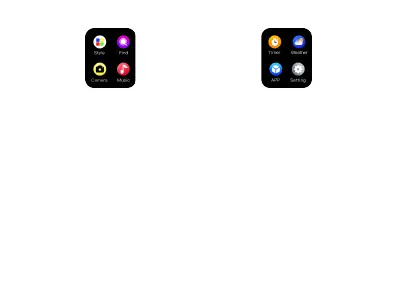
Style: tap style icon can change watch display
mode into cellular, list, or 4 grids.
Find: after you connect watch with your mobile
phone by bluetooth, tap Find Phone. Your phone
will begin to beep when it has been located.
Swipe right on the watch face to exit.
Camera: after you connect watch with your
mobile phone by bluetooth, tap camera icon,
open phone camera, tap camera can control
phone to take pictures.
Music: after you connect watch with your mobile
phone by bluetooth, tap music icon, open phone
music player app, can control phone to play
last/ next music, play/ pause music, swipe right
on watch face to exit.
Timer: tap timer icon to measure time.
Weather: after you connect watch with your mobile
phone by bluetooth, tap weather icon, the watch
displays the current time and weather conditions.
Swipe right on the watch face to exit.
APP: tap it there is QRUNNING APP download QR code,
scan it by phone can download and install it.
Setting: tap setting icon, there is about/ language/
date/ time/ brightness/ backlight/ vibration/ reset/
shutdown functions, you can check or set each
functions you want from here.


 To Next Page