EasyManua.ls Logo

ProScan PLDED4022-UK - TV Setup - Channel Configuration; Digital Manual Scan Settings; Analog Manual Scan Settings; Channel Editing and Management

ProScan PLDED4022-UK
37 pages
Print Icon
To Next Page IconTo Next Page
To Previous Page IconTo Previous Page
Loading...
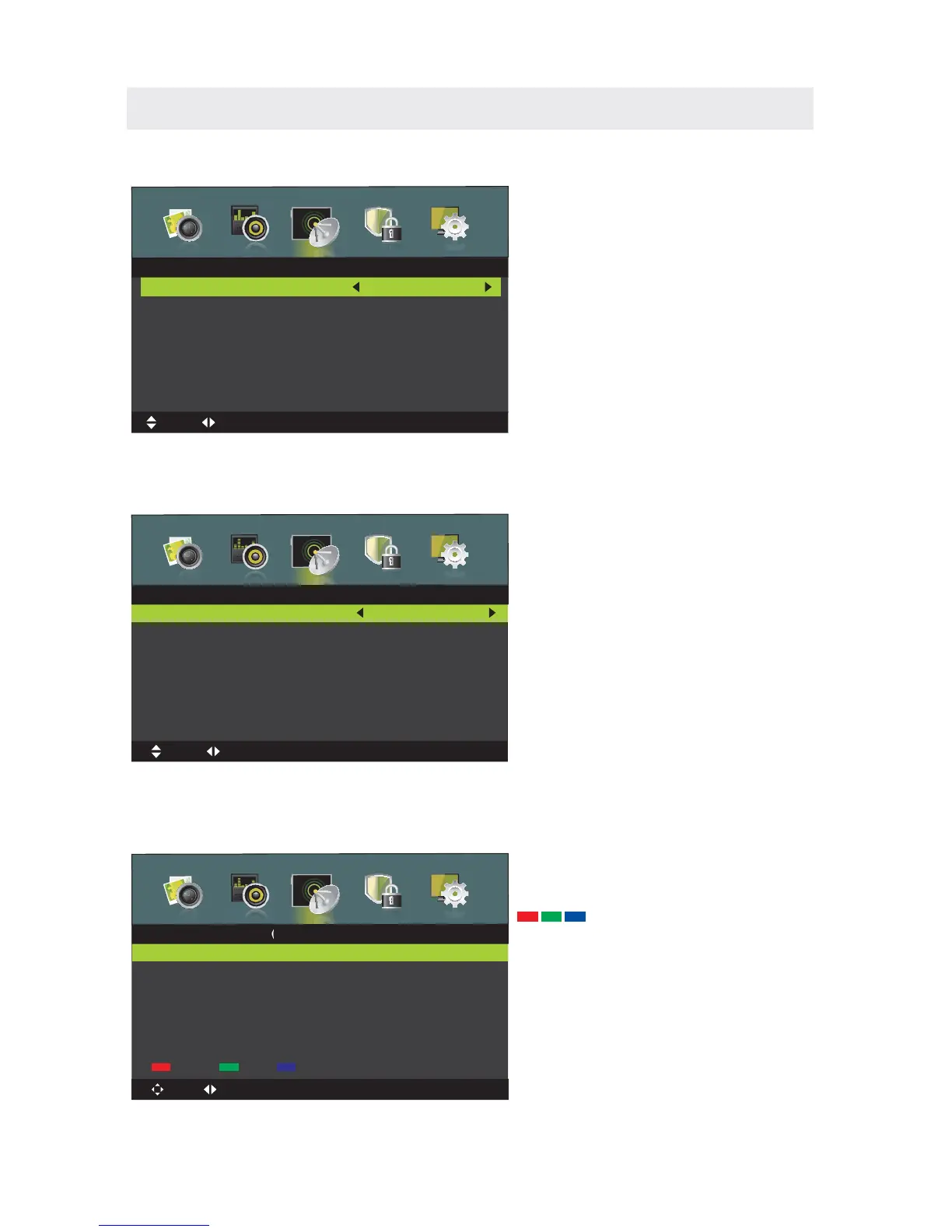
TV SETUP
Press
/ button to select , then press OK/button to enter submenu.
D
D
I
I
G
G
I
I
T
T
A
A
L
L
M
M
A
A
N
N
U
U
A
A
L
L
S
S
C
C
A
A
N
N
D
D
i
i
g
g
i
i
t
t
a
a
l
l
S
S
c
c
a
a
n
n
.Press / button to select , then press OK/►button S
S
t
t
a
a
r
r
t
t
16
474.00 MHz
0
Frequency
Start
Strength
CH21
Digital Scan
Dignital Manual Scan
MENU:Return
EXIT
:Exit
Move
Adjust
0~9:Input
Press / button to select , then press OK/button to enter submenu.
A
A
N
N
A
A
L
L
O
O
G
G
M
M
A
A
N
N
U
U
A
A
L
L
S
S
C
C
A
A
N
N
A
A
n
n
a
a
l
l
o
o
g
g
M
M
a
a
n
n
u
u
a
a
l
l
S
S
c
c
a
a
n
n
Analog Scan
Channel to Save
Color System
Sound System
AFC
Start
CH001
Auto
Auto
Off
440.25MHz
Analog Manual Scan
MENU:Return
EXIT
:Exit
Move Fine tune
0~9:Input
.Press / button to select , then press OK/►button S
S
t
t
a
a
r
r
t
t
This feature can edit channels.
C
C
H
H
A
A
N
N
N
N
E
E
L
L
E
E
D
D
I
I
T
T
Press / button to select , then press OK/►button to enter submenu.C
C
h
h
a
a
n
n
n
n
e
e
l
l
E
E
d
d
i
i
t
t
800 ONE HD
801 TEN Dgital
802 ONE HD
803 ONE HD
Delete Skip Move
Channel Edit
Move
MENU:Return
EXIT
:Exit
OK:Select
Page
The three colored key is the
shortcut key for programming the channel.
First press▼ / ▲ to highlight the channel
you want to delete or move or skip, then:
Press the button to delete the channel.
Press the button to skip the select
channel.(Your TV set will skip the channel
automatically when using CH+/- to view the
channels.)
Press the button to to set the channel
to moving state. Then press▼ / ▲ to move
it to the position you want to put.
Red
Green
Blue


Related product manuals