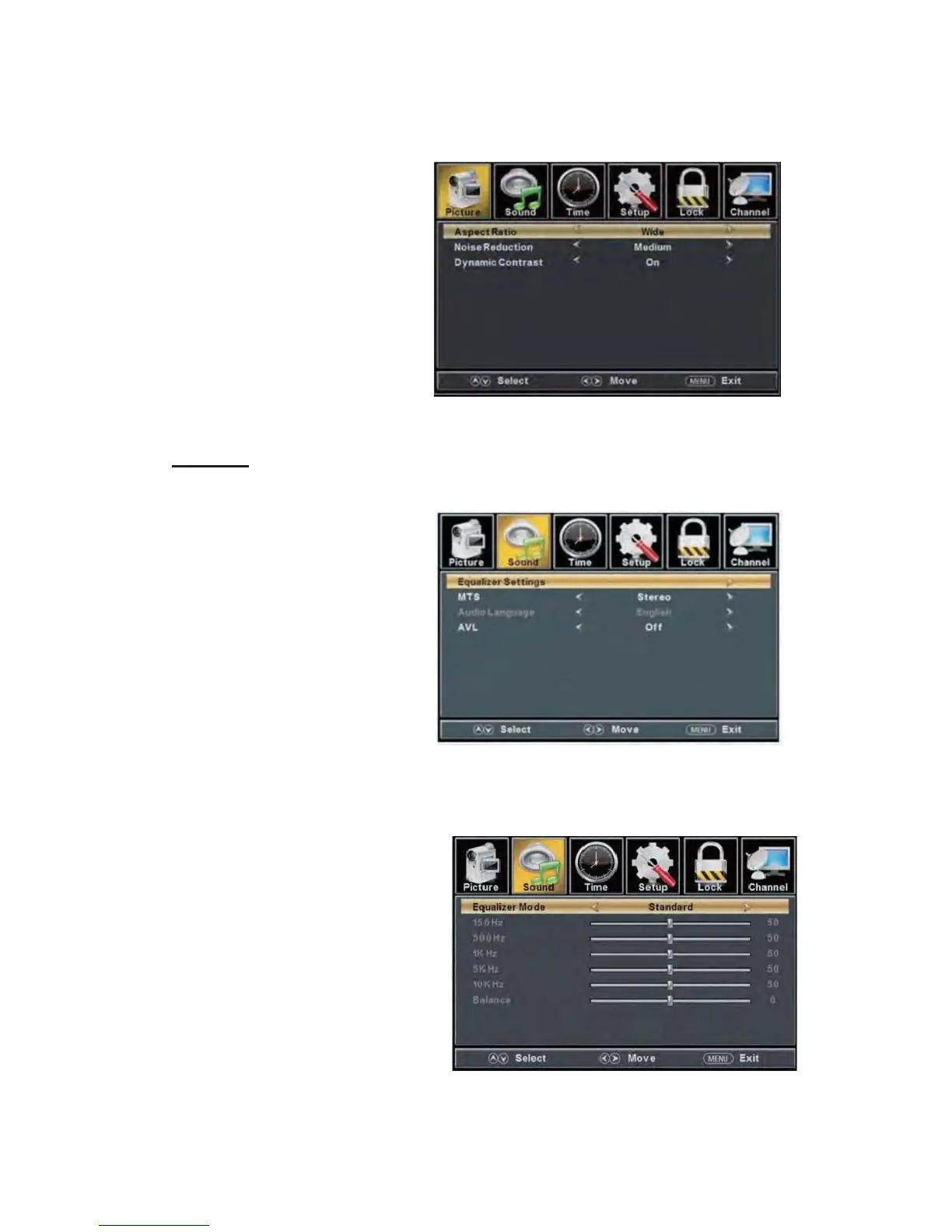
a. Press “c/d” button to
“Aspect Ratio” and
“ e/f” button to
select.
b. Press “c/d” button to
“Noise Reduction”
and press the
button to select.
c. Press “c/d” button to
“Dynamic Contrast”
and press the
button to select “On” or
“Off”.
SOUND
You can select the type of sound, which best corresponds to your listening.
Press the
“MENU” button
to enter the OSD
menu .Then
press “e/f”
button to select
the “SOUND”
menu.
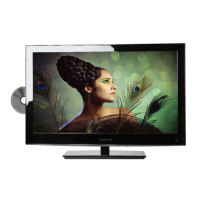
1. Press “d”
button to
select
“Equalizer
Settings”
and press
the
“ENTER/f” button to enter sub-menu.
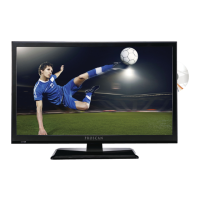
a. Press “c/d” button to select “Equalizer Mode”. Press “e/f” button to select.
b. Press “c/d” button to select “150Hz”. Press “e/f” button to select.
c. Press “c/d” button to select “500 Hz”. Press “e/f” button to select.
d. Press “c/d” button to select “1K Hz”. Press
“e/f” button to select.
e. Press “c/d” button to select “5K Hz”.
Press“e/f” button to select.
f. Press “c/d” button to select “10K Hz”.
Press “e/f” button to select
g. Press “c/d” button to select “Balance”.
Press “e/f” button to select
select
press the
se
lect
“e/f”
select
“ e/f”


 To Next Page