Adjusting Your TV
Sound Settings: Speakers
Follow the steps below to turn the speakers on or off in your TV. The
chart below explains your options.
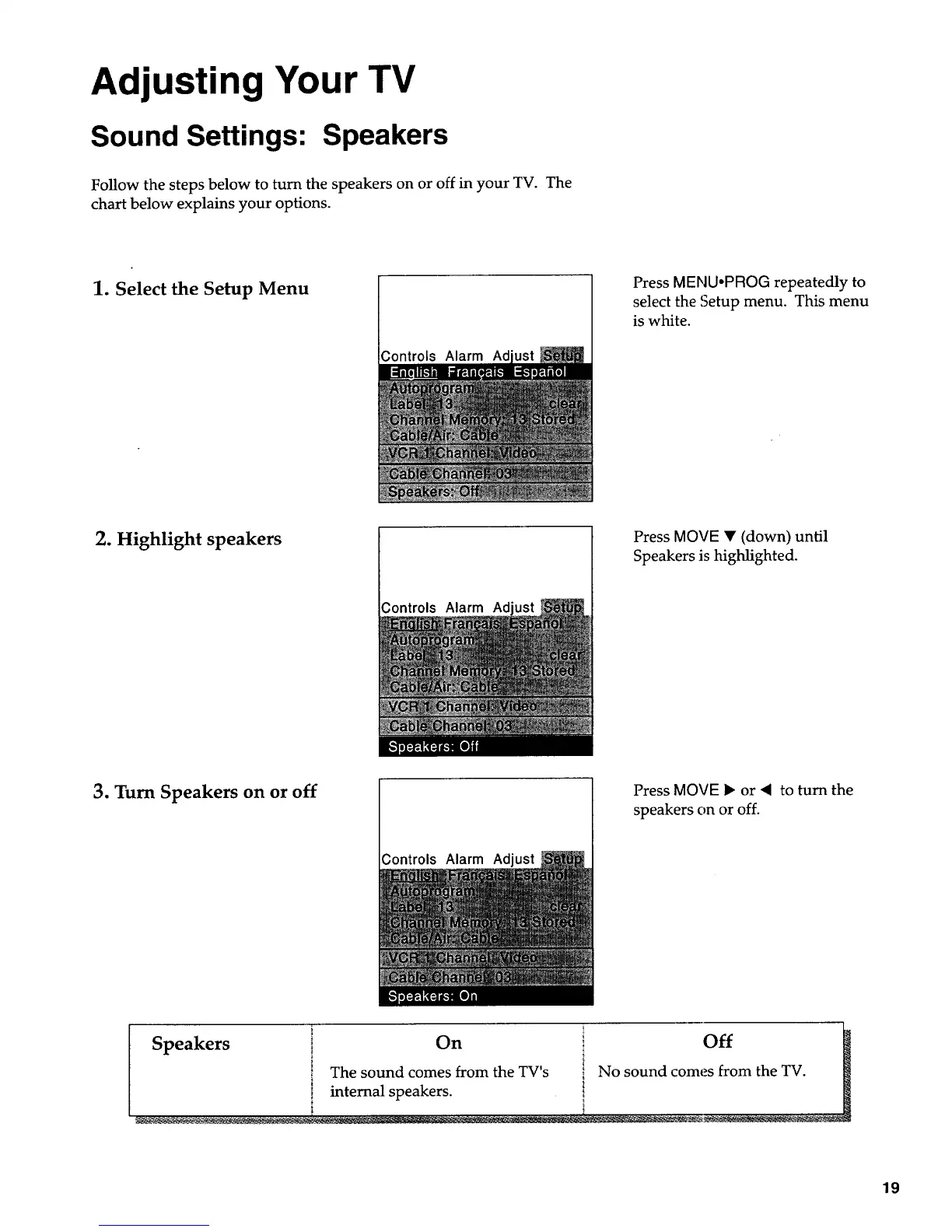
1. Select the Setup Menu
;ontrols Alarm
Press MENU-PROG repeatedly to
select the Setup menu. This menu
is white.
2. Highlight speakers
Controls Alarm Ad
Press MOVE • (down) until
Speakers is highlighted.
3. Turn Speakers on or off
;ontrols Alarm Adjust
Press MOVE • or _ to turn the
speakers on or off.
t
Speakers i On _ Off
i_ The sound comes from the TV's i No sound comes from the TV.
_ internal speakers.
__._. ............ ,. _,,_............ ............ , ....................... , ................ __ _-:._ - _-.
19


 To Next Page
 Loading...