8
Connect your TV
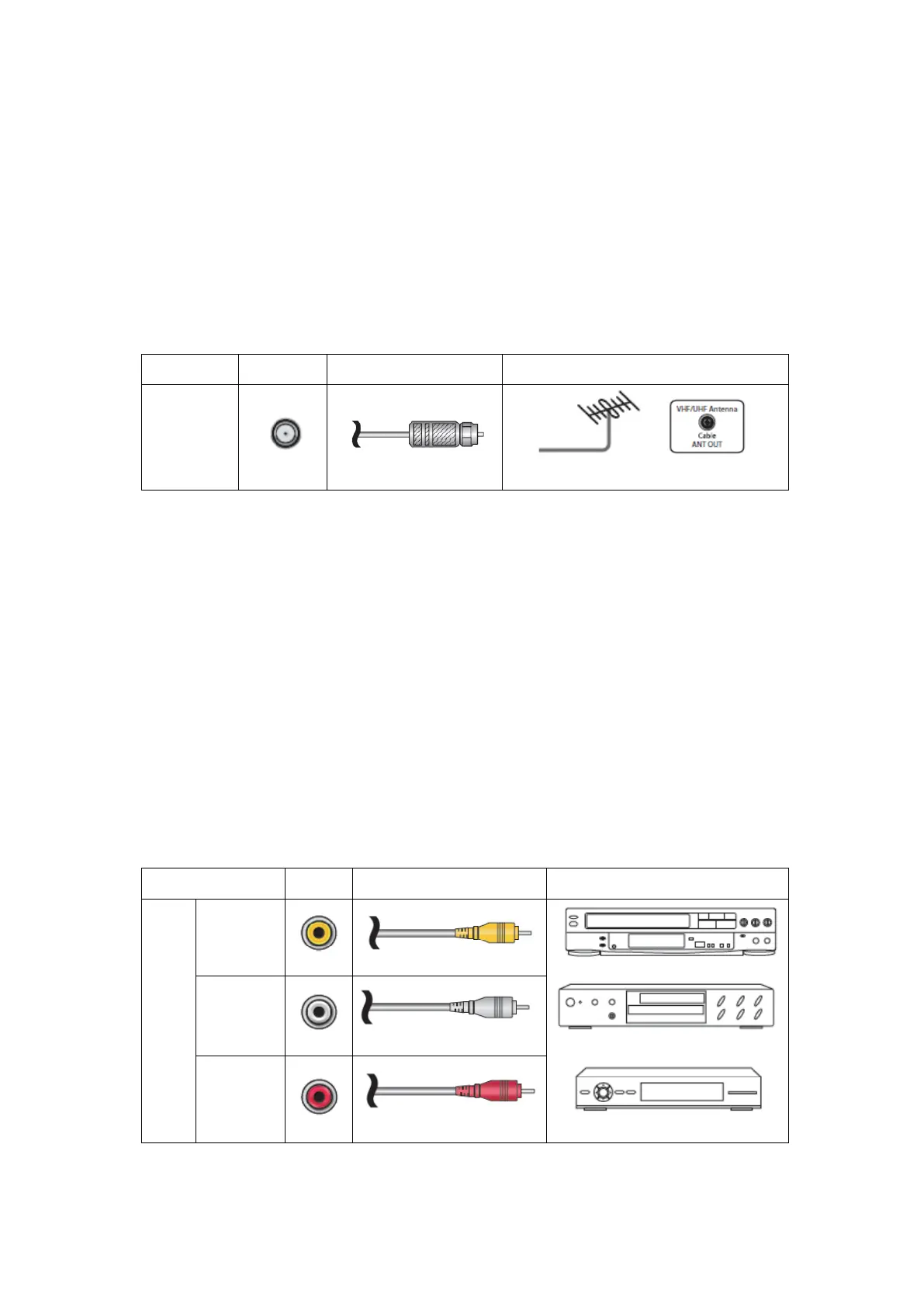
Connecting an antenna, cable, or satellite box
If you are using an antenna, CATV cable without a set-top box, or a cable or satellite box that has
only an antenna output, connect a 75-ohm coaxial cable (not provided) from the device to the
ANT/CABLE input on the TV.
Tip: If you are using an antenna with a 300 ohm twin-lead cable, you need to use a 300-75 ohm
adapter (not provided) to adapt the cable to a connection that is compatible with the TV’s
antenna input.
Tip: If you receive your TV stations through a set top box from a cable or satellite TV provider,
connect it to the TV using the best connection method available. From most to least desirable:
• HDMI
®
input – Digital HD and SD video
• AV input – analog SD video
• Antenna input – analog SD video using NTSC
Connecting a component with a composite AV video cable
If the best connection available on your component is AV or composite video output, connect it
to the TV using a composite AV cable (not provided). Composite AV cables typically have three
RCA-type plugs on each end, color coded as follows:
• Yellow: Video
• Red: Audio, right channel
• White or black: Audio, left channel
Connect each plug to the corresponding connector on the component and on the TV.



 To Next Page