
 Need help?
Do you have a question about the Proson RV2600 DTS and is the answer not in the manual?
Restore unit settings to original factory configuration.
Guide for connecting T-type antenna in strong signal areas.
Guide for using outdoor antenna in weak signal areas.
Guide for connecting the provided loop antenna.
Guide for using external AM antenna if needed.
Connect digital sources like CD/DVD players.
Connect analog audio components using RCA cables.
Connect multi-channel analog audio sources.
Connect for the highest quality video.
Connect using S-Video or standard composite video.
Details on the receiver's switched AC power outlet.
Instructions for connecting the power cord.
Step-by-step guide for secure speaker wire connection.
Guidance for placing front and center speakers.
Guidance for placing surround and back speakers.
Advice on optimal subwoofer positioning.
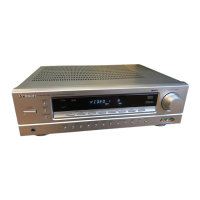
Details of buttons and knobs on the receiver's front panel.
Identifies buttons on the remote control unit.
Explains the purpose of each remote control button.
Guide for inserting and replacing remote control batteries.
Explains the meaning of various front panel status lights.
Safety and usage guidelines for batteries.
Step-by-step guide for configuring speaker settings.
Configure subwoofer presence and speaker size.
Set speaker distances and crossover frequency.
Adjust relative speaker levels for optimal sound.
Adjust speaker levels while playing DVD content.
Store and retrieve custom speaker configurations.
Steps to turn on the unit and choose an input source.
Select appropriate digital input terminals (optical/coaxial).
Instructions for selecting a source and starting a recording.
Turn main speakers on or off and check the indicator.
Guide for private listening using headphones.
Use EXTERNAL IN jacks for 7-channel direct input.
Temporarily mute or unmute the audio output.
Adjust the brightness of the front panel display.
Adjust bass and treble levels for desired sound.
Set the unit to turn off automatically after a delay.
Transfer video from VIDEO 2/3 to VIDEO 1.
Dub video and audio from different sources simultaneously.
Choose automatic or manual decoding for digital inputs.
Select desired surround effect modes using the DSP button.
Details on surround modes for MPEG, PCM, and analog stereo.
Select stereo mode and understand its effect on multi-channel audio.
Explains DTS Digital Surround and DTS-ES formats.
Details DTS NEO:6 Cinema/Music and Dolby Digital EX.
Fine-tune PANO, C-WID, and DIMEN settings.
Set dynamic range compression levels (DYNR 0.0, 0.5, 1.0).
Choose between Automatic, Manual, or Preset tuning.
Steps for finding and tuning to radio stations.
Switch between Stereo and Mono reception for FM.
Instructions for manually storing and selecting radio stations.
Use tuning buttons or numeric keys to select stored stations.
Use PRESET SCAN to cycle through stored stations.
Explains RDS broadcasting and its information displays.
Guide to searching for stations by RDS, Traffic, or Programme Type.
Solutions for power, sound, and speaker problems.
Solutions for display, remote control, and noise problems.
Guidelines for cleaning and maintaining the unit.
Specifications for amplifier and tuner sections.
Specifications for digital, video, power, and dimensions.
List of items provided with the receiver.

 To Next Page
 General