
 Need help?
Do you have a question about the PROTEOR FREEDOM QUATTRO and is the answer not in the manual?
Symbol indicating the device is a Type BF applied part.
Indicates proper disposal of electronic waste.
Confirms compliance with FCC regulations.
Identifies the manufacturer of the product.
Unique identifier for the product unit.
Symbol advising to refer to the user manual.
Symbol representing the keypad's function.
Indication for users with transfemoral amputation.
Indication for users with knee disarticulation amputation.
Indication for users with hip disarticulation amputation.
Indication for users with congenital lower-limb deficiencies.
Specifies the maximum user weight limit for the device.
Defines the suitable ambulatory level (K3/K4) for the device.
Contraindication due to lack of sufficient hip or pelvic voluntary muscle control.
Contraindication due to insufficient cognitive ability to manage the device.
Compliance with ISO 10328 standard for prosthetic limb testing.
Compliance with IEC 60601-1 medical electrical equipment standard.
Indicates dust-tight and protection against immersion in water up to 1 meter.
Specifies the weight of the QUATTRO knee.
Specifies the vertical dimension of the QUATTRO knee.
Indicates the maximum degree of knee flexion.
Defines the acceptable temperature range for device operation.
Defines the acceptable temperature range for device storage.
Specifies the operational altitude range for the device.
Defines the acceptable humidity levels for the device.
Details water resistance rating (IP67) and submersion guidelines.
Provides details on operating voltage, charger voltage, and battery life.
Shows the location of the battery charge port on the device.
Identifies the location of the screw for adjusting power-off flexion resistance.
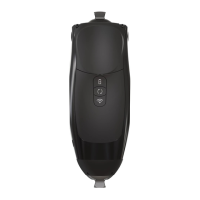
Details the location and functions of the keypad buttons and indicators.
Step-by-step guide on how to insert the charging connector.
Instructions for operating the keypad, checking status, and managing modes.
Steps to pair the QUATTRO knee with a mobile app via the wireless button.
Procedure for placing the knee into storage mode using multiple buttons.
Reference table for keypad button features, actions, and hold times.
Details various operational modes including Sitting, Obstacle Assist, Cycling, and Golf.
Describes the knee's behavior when power is off and how to adjust resistance.
Procedure for removing the knee cap using a hex key.
Procedure for installing the knee cap using a hex key and screws.
Information on using the GaitLab app for alignment and setup.
Information on using Freedom Innovations apps for patients.
Steps to copy and paste settings between QUATTRO knees using the app.
Procedure to reset all device settings to their original factory configuration.
Contact information for user support via a Certified Prosthetist.
Contact information for technical support and training materials.
Address for shipping knees requiring service from the US.
Address for shipping knees requiring service from Europe.
Details precautions regarding electromagnetic compatibility (EMC) for the QUATTRO device.
 General
| Brand | PROTEOR |
|---|---|
| Model | FREEDOM QUATTRO |
| Category | Medical Equipment |
| Language | English |

 To Next Page
