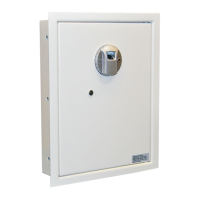
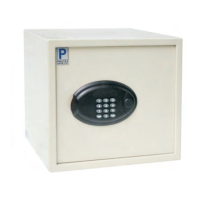
DIAGRAM 1.0
DIAGRAM 2.0
WELCOME:
Congratulations on your new safe that is equipped with the
DigiPaz keypad. The DigiPaz is a state-of-the-art keypad that uses
the latest materials and technology available today. Here are
some useful tips:
• The DigiPaz keypad is very sensitive to touch, there’s no
need to press hard on the keys. The keypad will recognize
the softest touch.
•
The DigiPaz keypad can be cleaned using special
Stainless Steel cleaning products. The DigiPaz keypad is
100% waterproof.
•
The DigiPaz is maintenance free.
STEP 1 – OPENING THE SAFE:
1. Press the ¿ (star) Key.
2. Enter the code. Factory default code is: 1-2-3-4-5-6
3. Press the # key.
4. Turn the Knob/Handle to open the door.
ENROLLING:
STEP 2 – CHANGING CODE:
Note: It is highly recommended to leave the door open and test
your new code several times before closing the door.
1. Open the safe using the code.
2. Press ¿ and than # to enter the programming mode.
3. Enter existing code (1-2-3-4-5-6 Factory default code)
followed by the # Key.
4. Enter new code (MUST BE 6 DIGITS LONG) followed by the #
Key.
5. Enter new code again followed by the # Key.
6. Your personal code has been changed.
7. To test your new code press ¿ your new code #.
2 3

 Need help?

 To Next Page
 General