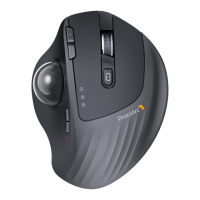
Press the DPI button to adjust the cursor sensitivity. A single flash of
indicator light corresponds to DPI level 200, two to 400, three to
800, four to 1200, and five to 1600.
- 3 -
DPI Button
When the mouse is connected to the device normally, the light will
be off when the mouse is not in use for 30 seconds, and the light will
light up again when the mouse is awakened.
Light Mode:
Streamer / Breathing / Steady On / Neon / Off.
Light Effect Mode



 To Next Page