Charging Guide
1. When the mouse power is low, the charging indicator and the
corresponding channel indicator flash until turned off.
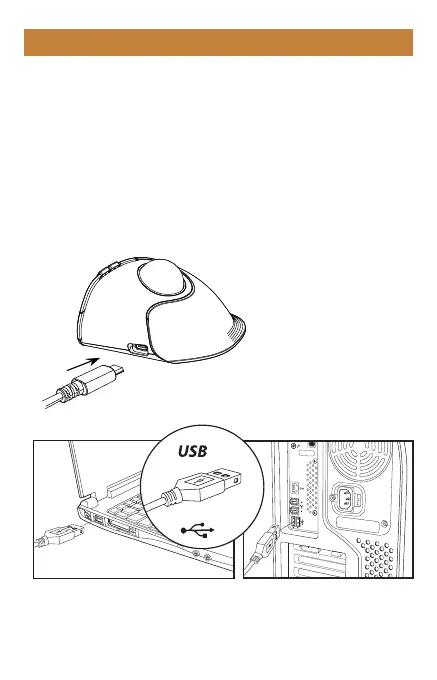
2. Insert the Type-C charging cable into the mouse, the red light
stays on during charging.
3. The charging time is about 1-3.5 hours and the indicator light
will turn green after being fully charged.
Please use the charging cable included with the mouse to charge.
If using another charging cable, please make sure it is an USB-A
to Type-C cable.
- 6 -



 To Next Page