
 Need help?
Do you have a question about the Provision ISR NVR-16400 and is the answer not in the manual?
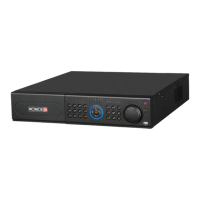
Overview of the 16-channel NVR, its features, and applications.
Details compression format, live surveillance, record media, backup, record/playback, alarm, security, and network capabilities.
Step-by-step guide for installing a SATA hard drive into the NVR for recording.
Instructions on connecting a USB mouse to the NVR for operation.
Explains how to use the mouse for navigation, input, and operations within the NVR interface.
Guides on proper power-on and power-off procedures for the NVR to ensure system longevity.
Explains the process of logging into and out of the NVR system.
Step-by-step instructions for connecting and configuring IP cameras on a local network.
Configuration of system-level settings like device name, ID, video format, and user limits.
Setting camera names and adjusting live video color parameters like brightness and hue.
Enabling the recording function for channels and audio.
Defining daily and weekly recording schedules for continuous or event-based recording.
Configuring sensor inputs, alarm types, and handling actions like buzzer or email alerts.
Configuring IP address, subnet mask, gateway, and DNS for network connectivity.
Resetting NVR settings to factory defaults.
Searching for recorded video by specific date and time.
Viewing system details like hardware version, log information, and network status.
Accessing the NVR remotely using Internet Explorer browser.
Remotely reviewing recorded video footage through time or event search.
 General
| Motion sensor | Yes |
|---|---|
| Product color | Gray |
| Playback modes | Zoom |
| Channels quantity | 16 channels |
| Supported protocols | TCP/IP, DHCP, DDNS, NTP, SMTP |
| Video capturing speed | 200 fps |
| Video compression formats | AVI, DAT |
| Analog signal format system | NTSC, PAL |
| Video in | 16 |
| USB 2.0 ports quantity | 1 |
| Ethernet interface type | Gigabit Ethernet |
| HDD interface | Serial ATA |
| Maximum HDD capacity | 3000 GB |
| Operating temperature (T-T) | 0 - 50 °C |
 Weight and Dimensions
| Dimensions (WxDxH) | 300 x 260 x 55 mm |
|---|

 To Next Page