EasyManua.ls Logo

Proxim Tsunami MP-10100-BSU - User Manual

Proxim Tsunami MP-10100-BSU
2 pages
Print Icon
To Next Page IconTo Next Page
Loading...
WORP Driving the Internet of Things
®
WORP Driving the Internet of Things
®
WORP Driving the Internet of Things
®
P/N 765-00247 Version 2.4 1 Copyrights © 2020 Proxim Wireless P/N 765-00247 Version 2.4 2 Copyrights © 2020 Proxim Wireless P/N 765-00247 Version 2.4 3 Copyrights © 2020 Proxim Wireless
Tsunami® MP-10100-BSU&SUA / MP-10100L-BSU&SUA
Quick Installation Guide
Introduction
Proxim’s Tsunami
®
MP-10000 & 10000L Series leverage the advantages of Orthogonal
Frequency Division Multiplexing (OFDM), Multiple-Input and Multiple-Output (MIMO) radio
innovations and Proxim’s proprietary Wireless Outdoor Router Protocol (WORP
®
) to provide
wireless solutions exceeding 4G speed requirements with up to 867 Mbps data rate. With high
capacity and high power radio, the Tsunami
®
MP-10000 & 10000L Series is an ideal solution for
everything from last mile Broadband Wireless Access (BWA) to Wireless Video Surveillance for
extended coverage.
Products Covered
Package Contents
Each shipment includes the items listed in the following table. Please verify that you have
received all the parts in the shipment, prior to the installation.
Device Overview
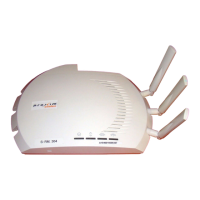
Figure 1: MP-10100-BSU/SUA or MP-10100L-BSU/SUA
The features of the device are as follows:
Weatherproofing RJ45 Connections
The following steps explain how to weatherproof the RJ45 connections:
Figure 2: Weatherproofing RJ45 Connections
1. Use an outdoor rated CAT5e cable with a straight-through terminated on both ends.
2. Slide the Flat Washer (A) onto the Connector Body (B) and screw the Connector Body (B)
into the Ethernet port hole and torque to 10 Lbf-in (12 Kgf-cm).
3. Next slide the Sealing Nut (E) and then the Compression Ring (D) over the cable end.
4. Place and press the two piece Compression Washer Assembly (C) onto the cable in front of
the Compression Ring (D) and Sealing Nut (E), then slide the Compression Ring (D) over
the Compression Washer (C). Do not tighten the Sealing Nut (E) to the Connector Body
(B).
5. Connect the CAT5e cable by pushing the RJ45 connector through the Connector Body (B)
and into the Radio Ethernet port. The RJ45 connector should lock into the port.
6. Next slide the Sealing Nut (E) over the Compression Washer Assembly (C) and slide the
Compression Washer Assembly (C) until the Sealing Nut (E) can be screwed it onto on the
fixed end of the Connector Body (B). Torque the connection to 15 Lbf-in (17 Kgf-cm)
making sure the Compression Washer (C) is tight to the cable and Connector Body (B)
completely sealing the cable.
7. Finally, ensure the plastic caps are tight on the secondary Ethernet Port 2 and Access Port
and torqued to 9 Lbf-in (10 Kgf-cm), if those ports are unused.
Additional Weatherproofing Steps
To add an additional layer of protection to the connectors against the environment, do the
following:
1. Wrap vinyl tape in a half-lapped fashion, from the weatherproof connector end and
continue wrapping down 3 inches onto the CAT5e cable.
2. Wrap a second layer of vinyl tape in the reverse direction over the first layer of tape.
3. Now, wrap a third layer of vinyl tape over the other two layers but with the adhesive side
up as this provides a sticky surface for the next layer.
4. Next, wrap a layer of the butyl mastic tape over the adhesive side of the tape, covering all
of the tape and connector.
5. Wrap vinyl tape over the butyl layer and cover the entire tape assembly.
6. Place a small zip tie over the last wrap of tape to prevent it from unwrapping over time.
For a detailed explanation of weatherproofing RJ45 connectors and RF connections, refer to
Tsunami
®
MP-10000 & 10000L Series Hardware Installation Guide and Tsunami
®
MP-10000 &
10000L Series Antenna Installation Guide respectively, at http://support.proxim.com.
Assemble the Mounting Hardware
1. Fix the Mounting Plate (A) onto the bottom of the device using the provided screws and
washers such that the antennas will be vertically and horizontally polarized when
mounted; also, it is recommended to partially fasten the screws with washers into all the
mounting holes, prior to final tightening of each screw. Torque the screws to
75 Lbf-in (86 Kgf-cm).
2. Fix the Extension Arm (B) to the fixed Mounting Plate (A) with the provided screw, nut, and
washers. The Extension Arm (B) gives the device more possible tilt, letting you adjust for
azimuth or elevation over a larger angle.
3. Fix the Mounting Bracket (C) to the fixed Extension Arm (B) with the provided screw, nut,
and washers. Partially tighten the joints J1 and J2 to allow for alignment of the device.
4. Once satisfied with the alignment, tighten the assembled parts by applying torque
130 Lbf-in (150 Kgf-cm).
5. The last image in Figure 3 shows the fully assembled mounting hardware attached to the
device.
Figure 3: Assemble the Mounting Hardware
Note: This figure is for illustration only. Device should be mounted in square position with
connectors facing downward.
Mount the Device
1. To pole-mount the device, insert the provided bolts through Bracket (F), mate with Bracket
(C) around the pole, and secure with supplied nuts and washers torquing to
100 Lbf-in (115 Kgf-cm). The supplied screws (hex. Cap 5/16” x 80 mm long) are designed
for pole diameters from 38 to 76 mm (1.5 to 3 inches).
Figure 4: Pole Mounting
Model Description
MP-10100-BSU Outdoor Tsunami
®
Base Station with 2 N-Type connectors, 867 Mbps
data rate and 2x2 MIMO radio operating in 4.900 to 5.925 GHz
frequency band.
MP-10100-SUA Outdoor Tsunami
®
Subscriber Unit with 2 N-Type connectors, 867 Mbps
data rate and 2x2 MIMO radio operating in 4.900 to 5.925 GHz
frequency band.
MP-10100L-BSU Outdoor Tsunami
®
Base Station Lite with 2 N-Type connectors, 400 Mbps
data rate and 2x2 MIMO radio operating in 4.900 to 5.925 GHz
frequency band.
MP-10100L-SUA Outdoor Tsunami
®
Subscriber Unit Lite with 2 N-Type connectors, 400
Mbps data rate and 2x2 MIMO radio operating in 4.900 to 5.925 GHz
frequency band.
What’s in the Kit Image
MP-10100-BSU /
MP-10100-SUA /
MP-10100L-BSU /
MP-10100L-SUA
Power Injector with Country
specific Power Cord
WD - US and EU power cords
US - US power cord
RJ11 Beeper Dongle
Grounding Kit
Connector Weather Proofing
Kit (2 sets)
Mounting Kit and Hardware
IMPORTANT!
For regulatory information and latest product updates, including the firmware and
the MIBs, please visit Proxim’s support site at http://support.proxim.com.
The device must be installed by a trained professional who is familiar with Radio
Frequency planning issues and the regulatory limits.
The installation procedure is explained by taking connectorized device as an
example. Follow the same procedure for the integrated antenna device as well.
RSSI Light Pipe
Comes with MP-10100(L)-BSU devices only
Quick Installation Guide
Features Description
Ethernet Port 1 PoE IN and Data
Debugging and Management
Ethernet Port 2 Manageable PoE OUT and Data (Default Data only)
Access Port Antenna Alignment
12 V DC Power IN/OUT
Antenna Ports (A1, A2) in case
of connectorized device
A provision to connect external antennas
Grounding Points A provision to ground the device
What’s in the Kit Image
Question and Answer IconNeed help?

Do you have a question about the Proxim Tsunami MP-10100-BSU and is the answer not in the manual?

Overview

The Proxim Tsunami® MP-10100 is a high-performance, point-to-point wireless bridge solution designed for various applications, including backhaul, video surveillance, and enterprise connectivity. It leverages advanced wireless technologies to deliver high throughput and reliable connectivity over long distances.

Function Description

The Tsunami® MP-10100 is a wireless bridge that provides high-speed data transmission between two points. It supports various configurations, including outdoor backhaul, video surveillance, and enterprise connectivity. The device is designed to be easy to install and manage, offering a robust solution for demanding wireless applications.

Important Technical Specifications

The Tsunami® MP-10100 series includes several models, each with specific characteristics:

  • MP-10100-BSU (Base Station Unit): This model operates in the 2.4 GHz frequency band, offering 8.67 Mbps radio operating in 4.900 to 5.925 GHz frequency band. It supports up to 76 Mbps aggregate throughput.
  • MP-10100-SU (Subscriber Unit): This model also operates in the 2.4 GHz frequency band, providing 8.67 Mbps radio operating in 4.900 to 5.925 GHz frequency band. It supports up to 76 Mbps aggregate throughput.
  • MP-10100-RBU (Radio Base Unit): This model operates in the 2.4 GHz frequency band, offering 4.900 to 5.925 GHz frequency band. It supports up to 76 Mbps aggregate throughput.
  • MP-10100-RBU (Radio Base Unit): This model operates in the 2.4 GHz frequency band, offering 4.900 to 5.925 GHz frequency band, providing 4.900 to 5.925 GHz frequency band. It supports up to 76 Mbps aggregate throughput.
  • MP-10100-SUA (Subscriber Unit Lite with 1/2 T): This model operates in the 2.4 GHz frequency band, offering 4.900 to 5.925 GHz frequency band. It supports up to 76 Mbps aggregate throughput.

Ethernet Ports: The device includes one Ethernet port, which supports PoE (Power over Ethernet) for simplified installation.

Antenna Ports: The device features two antenna ports (A1, A2) for connecting external antennas, allowing for flexible antenna configurations to optimize signal strength and coverage.

Management: The device supports both local and remote management, allowing for easy configuration and monitoring. It also includes a dedicated management port for direct access.

Power Input: The device is powered via PoE, simplifying installation and reducing cable clutter.

Usage Features

Installation: The Tsunami® MP-10100 is designed for easy installation. It includes a mounting bracket for secure attachment to poles or walls. The device supports PoE, which means power and data are transmitted over a single Ethernet cable, simplifying wiring.

Antenna Configuration: The device supports external antennas, allowing users to choose the best antenna type for their specific application. This flexibility enables optimized signal strength and coverage.

Grounding: Proper grounding is essential for the safe operation of the device. The manual provides detailed instructions on how to ground the device, including connecting the ground wire to a suitable grounding point.

Cable Management: The device includes features for proper cable management, ensuring a clean and organized installation. This includes instructions for routing cables and securing them to prevent damage.

LED Indicators: The device features LED indicators that provide visual feedback on its status, including power, Ethernet link, and wireless link. These indicators help users quickly diagnose any issues.

Web-based Management: The device can be managed through a web-based interface, allowing users to configure settings, monitor performance, and troubleshoot issues from a remote location.

SNMP Support: The device supports SNMP (Simple Network Management Protocol), enabling integration with existing network management systems.

Security: The device includes security features to protect against unauthorized access and data breaches. This includes password protection and secure communication protocols.

Maintenance Features

Firmware Updates: The device supports firmware updates, allowing users to keep their devices up-to-date with the latest features and security patches.

Troubleshooting: The manual provides a comprehensive troubleshooting guide to help users diagnose and resolve common issues. This includes information on LED indicators, error messages, and common configuration problems.

Support: Proxim provides technical support for its devices, including a knowledge base, FAQs, and contact information for customer service.

Environmental Considerations: The device is designed to operate in various environmental conditions, with a wide operating temperature range and resistance to dust and moisture.

Mounting and Hardware: The device comes with all necessary mounting hardware, including brackets, screws, and grounding kits, to ensure a secure and reliable installation.

Power Supply: The device is compatible with standard PoE injectors, ensuring easy replacement and maintenance of power components.

Cable Replacement: The device uses standard Ethernet cables, making it easy to replace damaged or worn-out cables.

Antenna Maintenance: External antennas may require periodic cleaning or adjustment to maintain optimal performance. The manual provides guidelines for antenna maintenance.

Software Tools: Proxim provides software tools to assist with device configuration, monitoring, and troubleshooting, simplifying maintenance tasks.

Proxim Tsunami MP-10100-BSU Specifications

General IconGeneral
BrandProxim
ModelTsunami MP-10100-BSU
CategoryNetwork Router
LanguageEnglish

Related product manuals