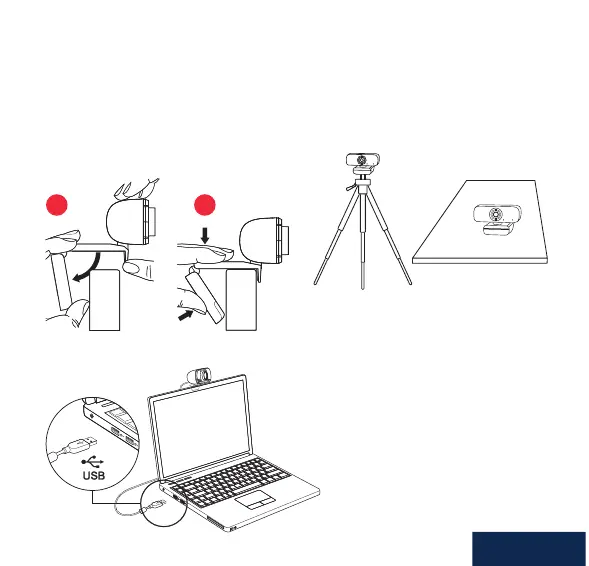
PLACE YOUR WEBCAM
ON MONITOR
ON MINI-TRIPOD ON TABLE
CONNECT TO
COMPUTER
Place the webcam where you want it on a computer monitor, at surface or
tripod. On a monitor, unfold the exible clip and place the webcam to grip the
edge of the screen with the foldable exible clip. Plug the USB cable into your
PC’s USB port.
21
SYSTEM REQUIREMENTS
• IBM PC or compatible PC or
laptop with USB port
• Pentium 1 GHz or higher CPU
• Minimum 500MB free hard-disk
space
• Minimum 256MB memory
• Minimum Direct X9.O supported
graphics card
• Windows XP/Vista/7/8/10
English



 To Next Page