CAPTURE VIDEO AND PHOTOS
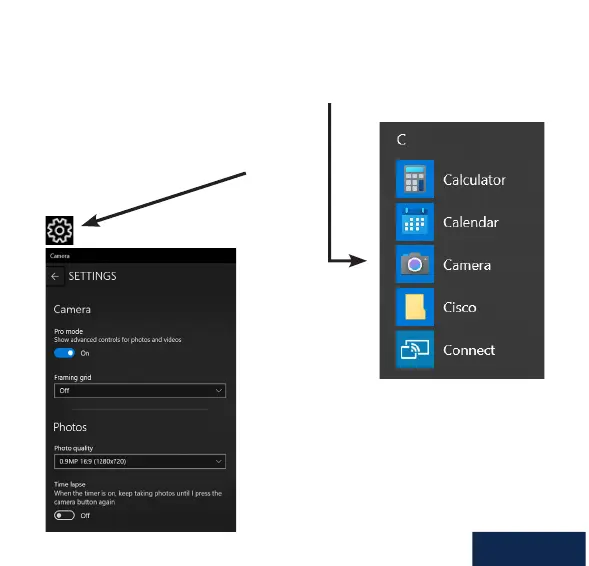
Video and photos can be taken with the web camera via the Microsoft Camera
application, available from the Windows start menu.
Once inside the app you can record video
directly from the web camera to your local
hard drive and adjust the video settings of
the web camera.
If using any other 3rd party
camera or instant messaging
software, please consult the
publisher’s user manual.
English



 To Next Page