-11-
2. Insert the guide marker into the slot wherethe
desired number and letter plate is located.
3. Engrave the numbers and/or letters.
4. Raise the guide arm following completion of a
character so that the engraving needle can
move freely from engaging into the next letter
without colliding with the workpiece.
5. Repeat the operation for each number and let-
ter (see Fig. 12). For example, the arm should
be raised herefollowing movement 1, move-
ment 2, etc.
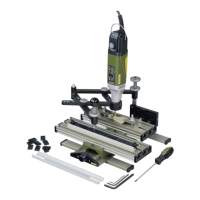
Accessories for the GE 20 engraving
device
•Solid carbide stylus for use with the GE 70
engraving device
Twoneedles areavailable as accessories for
our engraving device. Both areexcellently
suited to the machining of steel, cast steel,
non-ferrousmetal, plastic, glass, stoneware
and tiles. Nose angle 60° for greater stability.
Shaft diame-ter 3.2 mm.
Ritz stylus (art. no.: 28764)
For forming thin lines and engraving fine-lined
letters. Also for scribing printed circuit boards
for later breaking out.
Engraving needle (art. no. 28765)
For V-shaped letters. Letter width 0.5 mm at
base.
•Stencil set for GE 70 engraving device (art.
no. 27104)
The stencil set delivered with the engraving
device is available as an accessory (article
number 27104):
It contains the letters A-Zwith ahyphen, full
stop and dash and the numbers 0-9.For use
in the GE 20 guide rail.
•Stencil set for GE 70 engraving device (art.
no. 27104)
The stencil set delivered with the engraving
device is available as an accessory (article
number 27104): It contains the letters A-Z
with ahyphen, full stop and dash and the
numbers 0-9.
•Step clamp set, steel (art. no.: 24256)
For securely attaching the objects to be
engraved to the engraving device worktable.
Complete with two step blocks, two clamps
and three threaded bolts with nuts and T- slot
nuts. For workpieces up to approx. 18 mm
thick. The article is delivered in an elegant
wooden box with asliding lid.


 To Next Page
 Loading...