
 Need help?
Do you have a question about the Prstech DoorCAM DC2 and is the answer not in the manual?
Defines the product's intended household use and restrictions for dry indoor areas.
Provides crucial safety guidelines for installation, handling, and usage to prevent injury or damage.
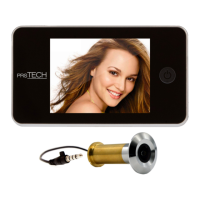
Lists and illustrates the components included in the DoorCAM DC2 package for installation.
Provides a sequential guide with diagrams for the physical installation process of the door viewer.
Instructions on how to power on the DoorCAM DC2 using the ON button.
Explains how to interpret the battery status symbol and when to replace batteries.
Addresses common problems like display errors, device not turning on, and image quality issues.
 General
| Two-Way Audio | Yes |
|---|---|
| Motion Detection | Yes |
| Video Compression | H.264 |
| Connectivity | Wi-Fi |
| Night Vision | Yes |
| Power Source | Battery |
| Operating Temperature | 50°C |
| Dimensions | 30mm |

 To Next Page