®
Quick Start Guide
Owner’s Reference NuWave DSD
©2015 PS Audio Inc. All rights reserved.
Quick Start Guide
4826 Sterling Drive, Boulder, CO 80301 15-074-01-1
PH: 720.406.8946 www.psaudio.com Rev A
(<+06
7:
Autoscan is the default mode for the input selector. This means that when you power on the NuWave
DSD, it will automatically step to the fi rst input with a digital signal and lock onto that input. You can
tell when it is locked because the front panel light of the specifi c input will be illuminated. The device
will cycle three times then stop if it fi nds no input.
If you wish to overide the autoscan feature, manually select the desired input and this will disable
Autoscan. To re-enable, scroll to the last input and press and hold the input select button for 3
seconds. This will re-enable the Autoscan feature.
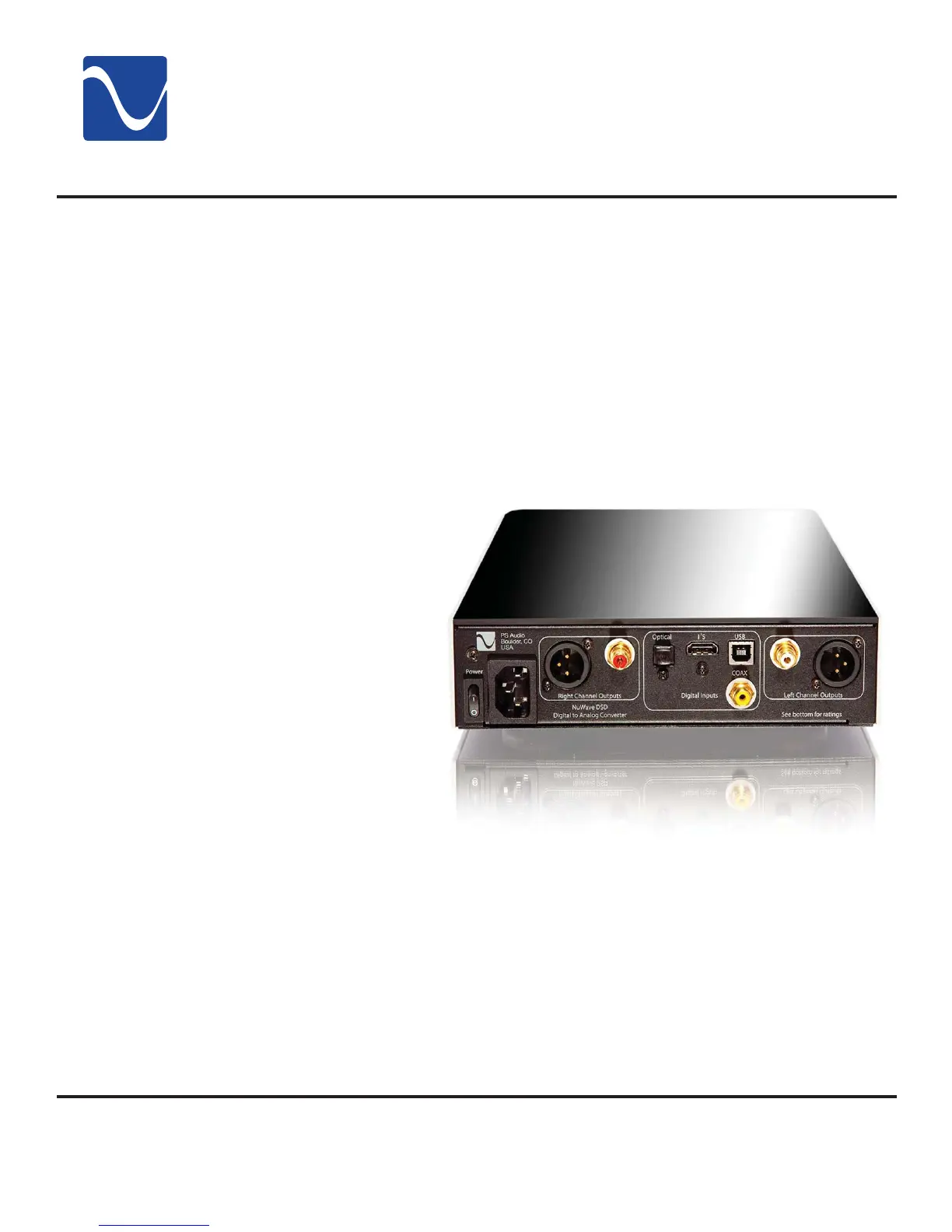
There are two types of audio outputs on the NuWave DSD, balanced (XLR) and unbalanced (RCA).
To effectively use the NuWave DSD’s balanced outputs requires a preamp or integrated or that has a
balanced input.
These outputs are the
preferred method of
connection as a balanced
XLR type of output allows for
the lowest noise connection
between the NuWave
DSD and preamp or
integrated, allowing you to
take advantage of the high
common mode rejection
characteristics of balanced.
Be sure to use a high
quality, well shielded and
well regarded interconnect
for this critical link.
RCA or unbalanced inputs
will be typical as many
preamplifi ers, surround
processors, receivers
and integrated amplifi ers
have only this standard type of input. Be sure to use a high quality well shielded and well regarded
interconnect for this critical link.
Plug either the RCA or the XLR outputs of the NuWave DSD into a line level input on the preamp,
integrated, control amplifi er or receiver.
Unbalanced
Balanced
Autoscan
3


 To Next Page