II. INTRODUCTION TO THE CARDIOCHEK PLUS
PROFESSIONAL TEST SYSTEM, continued
D
A
E
B
F
C
G
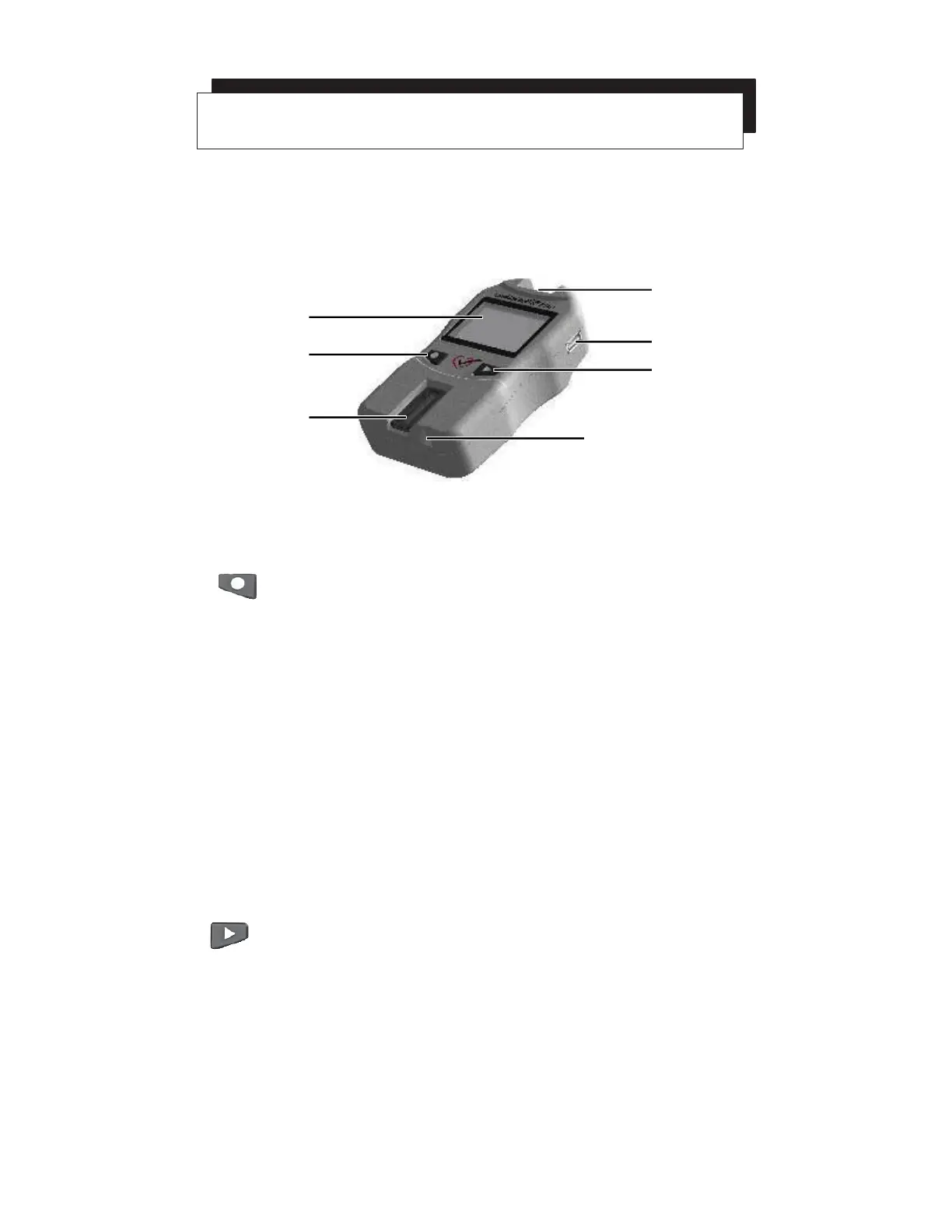
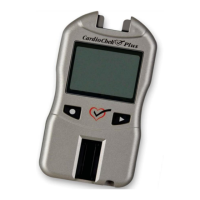
Display (A)
Display shows test results, messages, time, date, and stored results.
Enter Button (B)
Press this button to turn on the analyzer or to accept the current menu
choice.
Reflectance Test Strip Slot (C)
The reflectance test strip slot is positioned in the lower front-center of the
analyzer. The reflectance test strip is inserted here with the smooth side
facing down.
MEMo Chip Port (D)
The MEMo Chip port is located at the top of the analyzer.
USB Port (E)
A port that allows communication with a CardioChek branded printer only.
Next Button (F)
Press this button to turn on the analyzer or to advance to the next menu
option.
Electrochemical Test Strip Port (G)
The electrochemical test strip port is positioned just to the right of the
reflectance test strip slot. The electrochemical test strip is inserted here with
the arrow facing up and pointing toward the analyzer.
7


 To Next Page