Hardware Installation
Please follow below steps to setup PTVwire :
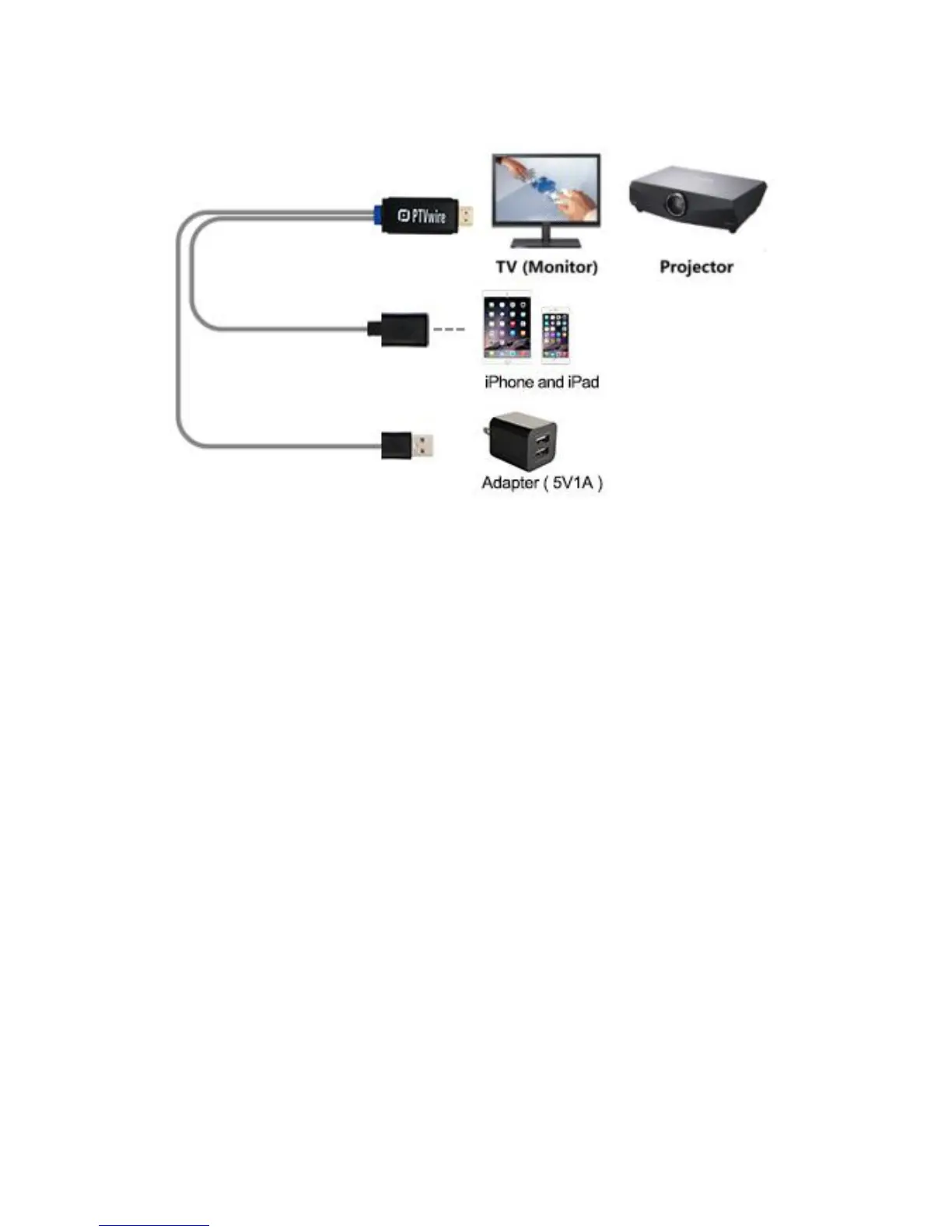
(1) Connect PTVwire to your TV (Monitor or Projector)
(2) Connect the USB type-A plug with an external (5V) adapter.
(3) Connect the lightning plug with your iOS* device
* Support iOS9 and above
(4) If the HDMI source is set correctly, you should see the PTVwire
setup screen on TV
(5) Wait for a few seconds for initialization*, the screen of your iOS
device will be shown on TV.
* Some iOS devices may popup "This accessory may not be supported". Please feel
at ease to use as this is a normal notification.


 To Next Page