22
• The alarm can be tested by keeping buttons “C” and “D”
depressed in the time/calendar display.
* After the alarm sound is tested, be sure to check turning on/
off of the hourly time signal and confirmation sound, as they
are turned on and off alternately by depressing button “C”.
NOTE ON UNUSUAL DISPLAY
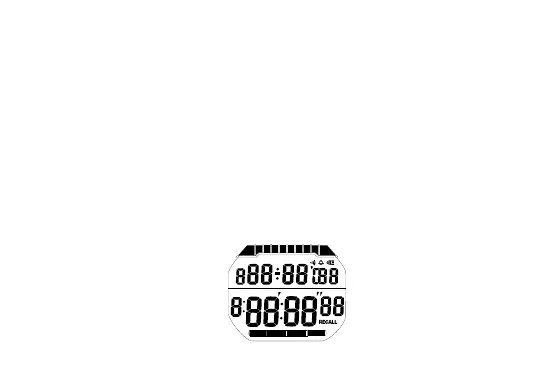
While in the time/calendar setting display, the display as shown
below will appear if both buttons “C” and “D” are depressed at
the same time. This is not a malfunction. Depress mode selector
“A”, or depress button “B”, “C” or “D” or the light button to
return to the time/calendar display, and then set the time/
calendar again.
TIME
CHRONO
TIMER
ALARM
[All the segments lighting up]


 To Next Page