
 Need help?
Do you have a question about the Pulse ECO LED PAR56 MKII and is the answer not in the manual?
Provides critical warnings and essential safety guidelines for installation and operation.
Details manufacturer liability, prohibited modifications, and handling precautions.
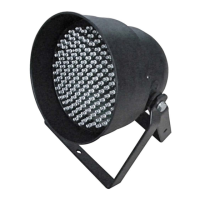
Describes the main features and connectivity options for the LED PAR.
Explains the functionality of the unit when used as a 3-channel DMX master.
Details how the unit operates as a slave device in a 3-channel DMX system.
Introduces various standalone operational modes like auto fade and auto change.
Describes automatic colour transition patterns and speed control options.
Explains how to manually set colour brightness levels for each colour.
Details the functions of dipswitches for mode, pattern, speed, and music sensitivity.
Provides instructions on connecting multiple units in a DMX chain and using a terminator.
Explains the roles and setup for the unit when acting as a DMX master or slave.
Explains how to configure the LED PAR's operational mode using the 4-way dipswitch.
Details the specific dipswitch settings required to activate the auto change mode.
Details how to set speed using manual or music control via dipswitches.
Explains how to choose different colour patterns using the 10-way dipswitch.
Details the dipswitch settings to enable the auto fade mode.
Explains how to set fade speeds using the 10-way dipswitch.
Describes dipswitch configurations for fade-in/out and fade-over patterns.
Lists and describes various colour change and fade patterns available in manual mode.
Details dipswitch settings for adjusting the red colour brightness.
Explains dipswitch settings for adjusting the green colour brightness.
Describes how to set the blue colour brightness using the 10-way dipswitch.
Details dipswitch settings for enabling 5-channel DMX slave operation.
Shows how DMX values control RGB colours, fades, and speed settings.
Guides on setting the starting DMX address for 5-channel modes via dipswitches.
Details dipswitch configuration for enabling DMX master 5 channel mode.
Explains how SW4 selects the speed source for DMX master 5ch mode.
Outlines DMX channel assignments for controlling slave units in 5-channel master mode.
Defines dipswitch settings for basic colour patterns where units operate identically or individually.
Details dipswitch configurations for colour patterns with fade-in/out and fade-over effects.
Explains dipswitch settings for chaser patterns when one of four PARs is active.
Details dipswitch configurations for chaser patterns when two of four PARs are active.
Demonstrates setting up four LED PARs in 5-channel DMX master mode with slave configurations.
Illustrates configuring eight LED PARs in 5-channel DMX master mode for larger setups.
Details dipswitch settings for enabling 3-channel DMX slave mode.
Shows DMX channel assignments for RED, GREEN, and BLUE control in 3-channel mode.
Guides on setting the DMX start address for 3-channel modes using dipswitches.
Details the dipswitch settings required to enable DMX master 3 channel mode.
Explains how SW4 selects the speed source for DMX master 3 channel mode.
Shows DMX data sent by the master unit to slave units in 3-channel mode.
Demonstrates setting up four LED PARs in 3-channel DMX master mode with slave configurations.
Illustrates configuring eight LED PARs in 3-channel DMX master mode for larger setups.
Lists key technical details including LED count, power, dimensions, and weight.
 General
| Beam Angle | 25° |
|---|---|
| IP Rating | IP65 |
| LED Type | SMD |
| Frequency | 50/60Hz |
| Lifespan | 50, 000 hours |
| Type | LED PAR |
| Input Voltage | 100-240V AC |
| Color Temperature | 3000K |

 To Next Page
