8
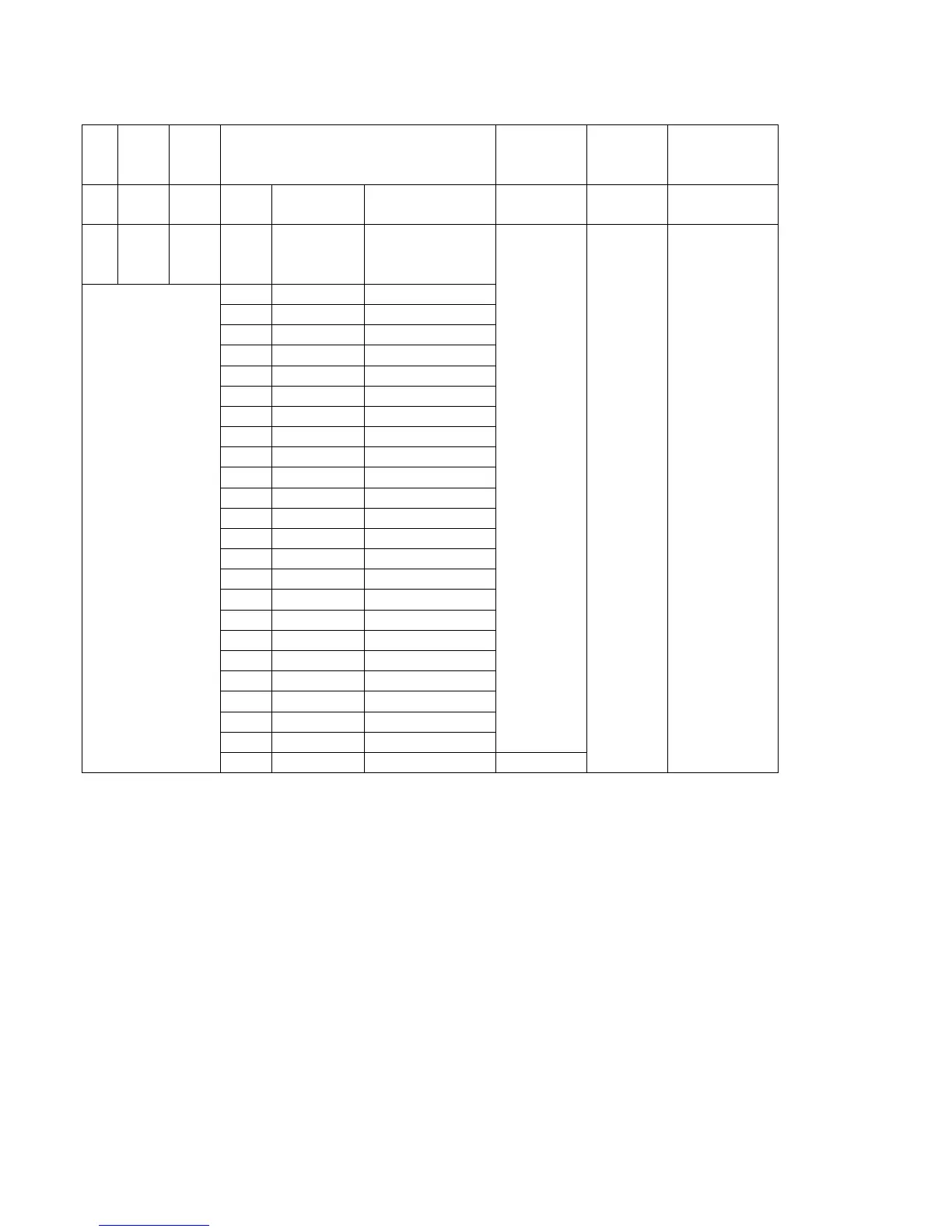
DMX mode 7: d.-P7
C
H
1
CH2 CH3 CH4 CH5 CH6 CH7
R G B NO. DMX
value
Effect programs speed flash dimming
0-
25
5
0-
255
0-
255
1 0--9 OFF
0-255
0-255 0-255
2 10--19 R
3 20--29 RG
4 30--39 G
5 40--49 GB
6 50--59 B
7 60--69 RB
8 70--79 RGB
9 80--89 PROGRAM01
10 90--99 PROGRAM02
11 100--109 PROGRAM03
12 110--119 PROGRAM04
13 120--129 PROGRAM05
14 130--139 PROGRAM06
15 140--149 PROGRAM07
16 150--159 PROGRAM08
17 160--169 PROGRAM09
18 170--179 PROGRAM10
19 180--189 PROGRAM11
20 190--199 PROGRAM12
21 200--209 PROGRAM13
22 210--219 PROGRAM14
23 220--229 PROGRAM15
24 230--239 PROGRAM16
25 240--255 Sound active sensitivity
4. Slave mode
Press “MODE” button to select SLAu to run the slave mode. The LEDBAR will then replicate the effect
from the first unit in the signal chain. The first unit in the chain must be running in one of the
standalone modes such as Program, Sound Active, Static Colour or Auto.
5. Sound active mode
Press “MODE” button to select SU31 to be run, once activated the LEDBAR will advance one step at a
time triggered by the bass beat, adjust the sensitivity by using the “UP” and “DOWN” buttons.
Sensitivity Scale: SO01 - SO31, 01 = low, 31 = high
6. Static Colour Mode
Press “MODE” button to select Colr to be run, press “SETUP”, it will show r/G/b255, then you can
adjust the colors by “UP” and “DOWN” buttons.


 To Next Page