10
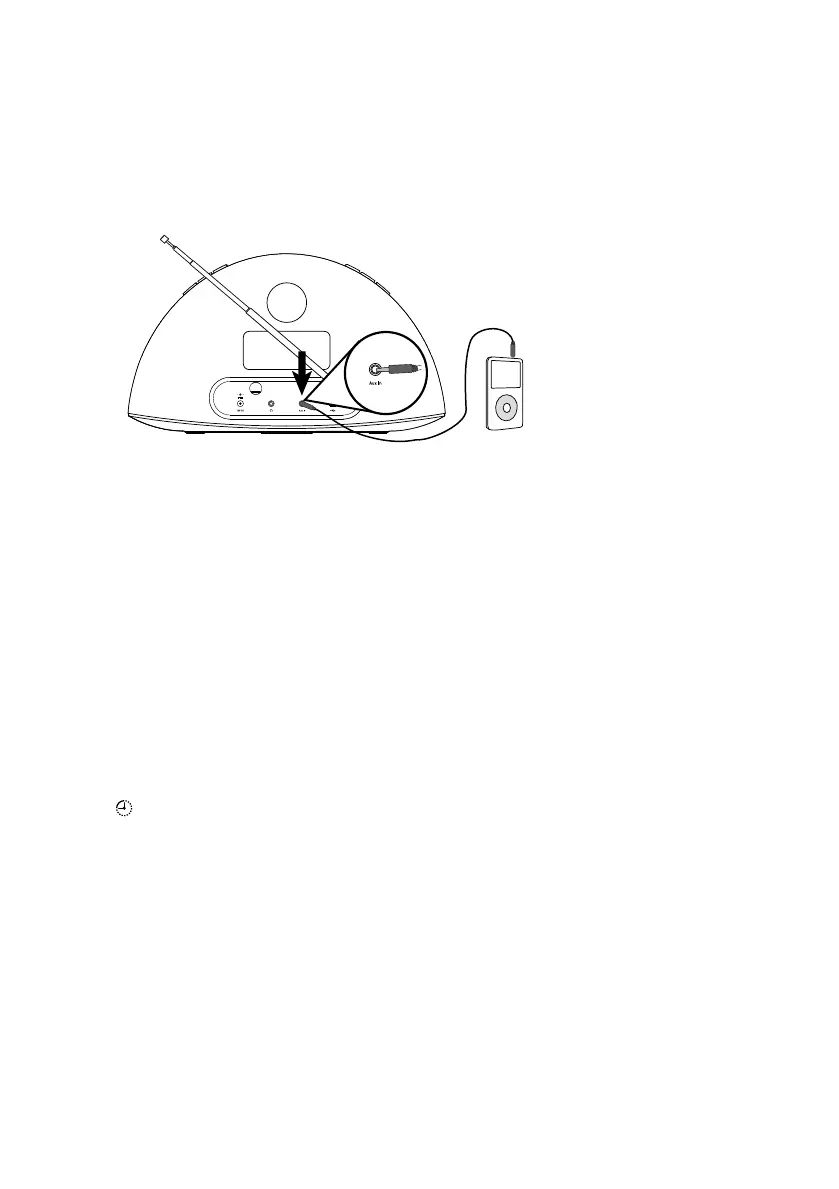
Using the aux input
Connecting an auxiliary device
Connect the line out or headphone socket of your auxiliary device to the Aux-In
socket on your Contour 100Di using a suitable cable.
Selecting the auxiliary input
Press the Source button to select AUX.
Using the sleep timer
The sleep timer switches your radio into standby after a number of minutes has
elapsed.
Setting the sleep timer
1. Press the Sleep button on the remote and repeat to increase the duration of
the sleep timer from 15 to 90 minutes.
2. Push Select, or wait to start the sleep timer.
The
icon on the screen indicates when the sleep timer is set.
Tip Push the Sleep button again at any time to view the time remaining.
Cancelling the sleep timer
Press the Sleep button and set the timer duration to OFF.
Contour_100Di-V3_manual-UK-Aus.indb 10 12/18/2012 4:33:49 PM


 To Next Page
 Loading...