5
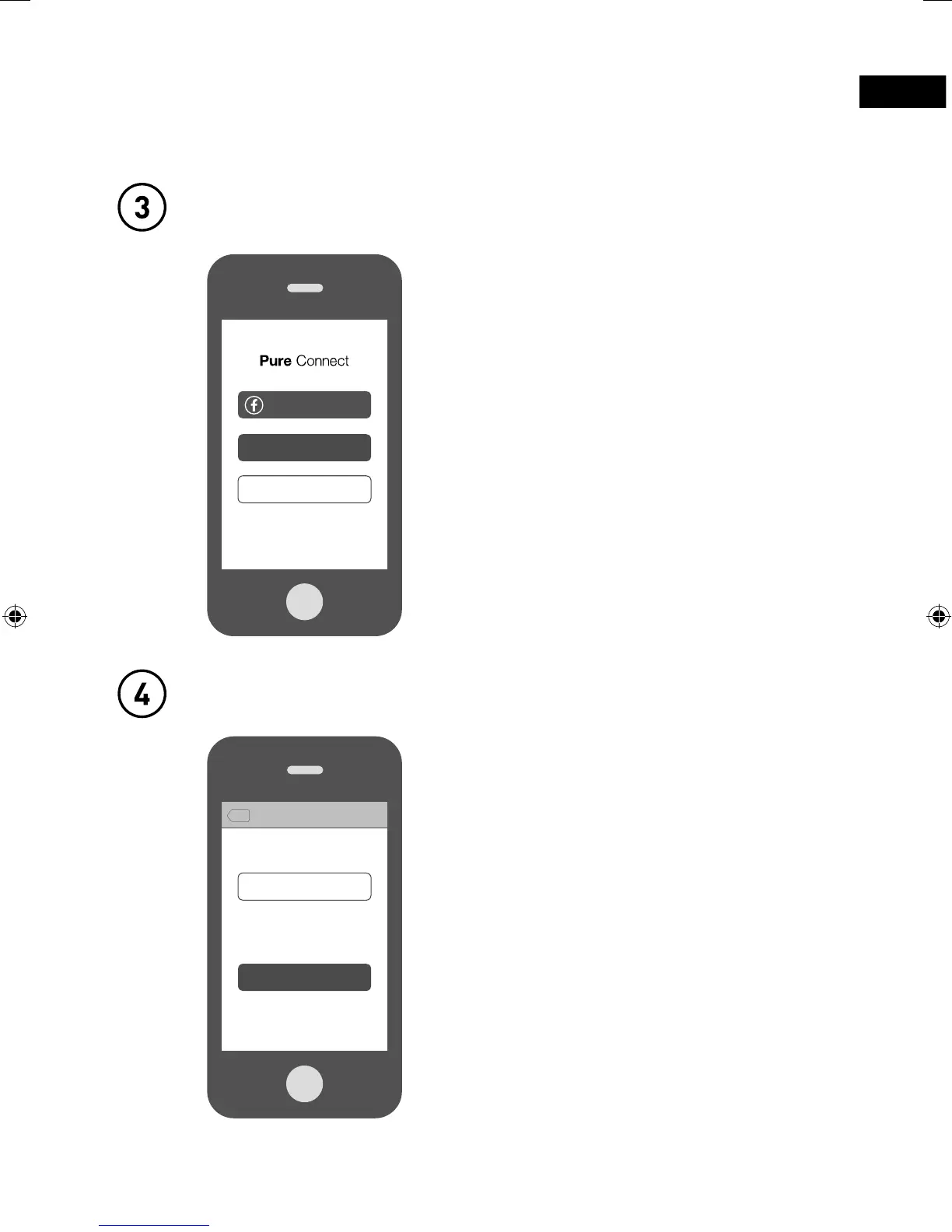
Open the Pure Connect app and sign in
Connect Jongo to your Wi-Fi
To make the most of your Jongo you
really need to create a free Pure Connect
account. You can create a Pure Connect
account using your Facebook account or
your e-mail address*.
The first time you sign in to the app, you
will see an option to connect Jongo to
your Wi-Fi. Simply tap
Set up a Jongo
and follow the prompts on screen to
connect Jongo to your Wi-Fi.
Sign in with Facebook
Sign in
Start listening
Skip Jongo Setup
Set up a Jongo
What would you like to do?
Tap above to connect a Jongo to your Wi-Fi
now, or do it later by going to ‘Settings’.
Back
Welcome
*If you are using the iOS Pure Connect app, you will need to visit connect.pure.com to create an account using your e-mail address.
Jongo_T2_T4_QSG-Bear-US-v1.indb 5 9/2/2014 11:32:02 AM


 To Next Page