MAX2 4K60 Cross Platform Matrix Router
50
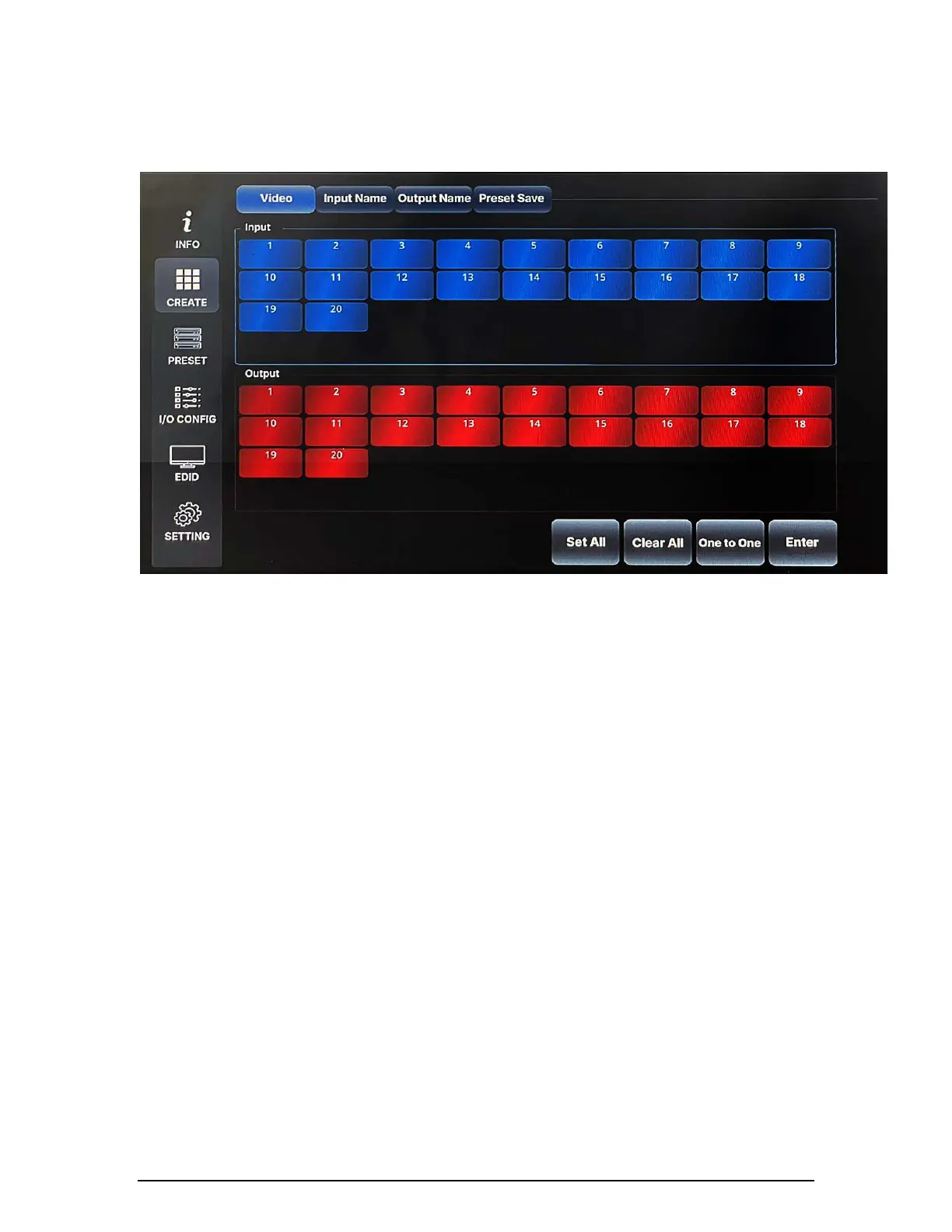
1) Video
This section is to switch Video connection only. Select Input and Output number
to route source signal to destination devices to execute.
2) Set All
"Set All" button is to select all the Output w/o pushing them individually.
3) Clear CH
"Clear CH" button is to clear all the Output that was selected w/o pushing them
individually.
4) One to One
"One to One" button is to create an one to one connection between Input and
Output; for example, connect Input #1 to Output #1, Input #2 to Output #2, ~
Input #15 to Output #15, Input #16 to Output #16.
Settings
MAX2 series Matrix Router's communication setting can be configured using a
front panel touch screen LCD not needing an external PC or device. This section
will demonstrate how to set RS-232, LAN, and Product ID information.


 To Next Page