EasyManua.ls Logo

PureLink MAX2 Series - User Manual

PureLink MAX2 Series
87 pages
Print Icon
To Next Page IconTo Next Page
Loading...
MAX2 4K60 Cross Platform
Matrix Router
Owner’s Manual
PureLink
TM
22-10 State Route 208
Fair Lawn, NJ 07410
Te l: 201.488.3232
Fax: 201.621.6118
Website : www.purelinkav.com
E-mail : info@purelinkav.com
For Technical Support, contact us at
: support@purelinkav.com
Question and Answer IconNeed help?

Do you have a question about the PureLink MAX2 Series and is the answer not in the manual?

Summary

Introduction

Product Introduction

Describes the MAX2 series Matrix Router and its cross-platform capabilities.

Front View

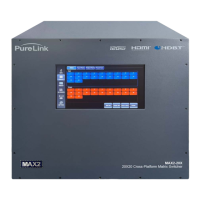
Describes the physical front panel of the Matrix Router, including touch screen controls.

Rear View

Details the rear panel components and connections of the Matrix Router.

Features and Specifications

Features

Lists key features like End-to-End Ultra HD/4K, Auto-Scaling, Audio Insertion/Extraction, and Cross-Platform Conversion.

Router Frame Specifications

MAX2-12 X

Details specifications for the MAX2-12X frame, including card capacity and dimensions.

MAX2-20 X

Details specifications for the MAX2-20X frame, including card capacity and dimensions.

MAX2-36 X

Details specifications for the MAX2-36X frame, including card capacity and dimensions.

MAX2-72 X

Details specifications for the MAX2-72X frame, including card capacity and dimensions.

MAX2-144 X

Details specifications for the MAX2-144X frame, including card capacity and dimensions.

MAX2-216 X

Details specifications for the MAX2-216X frame, including card capacity and dimensions.

MAX2-288 X

Details specifications for the MAX2-288X frame, including card capacity and dimensions.

Input Cards Specification

HDMI Input Card - MAX2-HIS100

Specifies the HDMI input card's features, ports, and specifications.

DisplayPort Input Card - MAX2-DIS100

Specifies the DisplayPort input card's features, ports, and specifications.

HDBaseT 3.0 Input Card - MAX2-CIS100

Specifies the HDBaseT 3.0 input card's features, ports, and specifications.

Fiber Optical Input Card - MAX2-FIS100

Specifies the Fiber Optical input card's features, ports, and specifications.

12 G-SDI Input Card MAX2-SIS100

Specifies the 12G-SDI input card's features, ports, and specifications.

Dante Audio Input Card MAX2-AID100

Specifies the Dante Audio input card's features, ports, and specifications.

Output Cards Specification

HDMI Output Card - MAX2-HOS100

Specifies the HDMI output card's features, ports, and specifications.

DisplayPort Output Card - MAX2-DOS100

Specifies the DisplayPort output card's features, ports, and specifications.

HDBaseT 3.0 Output Card - MAX2-COS100

Specifies the HDBaseT 3.0 output card's features, ports, and specifications.

Fiber Optical Output Card - MAX2-FOS100

Specifies the Fiber Optical output card's features, ports, and specifications.

12 G SDI Output Card MAX2-SOS100

Specifies the 12G SDI output card's features, ports, and specifications.

Dante Audio Output Card MAX2-AOD100

Specifies the Dante Audio output card's features, ports, and specifications.

Extenders Specifications

HDBaseT 3.0 Transceiver - MAX2-CTR100

Details the specifications and features of the HDBaseT 3.0 Transceiver.

HDBaseT 3.0 Wall Plate - 1 Gang Plate - MAX2-CT100-WP

Details the specifications and features of the HDBaseT 3.0 Wall Plate.

1 LC Fiber Transmitter - MAX2-FT100

Details the specifications and features of the 1LC Fiber Transmitter.

1 LC Fiber Wall plate transmitter - 1 Gang Wall Plate - MAX2-FT100-WP

Details the specifications and features of the 1LC Fiber Wall plate transmitter.

1 LC Fiber Receiver - MAX2-FR100

Details the specifications and features of the 1LC Fiber Receiver.

HDBaseT Work Distance

Details working distances for HDBaseT cables based on type and bandwidth.

POE Injector Specifications

POE Injector - MAX2-POE-PSU

Details the specifications and features of the POE Injector.

Installation

Package Contents

Lists the items included in the shipping group for the Matrix Router.

Installation Environments

Recommends suitable environmental conditions for installing the Matrix Router.

Installing the Matrix Router in a Rack

Guides on how to mount the Matrix Router securely within a rack.

Rack Installation Tips

Provides practical advice and recommendations for rack installation.

Installation and Setup

Covers the essential steps for initial setup and connecting the Matrix Router.

Cable Termination

LAN Cable Termination

Details the pinout and termination standards for LAN cable connections.

Operation

Front Panel LCD Touch Screen Operation

Explains how to use the touch screen interface for setup and control.

Name Edit (Video and Audio)

Describes how to rename input and output devices via the touch screen.

Settings (RS232, LAN, Router ID)

Covers configuration for serial, network, and router identification settings.

Preset Function

Describes how to create, save, recall, and manage presets for video switching.

I;O Configuration

Covers configuration for input/output audio, scaling, multiview, and SDI out.

EDID Management

External EDID (Emulation)

Describes emulating EDID from connected display devices via copper cables.

Internal EDID (EDID Library)

Details using the built-in EDID library and saving EDID data from displays.

Command Line Operation

General Rules for Command Codes

Outlines rules, syntax, and structure for constructing command codes.

Input Commands

Details commands for input settings, information, audio modes, and video streams.

Output Commands

Covers commands for output configuration, wall modes, quadview, scaler, stream, pattern, graphic, CEC, RS232+.

System Commands

Covers network, RS232, Product ID, system lock, and connection commands.

LAN (TCP;IP) Operation

HTTP Protocol Control

Details controlling the router via HTTP protocol for channel configuration.

Additional Information

Firmware Update Instruction

Provides detailed steps for updating the router's firmware.

Hyper Terminal Settings

Guides on configuring Hyper Terminal for firmware update process.

Firmware Update Procedure

Details the step-by-step procedure for performing a firmware update.

Firmware Update Completion

Describes actions to take upon successful firmware update completion.

Manufacturers Warranty (5-Year)

Customer Service

Provides information on how to contact customer service for inquiries.

Revision History

Summary

Introduction

Product Introduction

Describes the MAX2 series Matrix Router and its cross-platform capabilities.

Front View

Describes the physical front panel of the Matrix Router, including touch screen controls.

Rear View

Details the rear panel components and connections of the Matrix Router.

Features and Specifications

Features

Lists key features like End-to-End Ultra HD/4K, Auto-Scaling, Audio Insertion/Extraction, and Cross-Platform Conversion.

Router Frame Specifications

MAX2-12 X

Details specifications for the MAX2-12X frame, including card capacity and dimensions.

MAX2-20 X

Details specifications for the MAX2-20X frame, including card capacity and dimensions.

MAX2-36 X

Details specifications for the MAX2-36X frame, including card capacity and dimensions.

MAX2-72 X

Details specifications for the MAX2-72X frame, including card capacity and dimensions.

MAX2-144 X

Details specifications for the MAX2-144X frame, including card capacity and dimensions.

MAX2-216 X

Details specifications for the MAX2-216X frame, including card capacity and dimensions.

MAX2-288 X

Details specifications for the MAX2-288X frame, including card capacity and dimensions.

Input Cards Specification

HDMI Input Card - MAX2-HIS100

Specifies the HDMI input card's features, ports, and specifications.

DisplayPort Input Card - MAX2-DIS100

Specifies the DisplayPort input card's features, ports, and specifications.

HDBaseT 3.0 Input Card - MAX2-CIS100

Specifies the HDBaseT 3.0 input card's features, ports, and specifications.

Fiber Optical Input Card - MAX2-FIS100

Specifies the Fiber Optical input card's features, ports, and specifications.

12 G-SDI Input Card MAX2-SIS100

Specifies the 12G-SDI input card's features, ports, and specifications.

Dante Audio Input Card MAX2-AID100

Specifies the Dante Audio input card's features, ports, and specifications.

Output Cards Specification

HDMI Output Card - MAX2-HOS100

Specifies the HDMI output card's features, ports, and specifications.

DisplayPort Output Card - MAX2-DOS100

Specifies the DisplayPort output card's features, ports, and specifications.

HDBaseT 3.0 Output Card - MAX2-COS100

Specifies the HDBaseT 3.0 output card's features, ports, and specifications.

Fiber Optical Output Card - MAX2-FOS100

Specifies the Fiber Optical output card's features, ports, and specifications.

12 G SDI Output Card MAX2-SOS100

Specifies the 12G SDI output card's features, ports, and specifications.

Dante Audio Output Card MAX2-AOD100

Specifies the Dante Audio output card's features, ports, and specifications.

Extenders Specifications

HDBaseT 3.0 Transceiver - MAX2-CTR100

Details the specifications and features of the HDBaseT 3.0 Transceiver.

HDBaseT 3.0 Wall Plate - 1 Gang Plate - MAX2-CT100-WP

Details the specifications and features of the HDBaseT 3.0 Wall Plate.

1 LC Fiber Transmitter - MAX2-FT100

Details the specifications and features of the 1LC Fiber Transmitter.

1 LC Fiber Wall plate transmitter - 1 Gang Wall Plate - MAX2-FT100-WP

Details the specifications and features of the 1LC Fiber Wall plate transmitter.

1 LC Fiber Receiver - MAX2-FR100

Details the specifications and features of the 1LC Fiber Receiver.

HDBaseT Work Distance

Details working distances for HDBaseT cables based on type and bandwidth.

POE Injector Specifications

POE Injector - MAX2-POE-PSU

Details the specifications and features of the POE Injector.

Installation

Package Contents

Lists the items included in the shipping group for the Matrix Router.

Installation Environments

Recommends suitable environmental conditions for installing the Matrix Router.

Installing the Matrix Router in a Rack

Guides on how to mount the Matrix Router securely within a rack.

Rack Installation Tips

Provides practical advice and recommendations for rack installation.

Installation and Setup

Covers the essential steps for initial setup and connecting the Matrix Router.

Cable Termination

LAN Cable Termination

Details the pinout and termination standards for LAN cable connections.

Operation

Front Panel LCD Touch Screen Operation

Explains how to use the touch screen interface for setup and control.

Name Edit (Video and Audio)

Describes how to rename input and output devices via the touch screen.

Settings (RS232, LAN, Router ID)

Covers configuration for serial, network, and router identification settings.

Preset Function

Describes how to create, save, recall, and manage presets for video switching.

I;O Configuration

Covers configuration for input/output audio, scaling, multiview, and SDI out.

EDID Management

External EDID (Emulation)

Describes emulating EDID from connected display devices via copper cables.

Internal EDID (EDID Library)

Details using the built-in EDID library and saving EDID data from displays.

Command Line Operation

General Rules for Command Codes

Outlines rules, syntax, and structure for constructing command codes.

Input Commands

Details commands for input settings, information, audio modes, and video streams.

Output Commands

Covers commands for output configuration, wall modes, quadview, scaler, stream, pattern, graphic, CEC, RS232+.

System Commands

Covers network, RS232, Product ID, system lock, and connection commands.

LAN (TCP;IP) Operation

HTTP Protocol Control

Details controlling the router via HTTP protocol for channel configuration.

Additional Information

Firmware Update Instruction

Provides detailed steps for updating the router's firmware.

Hyper Terminal Settings

Guides on configuring Hyper Terminal for firmware update process.

Firmware Update Procedure

Details the step-by-step procedure for performing a firmware update.

Firmware Update Completion

Describes actions to take upon successful firmware update completion.

Manufacturers Warranty (5-Year)

Customer Service

Provides information on how to contact customer service for inquiries.

Revision History

PureLink MAX2 Series Specifications

General IconGeneral
BrandPureLink
ModelMAX2 Series
CategoryNetwork Router
LanguageEnglish

Related product manuals