EasyManua.ls Logo

PURIKOR PKVSF26D - User Manual

PURIKOR PKVSF26D
25 pages
Print Icon
To Next Page IconTo Next Page
Loading...
PKVSF26D
Series Valve Operation Manual

Questions and Answers

Summary

Introduction to PKVSF26 D Valve

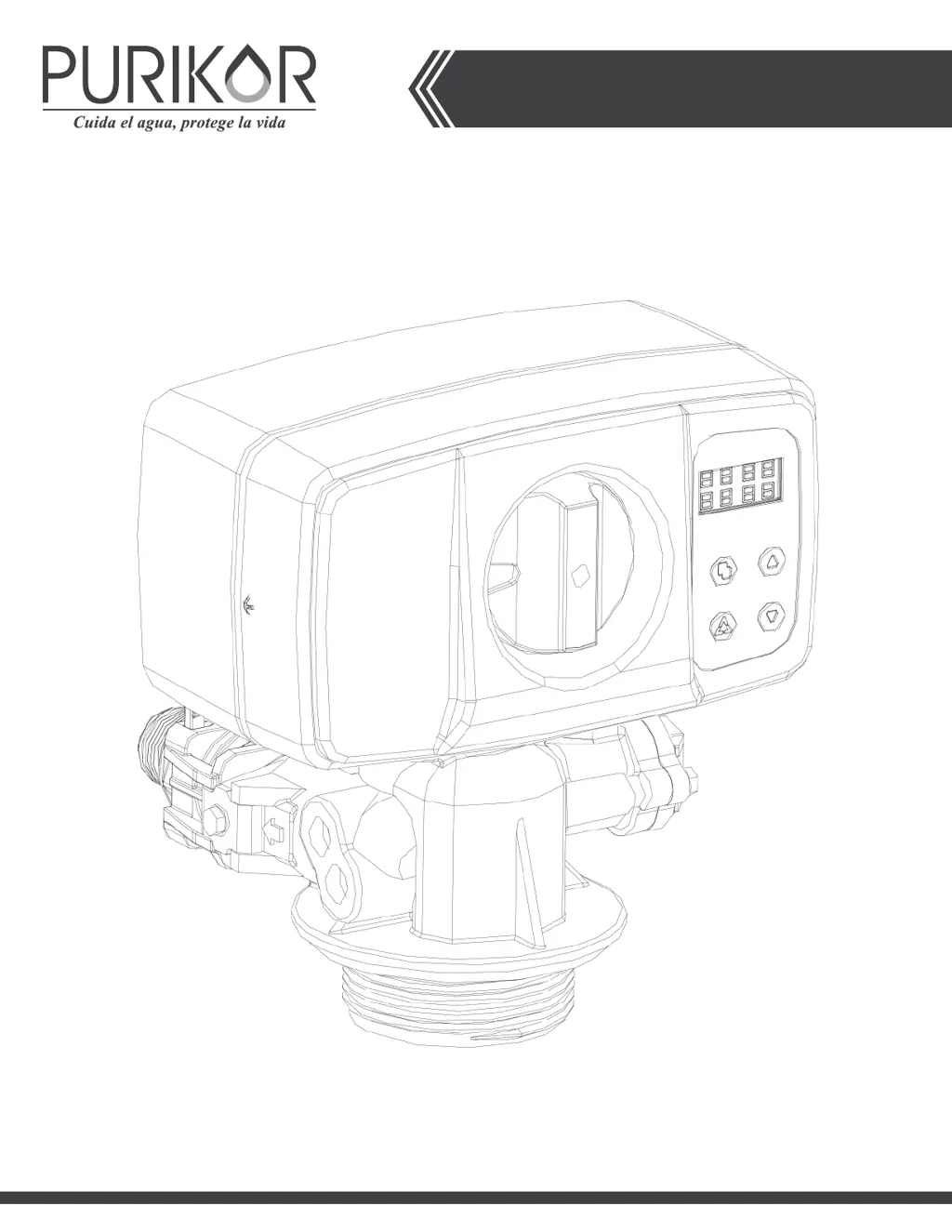
PKVSF26 D Series Outline

Visual representation of the PKVSF26D valve's physical structure.

PKVSF26 D Key Pad Overview

Diagram illustrating the buttons and their functions on the PKVSF26D valve's control panel.

Main Functions of PKVSF26 D Valve

Valve Operation Modes

Explains the two main operating modes: SOFTENER and FILTER.

Regeneration Modes Explained

Lists the different modes for valve regeneration.

Water Hardness Adjustment Capability

Describes the user's ability to adjust water hardness via the mixing valve.

Available Display Formats

States that both Metric and US formats are available for display.

Factory Setting Defaults

Outlines the three available factory setting defaults for different tank sizes.

Auto-locking Feature

Explains the auto-locking feature and how to unlock the keys.

PKVSF26 D Valve Specifications

Hydrostatic Test Pressure

Specifies the maximum pressure the valve can withstand under hydrostatic testing.

Working Pressure Range

Defines the operational pressure range for the valve.

Working Temperature Limits

Indicates the acceptable operating temperature range for the valve.

Required Riser Pipe Diameter

Specifies the required diameter for the riser pipe.

Electrical Adapter Specifications

Details the input and output specifications for the electrical adapter.

Pressure Tank Thread Type

Specifies the thread type for the pressure tank connection.

Inlet;Outlet Connector Options

Lists the available sizes and materials for inlet/outlet connectors.

PKVSF26 D Dimensional Drawing

Provides a detailed drawing with dimensions of the PKVSF26D valve.

Programming the PKVSF26 D Valve

Key Definition and Functions

Explains the function of each key on the valve's control panel.

Setting Methods and Navigation

Step-by-step guide on how to navigate and change settings using the valve's keys.

Inquiry Function for Regeneration Data

Describes how to access and view regeneration information using key combinations.

Timer Mode Display Details

Shows the display format for regeneration days remaining and regeneration time.

Meter Regeneration Display Details

Explains the display for volume remaining and total usage in meter-based regeneration.

System Initialization Process

Details the initialization process when the valve is first powered on.

Regeneration Mode Display Examples

Timer Mode Display Example

Shows how current time, regeneration days, and mode are displayed for Timer mode.

Meter Immediate Mode Display Example

Shows how current time, volume remaining, and gallon usage are displayed for Meter Immediate mode.

Meter Delayed Mode Display Example

Shows how current time, volume remaining, and gallon usage are displayed for Meter Delayed mode.

Mix Regeneration Mode Display Example

Shows how current time, volume remaining, and gallon usage are displayed for Mix Regeneration mode.

Menu Diagram and Regeneration Modes

Menu Navigation Key Press

Indicates the initial action to enter the programming menu.

Regional Settings Options

Shows options for setting regional display units (Metric or US).

Regeneration Mode Selection Options

Displays the main regeneration mode selection options.

Time and Date Setting Parameters

Illustrates settings for date, current time, and regeneration start time.

Regeneration Cycle Setting Parameters

Shows settings for regeneration capacity, backwash, brine, rinse, and refill durations.

Default and Capacity Load Options

Indicates options for loading default settings or specific capacity modes.

Parameter Descriptions for PKVSF26 D

Regional Parameter

Controls the unit format displayed on the valve.

Regeneration Mode Parameter

Defines the four modes for initiating regeneration cycles.

Date Parameter (MO-DA-YE)

Sets the current date for tracking regeneration history.

Time Parameter

Sets the current time of day.

Regeneration Time Parameter

Sets the specific time for a regeneration cycle to begin.

Regeneration Days Parameter

Sets the interval in days between regenerations.

Regeneration Capacity Parameter

Sets the total capacity between regenerations, determining gallon usage.

Backwash Parameter

Controls the duration of the backwash cycle.

Brine Parameter

Controls the duration of the brine draw and rinse cycle.

Rinse Parameter

Controls the duration of the final rinse cycle.

Refill Parameter

Controls the duration for refilling the brine tank with water.

Default Settings for PKVSF26 D

Load Default Settings Option

Option to reset current settings to factory defaults.

Default Settings Explanation

Explains the three available defaults: Large, Medium, and Small capacity modes.

Default Value Table

A table showing default values for key regeneration parameters.

Manual Regeneration Procedure

Initiate Manual Regeneration

Steps to unlock the screen and start a manual regeneration.

Manual Regeneration Cycle Steps

Describes the process of advancing through regeneration cycles like BACKWASH and BRINE.

Water Hardness Adjustment

Adjustment Operation Methods

Details the procedure for rotating the Water Hardness Adjustment Nut.

Water Hardness Adjustment Nut Location

Identifies the physical component used for water hardness adjustment.

Optional Parts for PKVSF26 D

Inlet;Outlet Screw Standards

Details the available BSP and NPT screw standards for connections.

Optional Inlet;Outlet Screw Adapters

Lists various optional adapters for inlet/outlet connections with part numbers and names.

Inlet;Outlet Connection Types

Standard Connection Assembly

Shows the standard method for connecting inlet/outlet pipes.

Bypass Connection Assembly

Illustrates the assembly for bypass connections.

Drain Line Controls and Injectors

Tank Size to Injector Color Mapping

A table correlating tank sizes with corresponding injector colors.

Injector and DLFC Replacement Guide

DLFC and Drain Fitting Identification

Identifies the DLFC and drain fitting locations on the valve.

Injector Nozzle and Clip Identification

Identifies the injector nozzle and secure clips.

Bypass Assembly Details

Bypass Valve Functions Explanation

Explains that the bypass valve has functions like bypass and water hardness adjustment.

Bypass Knob Functionality

Relates the angle of the bypass knob to water hardness adjustment.

Valve Operational Positions

Service Position Diagram

Diagram showing the valve in its normal operating (service) state.

Bypass Position Diagram

Diagram showing the valve in the bypass state.

Hardness Adjustment Position Diagram

Diagram showing the valve in the water hardness adjustment state.

Valve Powerhead Assembly

Powerhead Assembly Components Diagram

Labeled diagram showing the components of the PKVSF26D powerhead.

Powerhead Assembly Parts List

Powerhead Parts List Columns

Column headers for the powerhead parts list: Item No., Part. No., Part. Description, Quantity.

Powerhead Assembly Parts List Continuation

Powerhead Parts List Columns

Column headers for the powerhead parts list: Item No., Part. No., Part. Description, Quantity.

Valve Body Assembly

Filter Injection Option Assembly

Shows a sub-assembly related to the filter injection system.

Valve Body Components Diagram

Labeled diagram showing the components of the valve body.

Valve Body Assembly Parts List

Valve Body Parts List Columns

Column headers for the valve body parts list: Item No., Part. No., Part. Description, Quantity.

Valve Body Assembly Parts List Continuation

Valve Body Parts List Columns

Column headers for the valve body parts list: Item No., Part. No., Part. Description, Quantity.

Bypass Assembly Overview

Bypass Assembly Components Diagram

Labeled diagram showing the components of the bypass assembly.

Bypass Assembly Parts List

Bypass Assembly Part Details

Lists specific parts of the bypass assembly with their numbers and quantities.

General Valve Installation Guide

Installation Requirements Checklist

Specifies prerequisites like water pressure, electrical supply, plumbing, and location.

Critical Installation Warnings

Important safety warnings regarding water pressure, temperature, and freezing.

Step-by-Step Installation Guide

Step-by-step instructions for plumbing, tank connection, and initial water flow.

Troubleshooting Common Issues

Regeneration Cycle Failure

Lists causes and solutions for regeneration cycle initiation failures.

Hard Water Issues

Lists causes and solutions for issues resulting in hard water.

High Salt Usage

Lists causes and solutions for excessive salt consumption.

Low Water Pressure

Lists causes and solutions for low water pressure issues.

Resin in Drain Line

Lists causes and solutions for resin found in the drain line.

Brine Tank Water Level Issues

Lists causes and solutions for excessive water in the brine tank.

Brine Draw Failure

Lists causes and solutions for the unit's inability to draw brine.

Continuous Valve Cycling

Lists causes and solutions for the valve cycling continuously.

Continuous Drain Flow

Lists causes and solutions for continuous flow to the drain.

Warranty Policy Information

Warranty Terms and Duration

Outlines the 2-year warranty against manufacturing defects in materials and workmanship.

Warranty Conditions and Exclusions

Specifies conditions for warranty application, excluding unauthorized sales channels.

Warranty Modification Clause

States that only the certificate modifies warranty terms; no employee can alter them.

Warranty Claim Procedure

Steps for submitting a warranty claim, including required documents and shipping.

Mexico Service Contact Details

Provides contact details for service and support in Mexico.

Colombia Service Contact Details

Provides contact details for service and support in Colombia.

Installation Diagram Placeholder

Observations Section

PURIKOR PKVSF26D Specifications

General IconGeneral
BrandPURIKOR
ModelPKVSF26D
CategoryControl Unit
LanguageEnglish