Button Programming
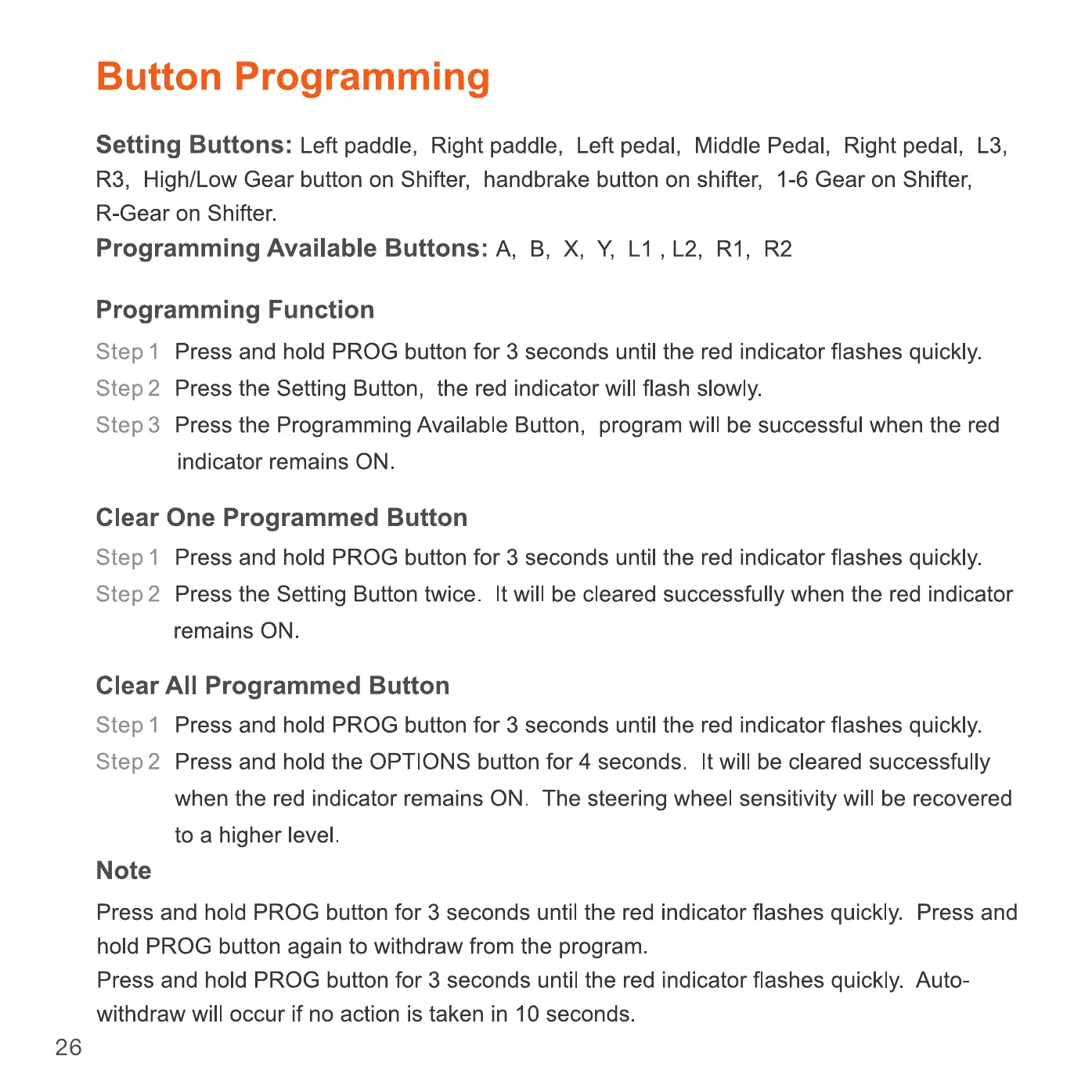
Setting Buttons: Left paddle, Right paddle, Left pedal, Middle Pedal, Right pedal, L3,
R3, High/Low Gear button on Shifter, handbrake button on shifter, 1-6 Gear on Shifter,
R-Gear on Shifter.
Programming Available Buttons: A, B, X, Y, Ll , L2, RI, R2
Programming Function
Step I Press and hold PROG button for 3 seconds until the red indicator flashes quickly.
Press the Setting Button, the red indicator will flash slowly.
step 2
Step 3
Press the Programming Available Button, program will be successful when the red
indicator remains ON.
Clear One Programmed Button
Step 1
Press and hold PROG button for 3 seconds until the red indicator flashes quickly.
step 2 Press the Setting Button twice. It will be cleared successfully when the red indicator
remains ON.
Clear All Programmed Button
Step I Press and hold PROG button for 3 seconds until the red indicator flashes quickly.
step 2
Press and hold the OPTIONS button for 4 seconds. It will be cleared successfully
when the red indicator remains ON. The steering wheel sensitivity will be recovered
to a higher level
Note
Press and hold PROG button for 3 seconds until the red indicator flashes quickly. Press and
hold PROG button again to withdraw from the program.
Press and hold PROG button for 3 seconds until the red indicator flashes quickly. Auto-
withdraw will occur if no action is taken in 10 seconds.
26


 To Next Page
 Loading...