68 EN
Changing the Setup menu
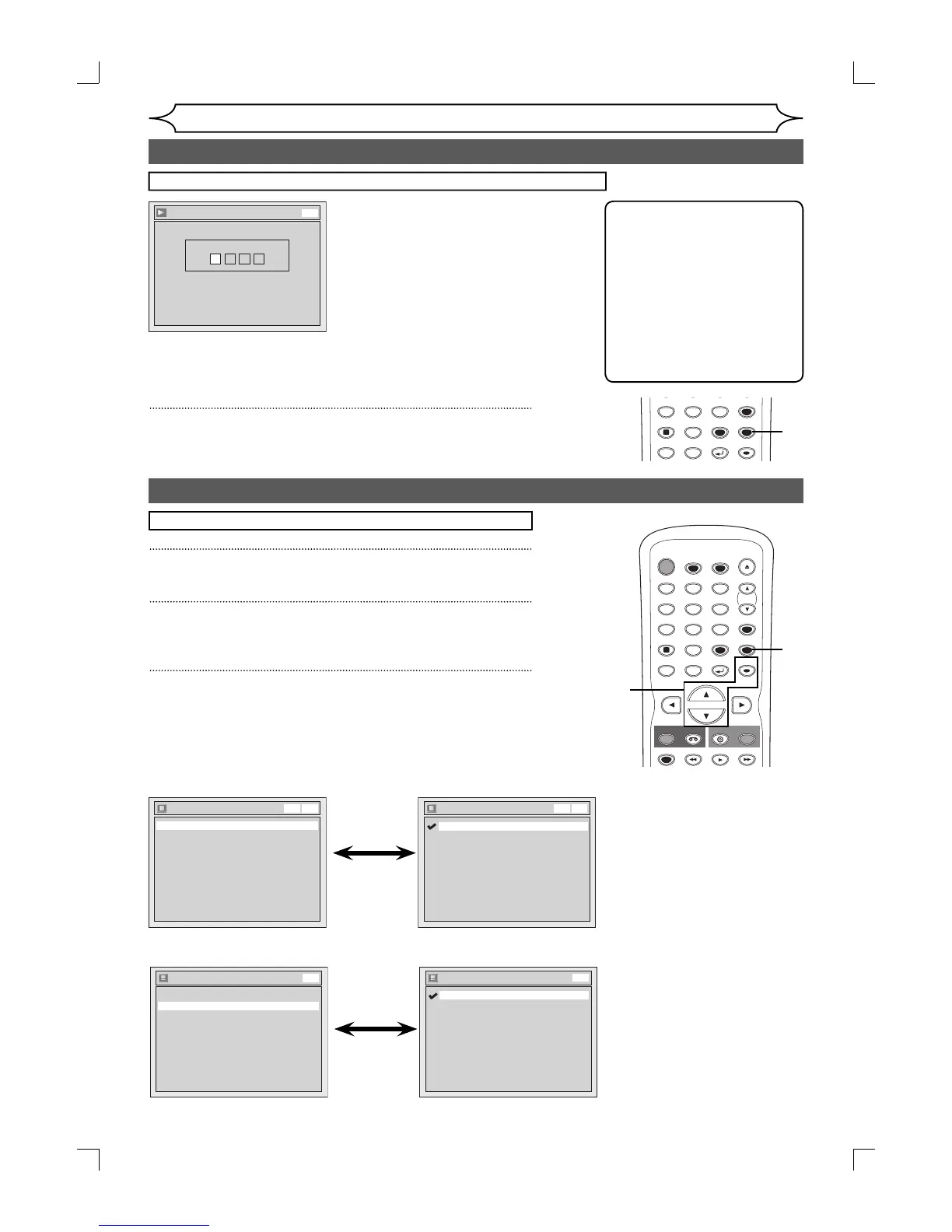
If “Other” is selected, press 4-digit code using the Number buttons.
Language - Subtitle
Code Input
----
DVD
• When you finish entering
the code, press [OK].
Refer to the language
code table on page 81.
5
Press [SETUP] to exit.
Note
• Only the languages supported
by the disc can be selected.
• Audio Language setting may
not be available to some
discs.
• You can change or switch off
the subtitles on a DVD disc
also from the disc menu if it is
available.
• Press [CLEAR] or [s] to erase
numbers entered incorrectly.
Display setting
1
Press [SETUP].
2
Using [K / L], select “Display”. Press [OK].
Display menu will appear.
3
Using [K / L], select a desired item. Press [OK].
Press [STOP C] if you are playing a disc.
Language setting (cont’d)
Display
Angle Icon ON
Screen Saver
FL Dimmer
10 minutes
Bright
OSD Language English
VCR DVD
OSD Language
Français
Español
English
VCR DVD
• Using [K / L], select a
setting. Press [OK].
Your setting will be activated.
OSD Language (Default : English)
Set the language for the On Screen display.
Display
Angle Icon ON
Screen Saver
FL Dimmer
10 minutes
Bright
OSD Language English
DVD
Angle Icon
OFF
ON
DVD
• Using [K / L], select a
setting. Press [OK].
Your setting will be activated.
Angle Icon (Default : ON)
Set to “ON” to show the Angle Icon during the playback.
SPACE
78
0
9
VIDEO/TV
PQRS
DISPLAY
TUV WXYZ
SETUP
RETURN
DISC MENU
TITLE
CLEAR
OK
5
STANDBY-ON
TIMER SET
TIMER
OPEN/CLOSE
SPACE
123
456
78
0
9
CH
VIDEO/TV
.@/:
ABC DEF
GHI JKL MNO
PQRS
REC
DISPLAY
TUV WXYZ
DVD
REC
REC MODE
VCR
SETUP
RETURN
DISC MENU
TITLE
CLEAR
OK
PLAY
3
2
1
E9A12UD_PY90VG_p41-88.indd 68E9A12UD_PY90VG_p41-88.indd 68 2006/04/26 18:27:272006/04/26 18:27:27


 To Next Page