70 EN
Changing the Setup menu
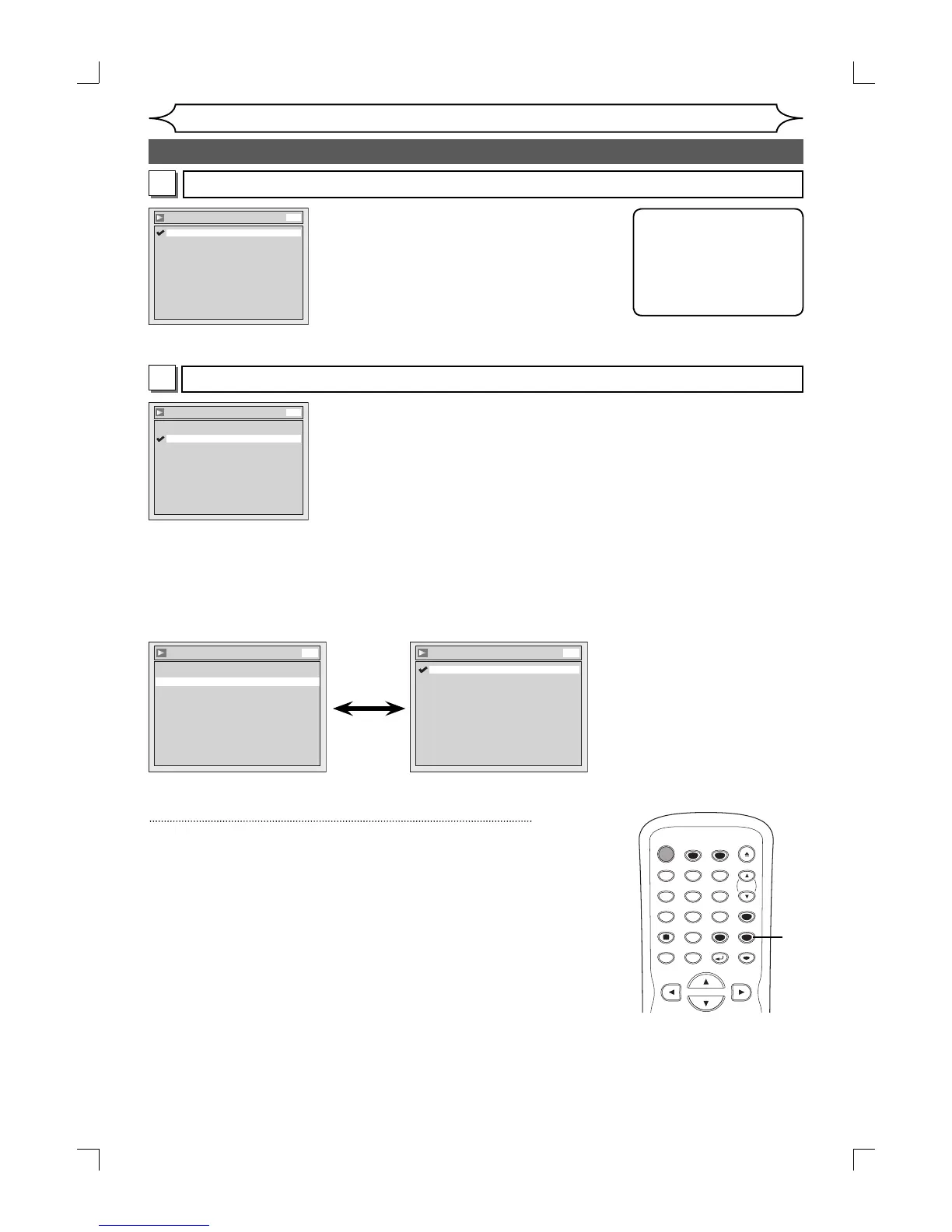
Settings for Dolby Digital (Default : Stream)
Digital Out - Dolby Digital
Stream
PCM
DVD
• Using [K / L], select a setting. Press [OK].
Your setting will be activated.
PCM :Convert the Dolby Digital into PCM(2 channel).
When your amplifier/decoder is NOT compatible with Dolby Digital, set
to “PCM”.
Stream :Outputs Dolby Digital signals
When your amplifier/decoder is compatible with Dolby Digital, set to
“Stream”.
Settings for PCM (Default : 48kHz)
Digital Out - PCM
96kHz
48kHz
DVD
• Using [K / L], select a setting. Press [OK].
Your setting will be activated.
48kHz :If your amplifier/decoder is NOT
compatible with 96kHz PCM, select
“48kHz”. 96kHz sound will be output in
48kHz.
96kHz :If your amplifier/decoder is compatible
with 96kHz PCM, select “96kHz”. 96kHz
sound will be output.
B
A
Note
When playing disc with
copyright protection
• Even if you select
“96kHz”, the sound will
be down sampled at
48kHz.
Audio setting (cont’d)
• Using [K / L], select a setting.
Press [OK].
Your setting will be activated.
Dynamic Range Control (Default : ON)
Set to “ON” to compress the range between soft and loud sounds.
4
Press [SETUP] to exit.
Disc Audio
Digital Out
Dynamic Range Control ON
DVD
Dynamic Range Control
OFF
ON
DVD
STANDBY-ON
TIMER SET
TIMER
OPEN/CLOSE
SPACE
123
456
78
0
9
CH
VIDEO/TV
.@/:
ABC DEF
GHI JKL MNO
PQRS
DISPLAY
TUV WXYZ
SETUP
RETURN
DISC MENU
TITLE
CLEAR
OK
4
E9A12UD_PY90VG_p41-88.indd 70E9A12UD_PY90VG_p41-88.indd 70 2006/04/26 18:27:292006/04/26 18:27:29


 To Next Page