www.PyleAudio.com
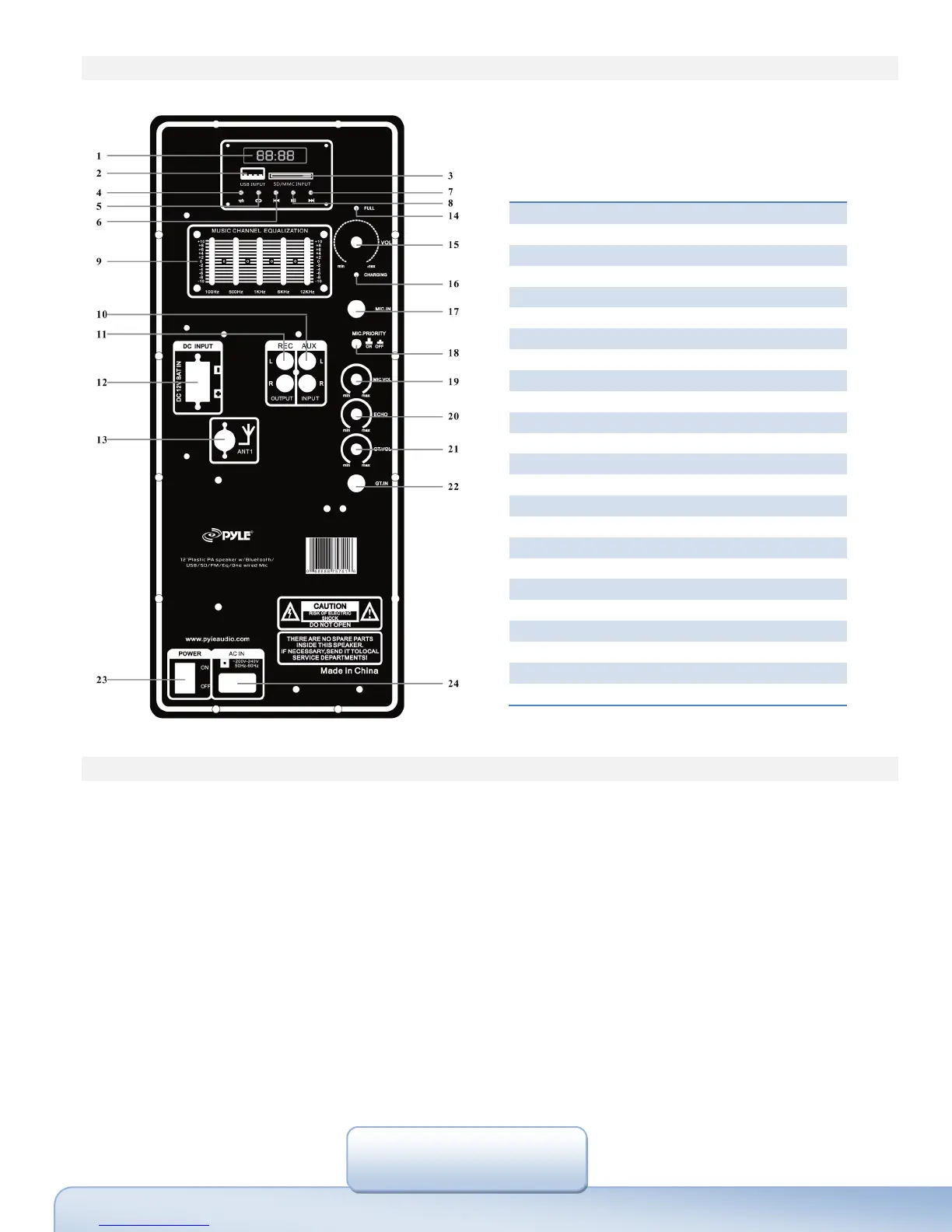
Control&Layout
AM/FMRadio
1.Turnontheunit.
2.PressModeselector,settoRadiomode;
3.YoucanuseAM/FMselectorchooseforAM/FM;
4.Whenyouusetheradioatthefirsttime,pressScanonce,unitwillautosearchandstoreforradiostations,then
youcanusePRE/NEXTchoosethestored
radiostations.
5.YoucanalsousethePRE/NEXTbuttons manualsearchforradiostations.
6.Youcanusethesix numberslocatedontoppanelstoreyourfavoriteradiostations.
NOTES:AM/FMreceptionmaydifferentinlocations,forbetterreceptionquality,pleaseusetheAntennaandkeep
unitfarfromany
electricaldistortions.
FrontPanel&System
1 EQSwitch
2 BassControl
3 TrebleControl
4 VolumeControl
5 Line‐in(Aux)Input
6 dBDisplay
7 MicInputJack
8 MicVolumeControl
9 EchoControl
10 SDCardInput
11 PreviousSongs/VolumeDown
12 AutoScanforRadioStations
13 NextSong/VolumeUp
14 InputSelectors
15 DisplayScreen
16 USBInput
17 EQControl
18 SpeakerHandle
19 MetalCorner
20 Tweeters
21 WooferSpeaker
22 VentHole
23 WooferConfinement
24 SpeakerFeet


 To Previous Page