2
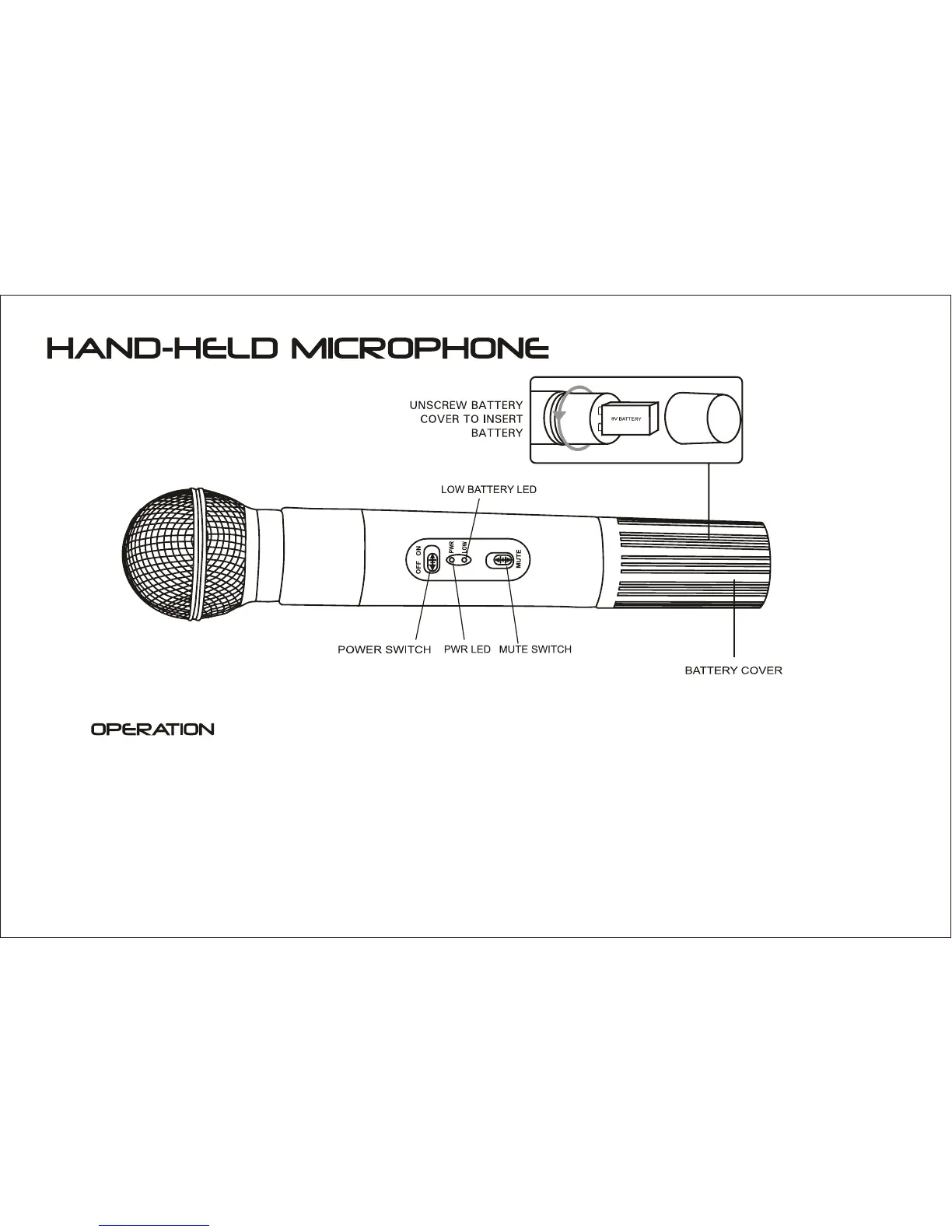
1. Unscrew the battery cover at the end of microphone, put a 9V battery into compartment with
correct polarities, then close the cover.
2. Move "ON/OFF" switch to "ON" position, "PWR" indic ator comes on b lue. If it does n't
come on, please check the voltage of battery or polarities.
3.
If the "LOW" indicator comes on,
this indicates the battery is dead. Please replace with a fresh battery.
The "MUTE" switch cuts off audio output without powering off the microphone. Move the switch
down to engage the mute feature, and up to turn it off.


 To Next Page