EasyManua.ls Logo

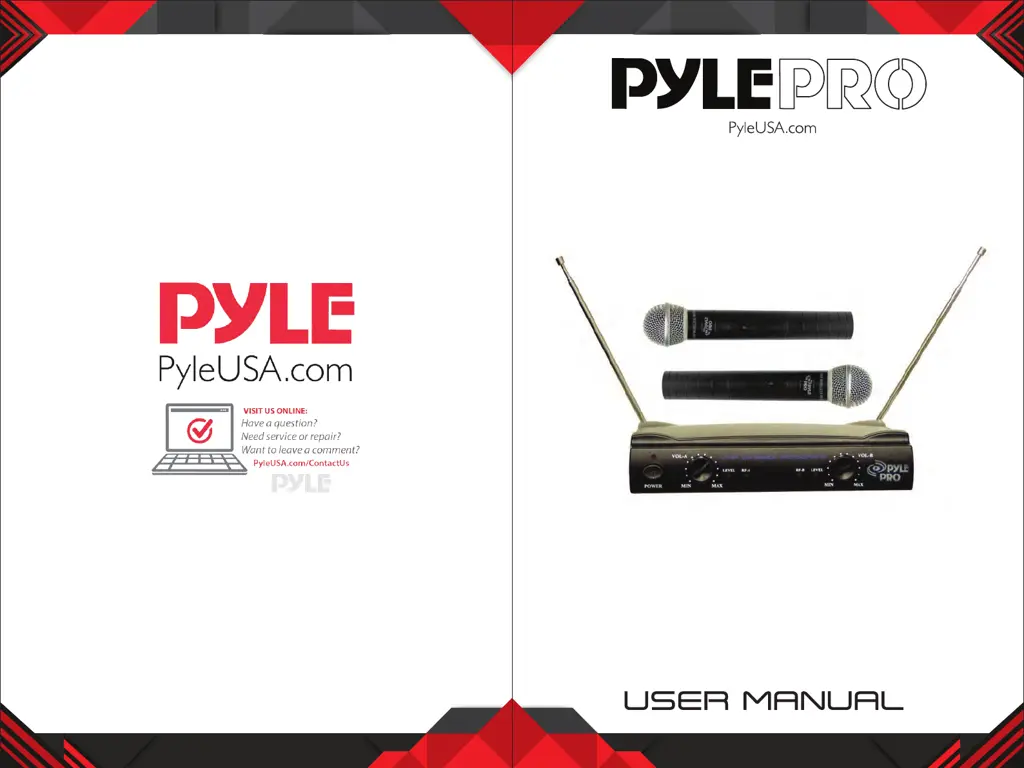
Pyle Pro PDWM2500 - User Manual

Pyle Pro PDWM2500
5 pages
Print Icon
To Next Page IconTo Next Page
Loading...
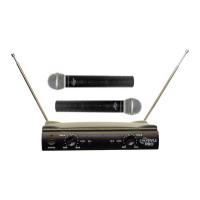
Dual VHF Wireless Microphone System
PDWM2500

Questions and Answers

  • D
    Dustin CooperJul 28, 2025
    What to do if my Pyle Pro PDWM2500 has no sound?
    • J
      Joann GutierrezJul 28, 2025
      If your Pyle Pro Microphone system isn't producing any sound, there are several potential causes. First, the battery in the wireless microphone might be weak, so try replacing it. Also, ensure that the microphone receiver and all connected audio equipment are turned on. Finally, verify that the speakers or headphones are properly connected to the audio equipment.
  • A
    april34Aug 4, 2025
    Why is the sound distorted on my Pyle Pro PDWM2500 Microphone system?
    • M
      mbauerAug 4, 2025
      Sound distortion in your Pyle Pro Microphone system can stem from a couple of issues. A weak battery in the wireless microphone is a common culprit; try replacing it. Also, check the AUDIO OUT settings on the receiver and adjust the volume controls as needed.
  • W
    wagneralejandroAug 13, 2025
    How to stop a howling noise from Pyle Pro PDWM2500 speakers?
    • L
      Lori SchmidtAug 13, 2025
      A howling noise from the speakers when using your Pyle Pro Microphone system is often due to the microphone being too close to the speakers. Try moving the wireless microphone further away from the speakers or changing the direction in which the microphone is pointing. Another cause could be a weak battery in the wireless microphone; in this case, replace the battery.
  • M
    mnguyenAug 20, 2025
    What to do if the on air indicator does not light up on my Pyle Pro Microphone system?
    • J
      Jose MarshAug 20, 2025
      If the on air indicator on your Pyle Pro Microphone system isn't lighting up, it could be due to a few reasons. Make sure the wireless microphone is turned on. Also, ensure that the microphone receiver is turned on and properly connected to the audio equipment. If not, turn on the microphone receiver and the connected audio equipment.

Summary

Precautions

General Handling and Safety

Instructions on avoiding moisture, heat, damage, and proper handling of components and batteries.

Handheld Microphone

Operation

Instructions for powering on, using the mute switch, and battery status indication.

Receiver

Operation

Steps for connecting antennas, audio cables, power, and turning on the system.

Installation

Installation Location

Guidelines for optimal placement, including height and distance from walls.

Specifications

Overall System Specifications

General technical parameters of the wireless system, including frequency and range.

Receiver Specifications

Technical specifications for the receiver unit, covering sensitivity and power.

Transmitter Specifications

Technical specifications for the transmitter (microphone), including capsule and battery type.

Pyle Pro PDWM2500 Specifications

General IconGeneral
BrandPyle Pro
ModelPDWM2500
CategoryMicrophone system
LanguageEnglish

Related product manuals