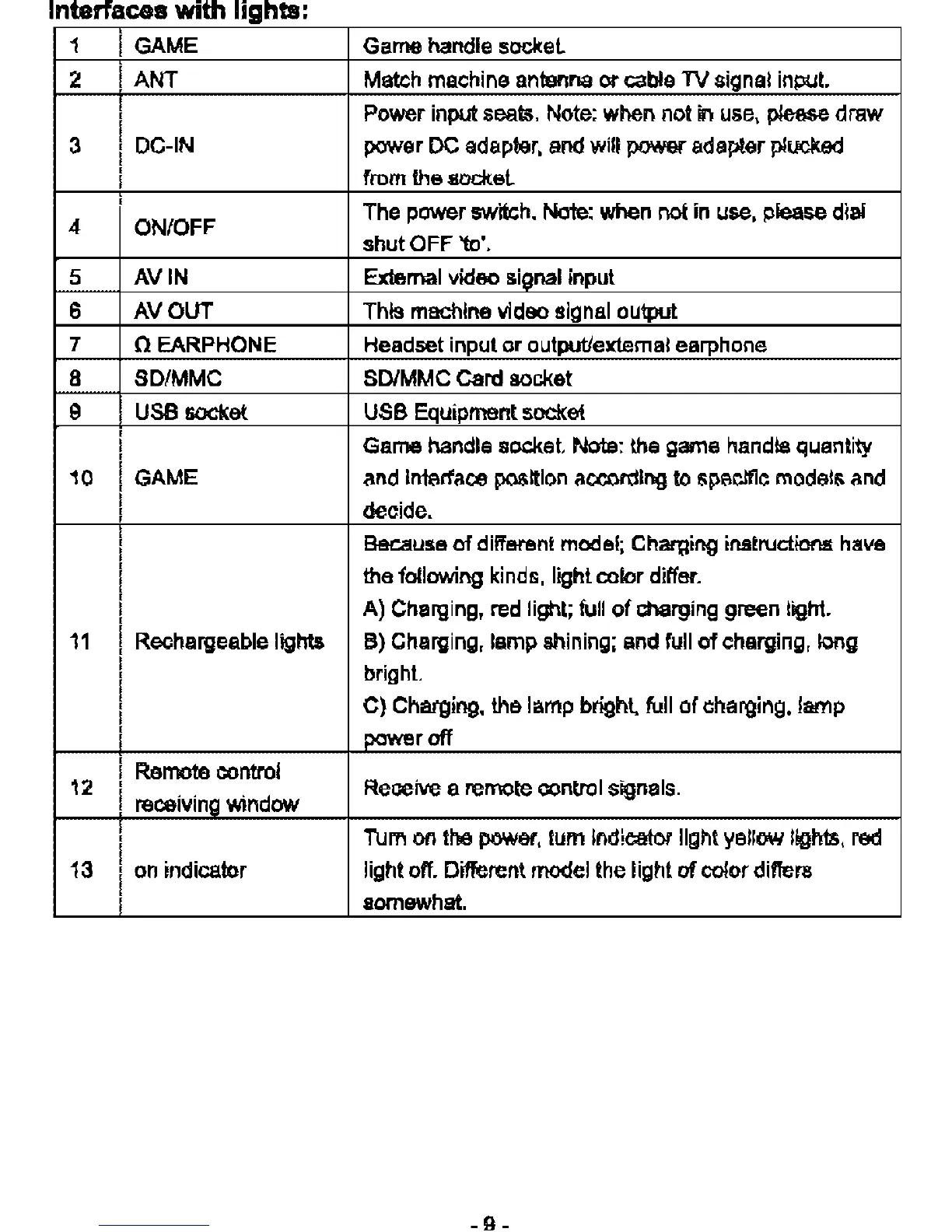
Interfaces
with
lights'
1
GAME
Game handle socket.
2 ANT
Match
machine antenna or cable
TV
signal input.
Power input seats.
Note:
when not
in
use,
please draw
3
DC-IN
power DC
adapter,
and
will power adapter plucked
from the socket.
4 ON/OFF
The power
swttch.
Note:
when
not
in
use,
please dial
shut
OFF
'to',
5 AVIN External video signal input
6 AVOUT This machine video signal output
7 o
EARPHONE
Headset input or output/external earphone
8 SD/MMC SDIMMC Card socket
9
USB
socket
USB
Equipment socket
Game handle socket.
Note:
the
game handle quantity
10
GAME
and
interface position according
to
specific models
and
decide.
Because
of
different
model;
Charging instructions
have
the following kinds, light color differ.
A) Charging,
red
light;
full
of
charging
green
light.
11
Rechargeable lights 8) Charging, lamp shining;
and
full
of
charging,
long
bright.
C) Charging, the lamp bright,
full
of charging, lamp
power
off
12
Remote
control
receiving window
Receive a remote control signals.
Tum
on
the
power,
tum indicator light yellow lights, red
13
on
indicator light
off.
Different model
the
light
of
oolor differs
somewhat.



 To Next Page