Remote Control Function and Instructions
.
----
-
---
0
•
-
---
$
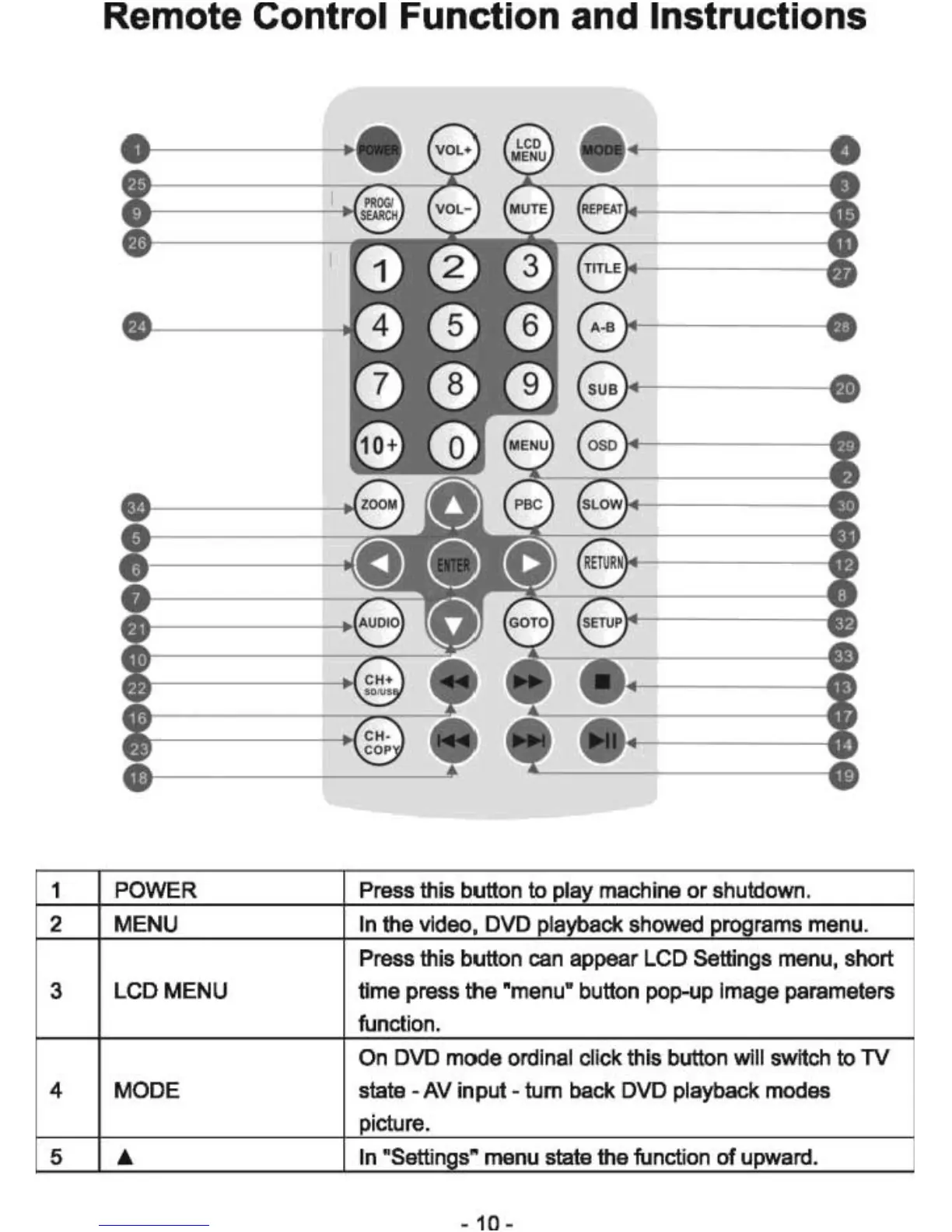
1 POWER Press this button
to
play machine
or
shutdown.
2 MENU In the video, DVD playback showed programs menu.
Press this button can appear LCD Settings menu, short
3
LCD MENU time press the "menu" button pop-up image parameters
function.
On DVD mode ordinal click this button will switch
to
TV
4 MODE state - AV input - tum back DVD playback modes
picture.
5 .i. In "Settings" menu state the function
of
upward.



 To Next Page