EasyManua.ls Logo

Pyle PHCT65 - Telephone Wire Finding Function; Step-by-Step Wire Tracing; Practical Tracing Scenarios

Pyle PHCT65
8 pages
Print Icon
To Next Page IconTo Next Page
To Previous Page IconTo Previous Page
Loading...
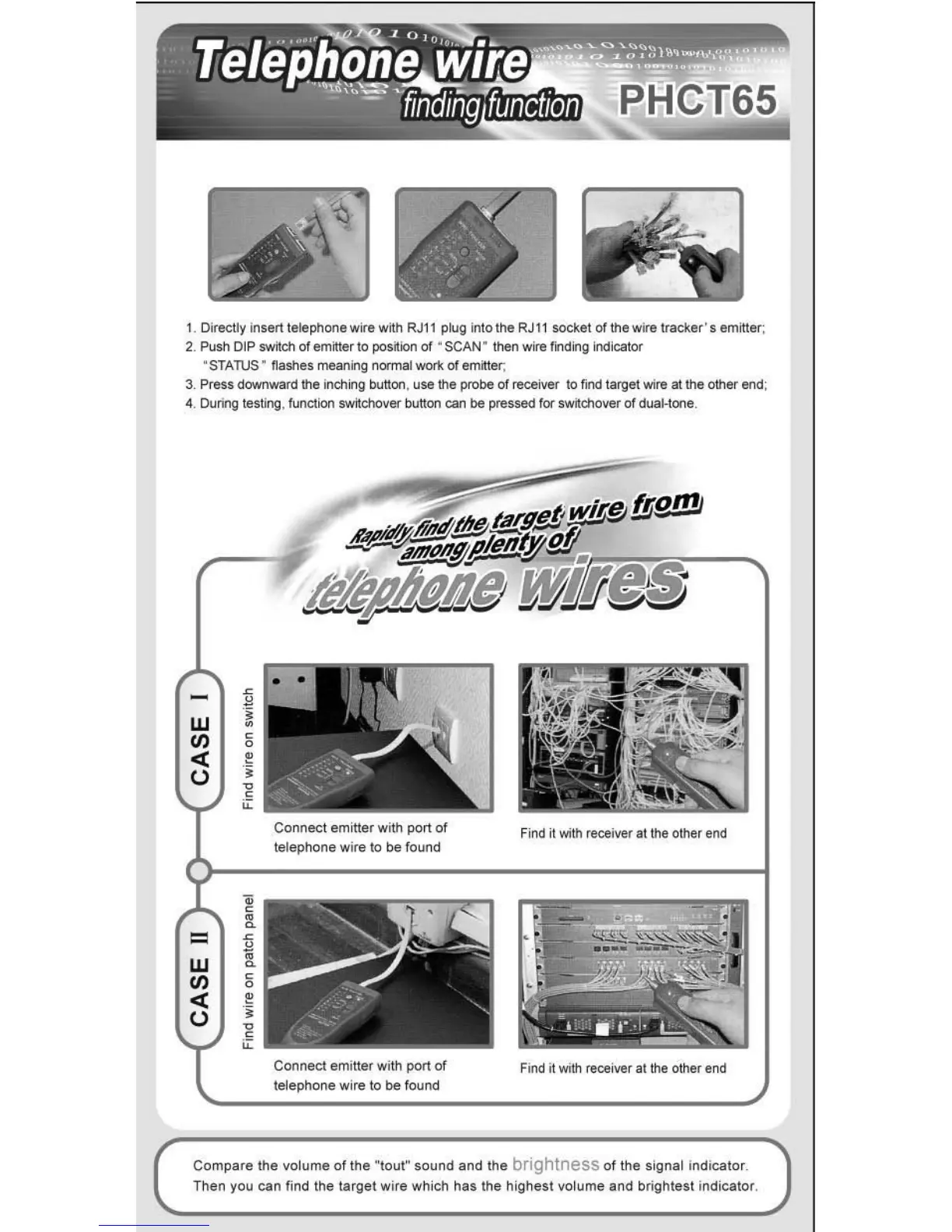
1. Directly
insen
telephone wire wtth
RJll
pkJg
In
to the
RJ11
socket of the wire
tracker·s
emittl!(;
2.
Push DIP switch
01
emitter to
j)Os~ion
of
'
SCAN
' then wire lirKling Indicator
"STAruS "
~ashes
meaning r"KlIlllal work
01
emitter;
3.
Press downward the inching
Dutton
. use
th
e probe
of
receiver
to
find target wire
at
the other end;
4.
During testing. function switcnoVI!( Ilutton can be jlI"essed for switchover
01
dualolooe_
W
til
«
U
=
W
til
«
U
,
~
f
~
,
-~
,
~
Connec
t emitter
with
port of
te
lephone
wire
to
be
found
Connect
emitter
with
port
of
tejephone
wir
e
10
be
found
Find it with receiver at the other
end
Find it with receiver at
th
e other eml
Com
pa
re
the
volume
of
the
"tout"
sound
and
the
brightness
of
t
he
Signal indicator_
Then you
can
find the
target
wire
which
has
the
high
est
vo
lume
and
brightest
indicator,

Related product manuals