EasyManua.ls Logo

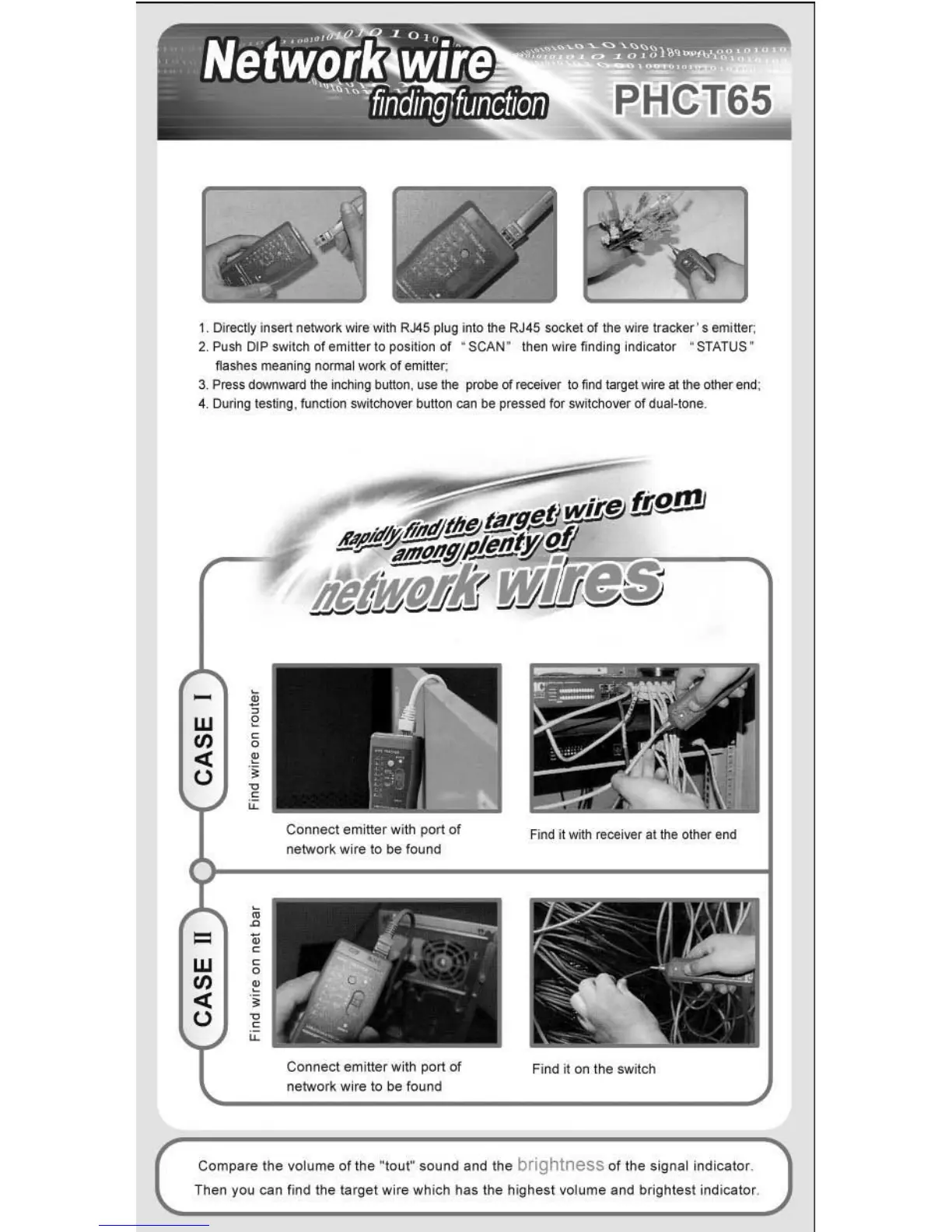
Pyle PHCT65 - Network Wire Finding Function; Step-by-Step Network Tracing; Practical Network Tracing

Pyle PHCT65
8 pages
Print Icon
To Next Page IconTo Next Page
To Previous Page IconTo Previous Page
Loading...
1. Di
re<:Uy
insef!
netwOO'k
"";re "";th
R.J45
pl
ug
Into the RJ45 socket
of
the wire
tracker's
em
i
Her,
2. Push
DIP
switch of emitter to
pos~Kln
of
· SCAN" then wire
fi
ndi
ng
indicat
or
" STATUS ·
fl
ashes meani
ng
norm
al
work
of
em
itter;
3. P
re
ss
downward
the
inch" g button, use the
~
01
receiver
to
find t
"'ll
et
wire at the other ..oo;
4. During tesling,
funcl"",
switchover
bu
tt
on
can
be
pressed for swi
td>o
ver
01
du
a
~
to
n
e
_
0
W
E
rn
"
0
<::
,
u
,
"
"
"
Connect
em
i
tter
with port
of
Fi
nd
it wilIl receiver
lit
th
e other end
netwo(~
wi
re
to
be
found
,
0
=
"
W
"
0
rn
,
<::
.,
u
"
"
"
j)X
(I~'
1,"--
~
,
..
__
....
'
..
'
\
..
I '
Connect
emi
tt
er
with port
of
Fi
nd
~
on the switch
network wi re to be f
ound
Compar
e
th
e
volum
e
of
the "
tou
r
sound
and
the brightness of the si
gnal
indicato
r.
Then
you
can
lind the tar
get
wir
e which
has
the hi
ghest
volu
me
and
brigh
t
est
indicat
or

Related product manuals