EasyManua.ls Logo

Pyle PLCDBT75MRB - User Manual

Pyle PLCDBT75MRB
14 pages
Print Icon
To Next Page IconTo Next Page
Loading...
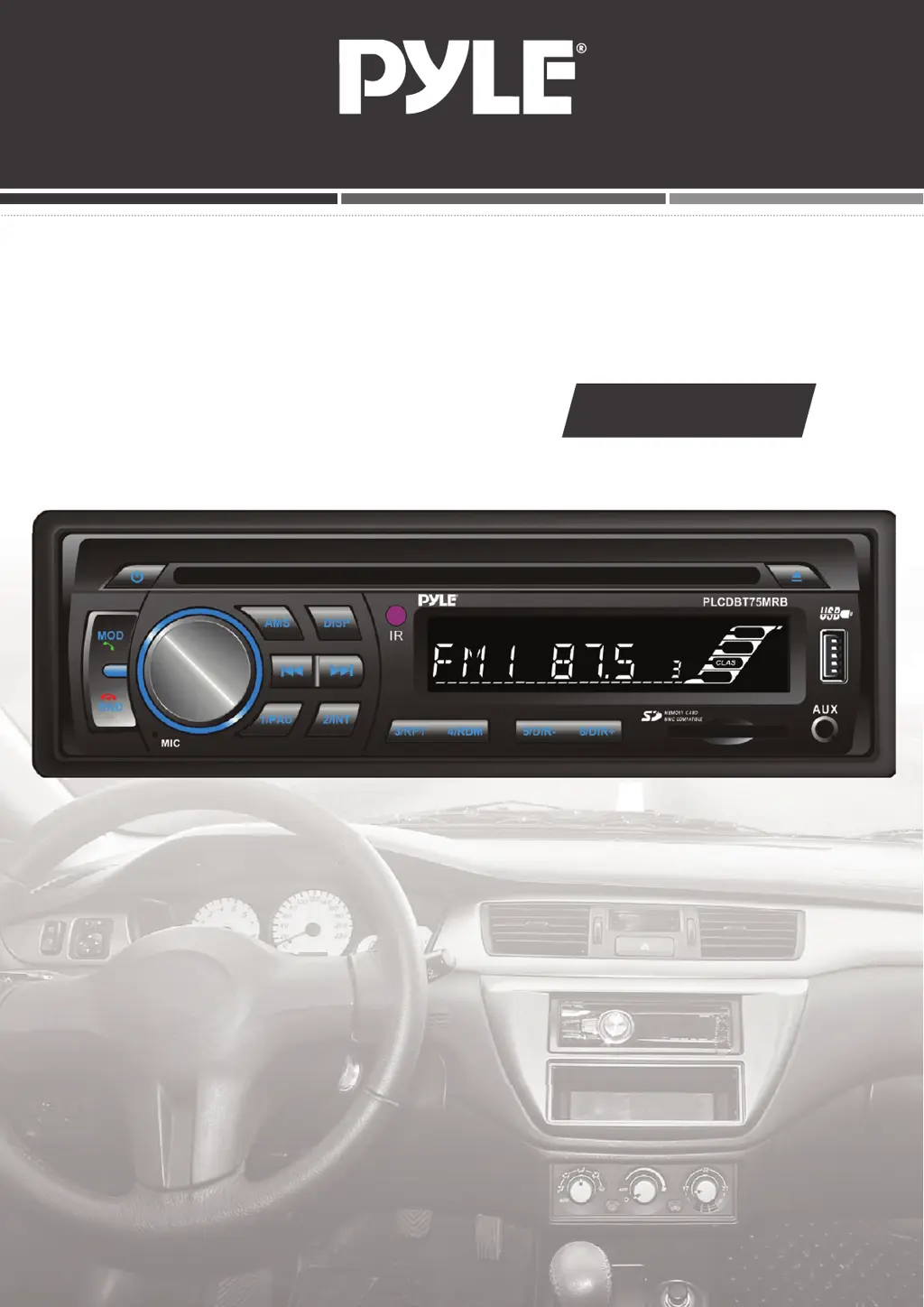
MOBILE AUDIO SYSTEM
USER MANUAL
PLCDBT75MRB
PLL Synthesizer Stereo Radio
CD/MP3/WMA Player
Automatic Memory Storing
Fixed Panel
Bluetooth function
Preset Equalization
Electronic Shockproof (ESP) Function
USB/SD Interface

Questions and Answers

  • N
    Nathan JenkinsAug 4, 2025
    What to do if my Pyle Stereo System has no power?
    • S
      Sarah ParkerAug 4, 2025
      If your Pyle Stereo System isn't getting power, it could be due to a couple of reasons. First, if the power supply is connected to the car accessory circuits, make sure the car ignition key is switched to “ACC”. Second, the fuse might be blown, in which case you should replace it.
  • D
    Deborah BellAug 8, 2025
    Why is there no sound coming from my Pyle Stereo System?
    • C
      christina30Aug 9, 2025
      If you're not getting any sound from your Pyle Stereo System, there are a couple of things to check. First, make sure the volume isn't set to the minimum; adjust it to a desired level. Second, verify that the wiring is properly connected.
  • T
    thompsondannyAug 14, 2025
    What to do if my Pyle Stereo System sound skips?
    • J
      John WatkinsAug 14, 2025
      If the sound on your Pyle Stereo System is skipping, it could be due to a couple of reasons. One potential cause is that the installation angle is more than 30 degrees; adjust it to be less than 30 degrees. Also, the disc might be extremely dirty or defective, so try cleaning the disc or playing a new one.
  • D
    Daniel GutierrezAug 18, 2025
    Why the radio does not work on my Pyle Stereo System?
    • J
      John ContrerasAug 18, 2025
      If the radio on your Pyle Stereo System isn't working, it could be due to a couple of things. First, check that the antenna cable is firmly inserted. Second, the signals may be too weak, in that case try selecting a station manually.
  • K
    Kara SalazarAug 25, 2025
    What to do if the operation keys do not work on my Pyle Stereo System?
    • K
      Kathryn PattonAug 25, 2025
      If the operation keys on your Pyle Stereo System aren't working, it could be that the built-in microcomputer isn't operating properly due to noise. Try pressing the RESET button.
  • J
    James WashingtonAug 28, 2025
    What to do if the disc cannot be loaded or ejected from my Pyle Stereo System?
    • H
      Hector MeyerAug 28, 2025
      If your Pyle Stereo System is having trouble loading or ejecting a disc, consider these possibilities: * If there is already a CD inside, remove it before inserting another. * Ensure you're inserting the disc with the label facing upward. * The disc may be dirty or defective; try cleaning it or using a new one. * If the temperature inside the car is too high, wait until it cools down. * Condensation may have formed; leave the player off for about an hour, then try again.

Pyle PLCDBT75MRB Specifications

General IconGeneral
BluetoothYes
USB PortYes
SD Card SlotYes
AM/FM RadioYes
Display TypeLCD
Single DINYes
AUX InputYes
Pre-Amp OutputsYes
Remote ControlYes
Mounting SizeSingle DIN
Dimensions7" x 7" x 2"
Compatible Phone FunctionsHands-free calling