Need help?
Do you have a question about the Pyle PLHRQD7B and is the answer not in the manual?
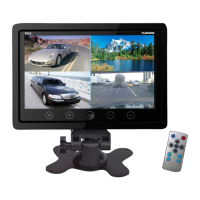
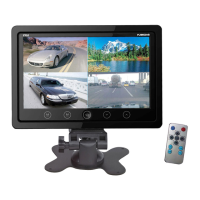
Switches between split image modes.
Opens the TFT menu for settings adjustment.
Controls the power state of the monitor.
Reduces brightness, contrast, color, and volume.
Increases brightness, contrast, color, and volume.
Precautions for lithium batteries, including keeping away from children.
Warnings against charging, decomposing, or exposing batteries to fire.
Procedure for removing and inserting the battery card correctly.
Details screen size, definition, system, voltage, power, control, and environment.
Advice on professional installation and checking connections/fuses.
Explanation of dew formation and waiting for it to clear.
Advice on placement and signal reception for the remote controller.
Guidelines on cleaning and avoiding damage to the LCD screen.
Diagram and list for connecting DVD player video and power inputs.
 General
| Display type | LCD |
|---|---|
| Split screen | Yes |
| Display diagonal | 7 \ |
| Display brightness | - cd/m² |
| Display resolution | 480 x 234 pixels |
| Number of split screens (max) | 4 |
| USB direct playback | - |
| Analog signal format system | NTSC, PAL |
| Operating temperature (T-T) | -20 - 65 °C |
| Mounting type | Headrest |
| Product color | Black |
| Cables included | Power, RCA |
| Number of products included | 1 pc(s) |
 Weight and Dimensions
| Width | - mm |
|---|---|
| Weight | 1207 g |

 To Next Page