1. Menu setting method
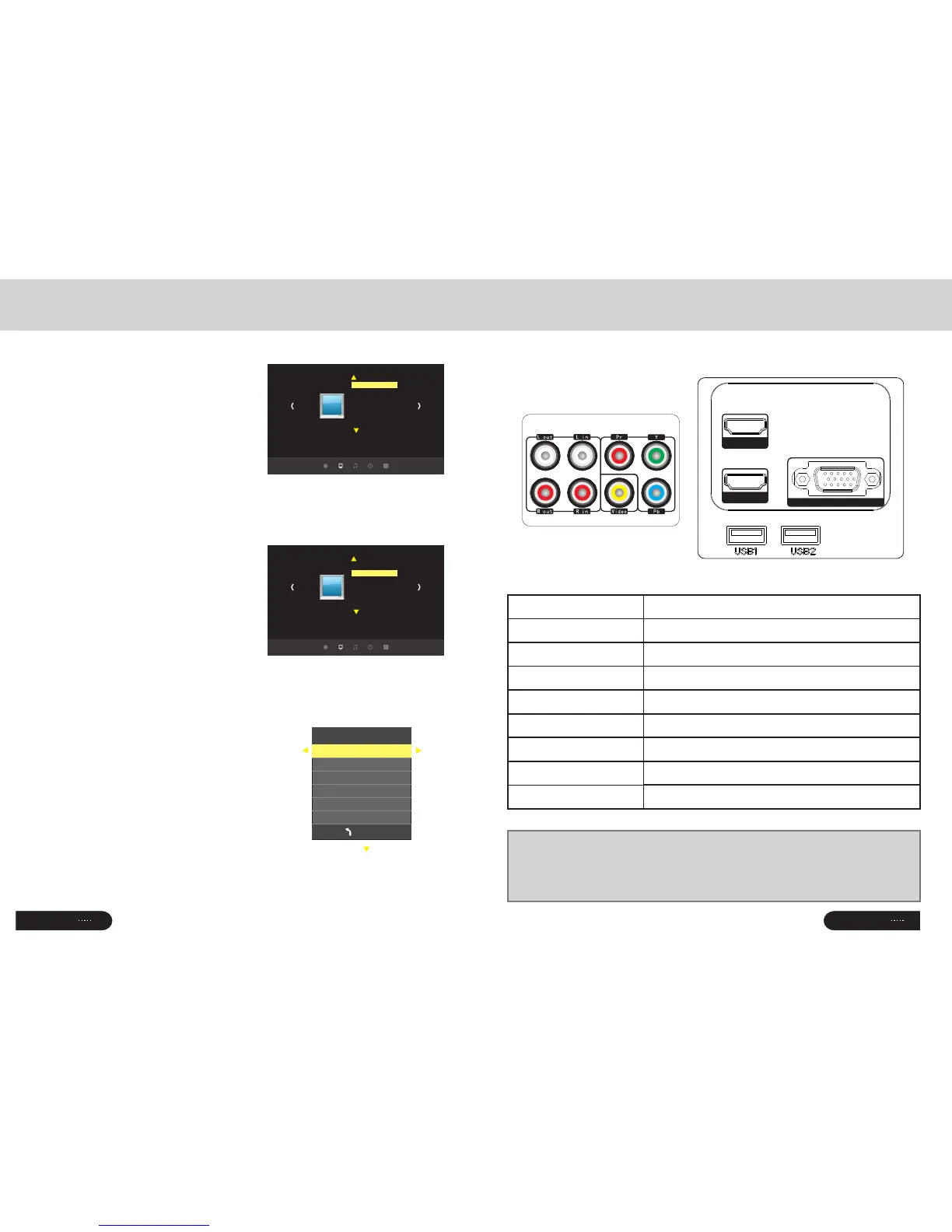
1. Using the projector,press“menu”.
The picture display on screen to adjust
menu(picture I)
2. Press“◀/▶”key,the menu in turn
circle into“picture”>“sound”
>“time”>“system”
3. Select the adjust interface,use“▲/▼”
key to choose the wanted item
(picture II)
4. Press“OK”or“◀/▶”to adjust
the item parameter.
5. Finished the elected item parameter, press
the “menu”key again, exit the page
6. Repeat operating step 2~5,till you
finished all the parameters, press“exit"
exit the menu page, otherwise, the menu page
will auto exit after a period time
2. Parameter adjustment
A.Press"menu"key,until display the above
picture of the menu;
b. Press“▲/▼”key,elect the option that
need to adjust
c. Press“OK”key,use“◀/▶”button
to adjust the certain parameters
d. Press the “menu”key again exit the
menu page parameter adjust station。
Menu Setting
Picture1
Picture
Picture mode standard
Color temperature
Aspect ratio 4:3
Noise reduction middle
Flip horizon
Flip vertical
PC setup
Picture2
Picture
Picture mode standard
Color temperature
Aspect ratio 4:3
Noise reduction middle
Flip horizon
Flip vertical
PC setup
Picture mode user
MEN U
Contrast 0
Brightness 50
Color 50
Sharpness 50
Tune 50
Signal terminals description
Input terminals
☆Turn off the power of projector and the device before connecting,
Either on may cause a break down of machine
☆Check the shape of the plug,DO NOT try the wrong plug
CAUTION
Pa ge
10
Pa ge
17
Lout、Rout
Y/Pb/Pr
Video
Lin、Rin
PC-RGB IN
HDMI 1、HDMI 2
USB1、USB2
Name
Description
Conponent video input
AV input
Audio output
Audio input
VGA input
HDMI Signal input
USB signal input
HD MI 2
HD MI 1
PC -R GB I N



 To Next Page