9
Presstoincreasechannelnumber.
Presstodecreasechannelnumber.
CH+
CH-
Youcanselectthechannelnumberbypressing0to9or-/--.
MenuOperation
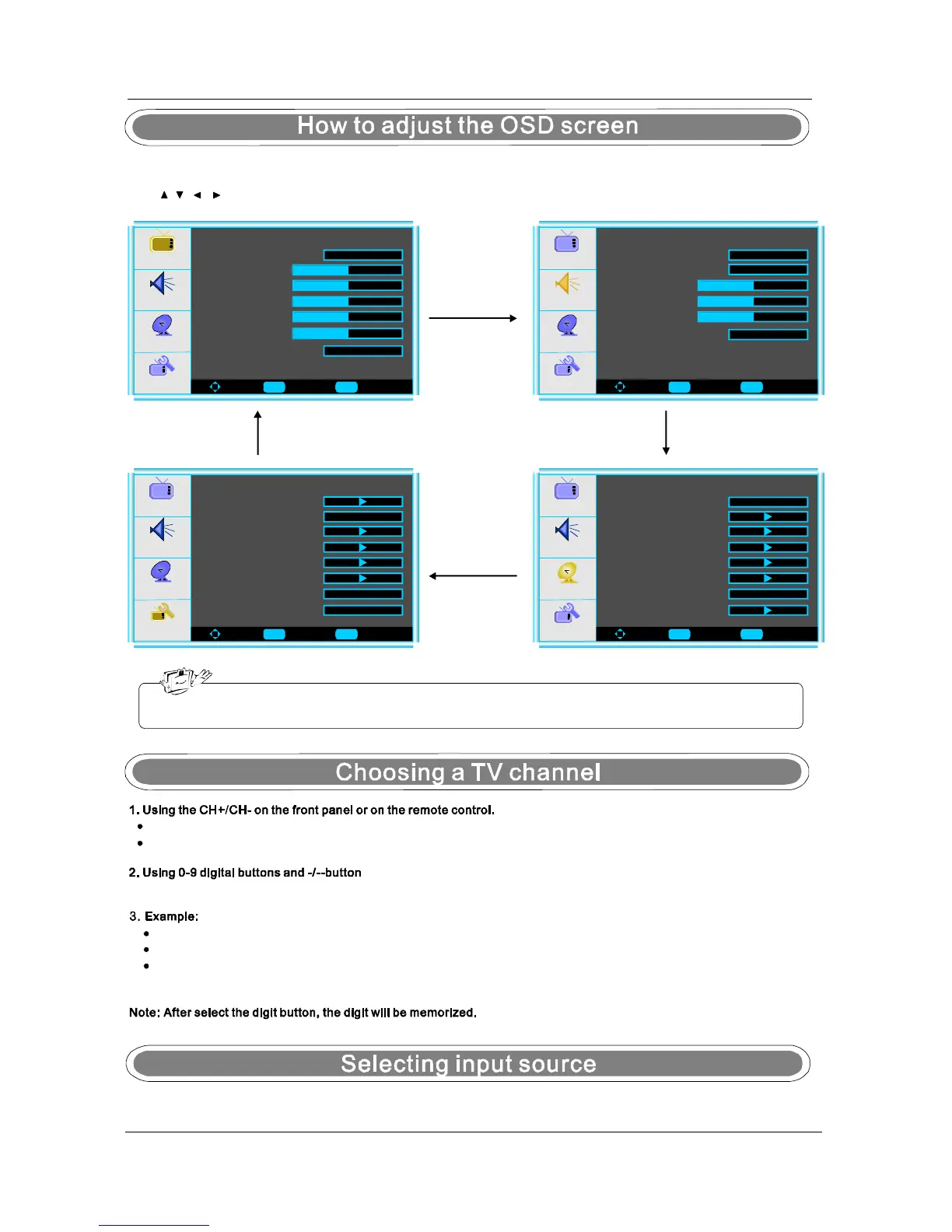
-Pressthebuttontodisplaythemainmenu.MENU
-Use///buttonstoselectandadjusttheavailablemenus.
TheOSD(OnScreenDisplay)functionenablesyoutoadjustthescreenstatusconvenientlysinceitprovides
graphicalpresentation.
Youcanselecttheinputsourcebypressingtheontheremotecontroloronthefrontpanel.INPUT
Picture
Audio
Setup
Feature
ToMove ToSelect ToExit
Enter
PictureMode
Menu
Contrast50
Brightness
Sharpness
Color
Tint
AspectRatio
User
Wide
Audio
Setup
Feature
ToMove ToSelect ToExit
AudioMode
AudioLanguage
Bass30
Treble30
Balance0
DigitalAudioOutput
Voice
Picture
English
PCM
Audio
Setup
Feature
ToMove ToSelect ToExit
TuningBand
DTV-Signal
AutoChSearch
AddOnChSearch
ManualChSet
ChannelLabels
Air
Picture
MenuLanguage
English
Audio
Setup
Feature
ToMove ToSelect ToExit
TimeSet
SleepTimer
AdvancedVideoMenu
PasswordSet
ParentalControl
DigitalClosedCaption
Picture
Off
Toselect1-digitchannel(e.g.Channel5):Pressthe5button.
Toselect2-digitchannel(e.g.Channel20):Pressthe-/--buttonrepeatedlytodisplay--thenpress2,followby0.
Toselect3-digitchannel(e.g.Channel103):Pressthe-/--buttonrepeatedlytodisplay--thenpress1,followby0,
followby3.
Enter
Menu
Enter
Menu
Enter Menu
50
50
50
50
Reset
Ntscc
Atscc
CC
CC


 To Next Page
 Loading...