MenuOperation
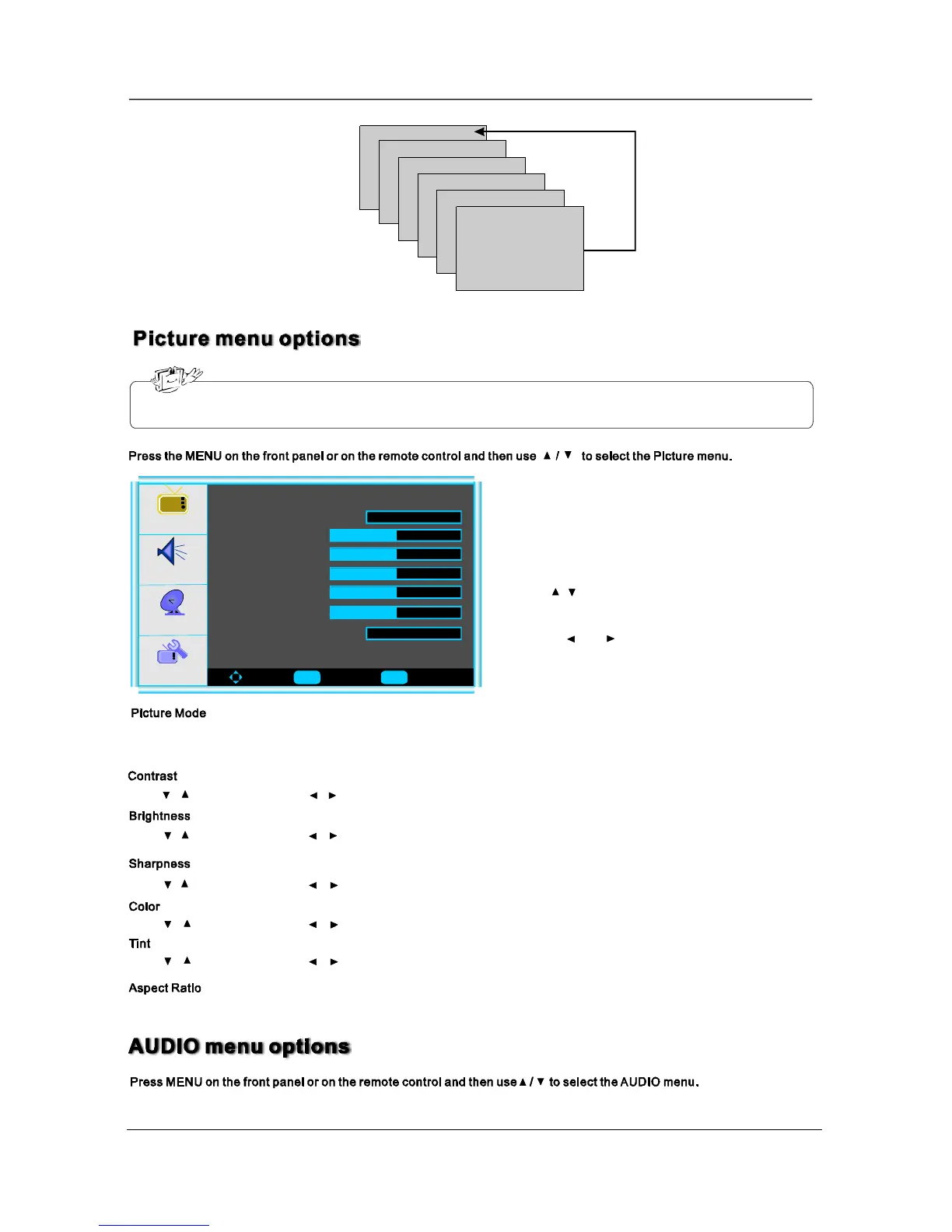
Inthismanual,theOSD(OnScreenDisplay)maybedifferentfromyourTV’ sbecauseitisjustexampletohelpthe
TVoperation.
3.Whenyouaresatisfiedwithyouradjustment,press
toexitthemainmenu.MENU
2.Pressandbuttontoadjust.
Press/buttonandthenuse/toadjustthecontrastofthepicture.
Press/buttonandthenuse/toadjustthebrightnessofthepicture.
Press/buttonandthenuse/toadjustthecolorsaturation.
Press/buttonandthenuse/toadjustthesharpnesslevelofpicture.
1.Use/toselectwhatyouwanttoadjustinthe
menu.Picture
Picture
Audio
Setup
Feature
ToMove ToSelect ToExit
PictureMode
Contrast50
Brightness
Sharpness
Color
Tint
AspectRatio
User
Wide
SelectthetypeofpicturewhichbestcorrespondstoyourviewingrequirementsbyselectingPictureModeinPICTURE
menu.YoumayselectthepicturemodedirectlybypressingthePMODEbuttonontheremotecontrol.
Press/buttonandthenuse/toadjustthetintofpicture.
Press ◄/► toselecttheratioofpicturedisplaysuchasNormal/Zoom/WideandCinema.
10
Enter Menu
50
50
50
50
Ch
Video1
Video2
Video3
Video4
Video5


 To Next Page
 Loading...