MenuOperation
3.Whenyouaresatisfiedwithyouradjustment,press
ortoexitthemainmenu.MENUEXIT
2.Pressandbuttontoadjust.
1.Use/toselectwhatyouwanttoadjustinthe
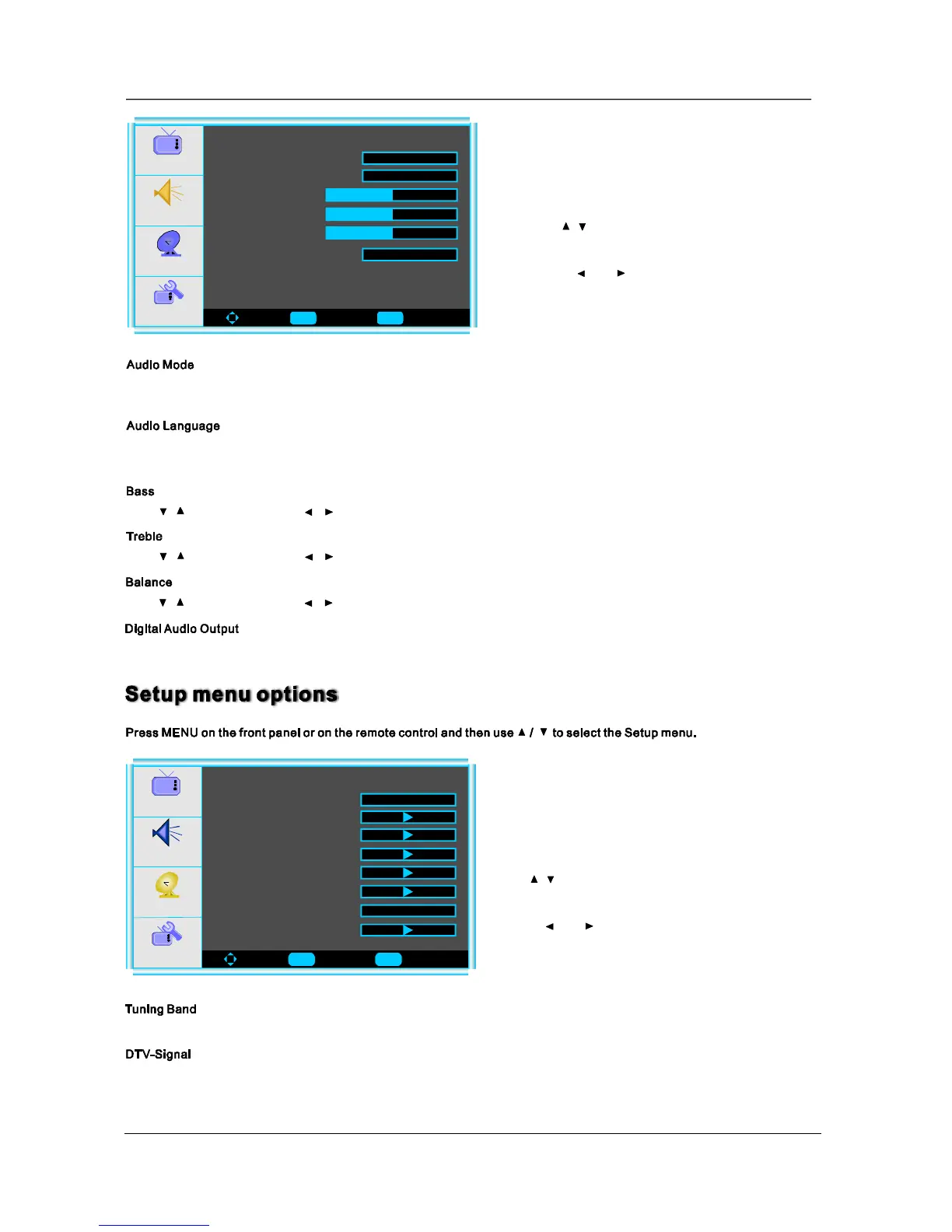
menu.Audio
Press/buttonandthenuse/toadjusttheaudiooutputbetweenleftandrightspeakers.
Press/buttonandthenuse/toincreaseordecreasethelevelofthelower-pitchedsounds.
Press/buttonandthenuse/toincreaseordecreasethelevelofthehigher-pitchedsounds.
3.Whenyouaresatisfiedwithyouradjustment,press
toexitthemainmenu.MENU
2.Pressandbuttontoadjust.
1.Use/toselectwhatyouwanttoadjustinthe
menu.Setup
Audio
Setup
Feature
ToMove ToSelect ToExit
AudioMode
AudioLanguage
Bass30
Treble30
Balance0
DigitalAudioOutput
Voice
Picture
English
PCM
YoucanselectthetypeofsoundwhichbestcorrespondstoyourlisteningrequirementsbyselectingSoundinSOUND
menu.YoumayselectthesoundmodedirectlybypressingtheSMODEbuttonontheremotecontrol.
Press ◄ / ►toselectoneoftheaudiolanguagesuchasEnglish/FrenchandSpain,buttheconditionisthattheprogram
systemhasincludedthelanguagecode.
Press ◄ / ► toselecttheoneofmodeofthedigitalaudiooutputsuchasPCMandRAW.
Audio
Setup
Feature
ToMove ToSelect ToExit
TuningBand
DTV-Signal
AutoChSearch
AddOnChSearch
ManualChSet
ChannelLabels
Air
Picture
MenuLanguage
English
PresskeytoselectAir,Cable,CableHRC,CableIRCorCableAuto.Enter
InDTVmode,youcantunemanuallyandadjusttheangle,orientationoftheantennaetc
11
Enter Menu
Enter Menu
Reset


 To Next Page
 Loading...