MenuOperation
-PhaseThisfunctionallowsyoutoremoveanyhorizontal
noiseandclearorsharpentheimageofcharacters
-ClockThisfunctionistominimizeanyverticalbarsorstripes
visibleonthescreenbackground.Andthehorizontal
screensizealsowillchange.
-PositionThisfunctionistoadjustthepicturetoLeft/Right
andUp/Downasyouprefer..
Press/buttonandthenuse/todoautoadjustthatautomaticallyadjuststheavailableoptionsforthebestviewing
configuration.
PressEntertodopresetthatcanreturntothefactorysetting.
Audio
Setup
Feature
ToMove ToSelect ToExit
TimeSet
SleepTimer
AdvancedVideoMenu
Picture
Off
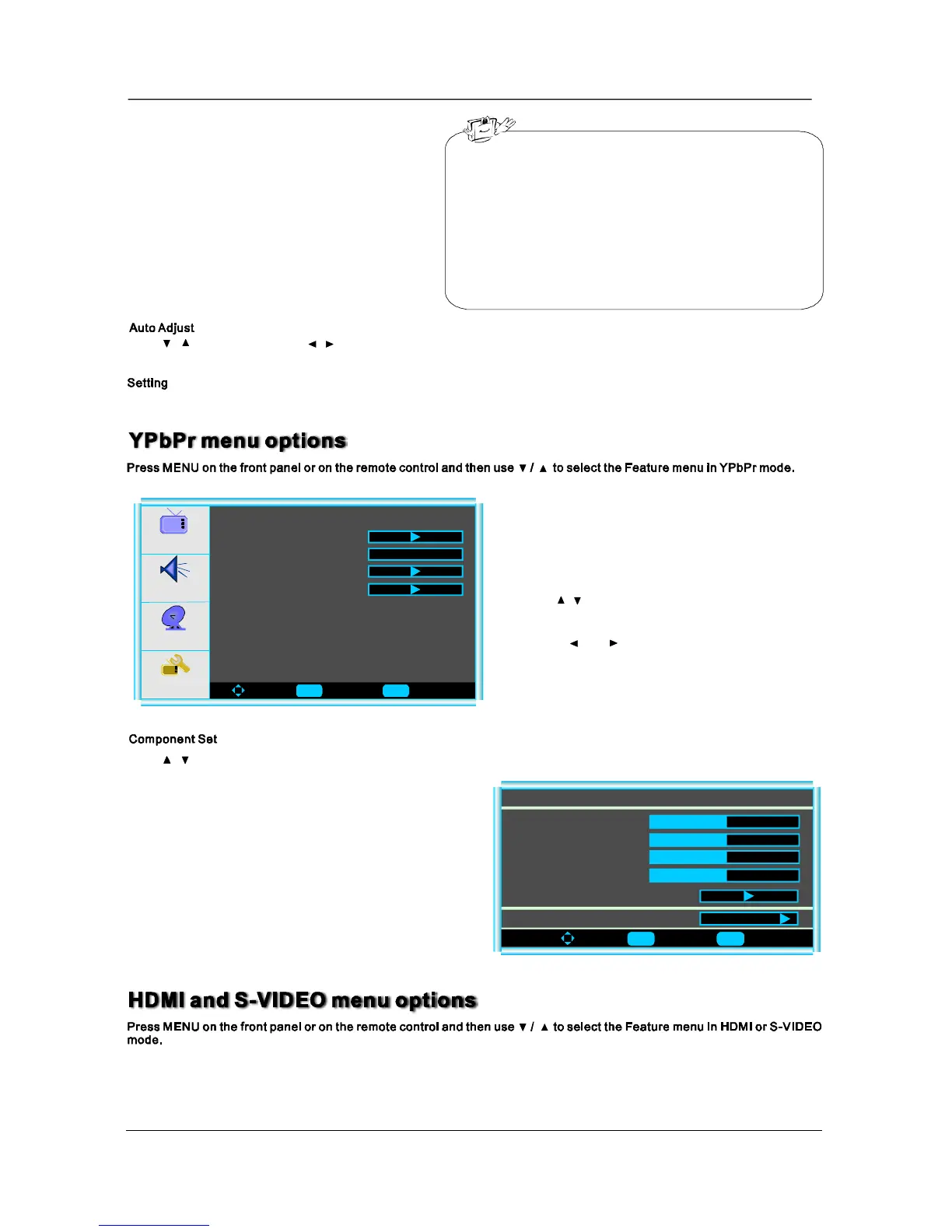
ComponentSet
3.Whenyouaresatisfiedwithyouradjustment,press
toexitthemainmenu.MENU
2.Pressandbuttontoadjust.
1.Use/toselectwhatyouwanttoadjustinthe
menu.Feature
Press/buttonandthenuseEntertoentertheVGAsetmenuasbelow:
ToMove ToSelect ToExit
V-Pos
ComponentSetting-720x480I@30/29.97Hz
H-Pos
Clock
Phase
AutoAdjust
50
50
50
50
Setting
Preset
16
Enter Menu
Enter Menu


 To Next Page
 Loading...